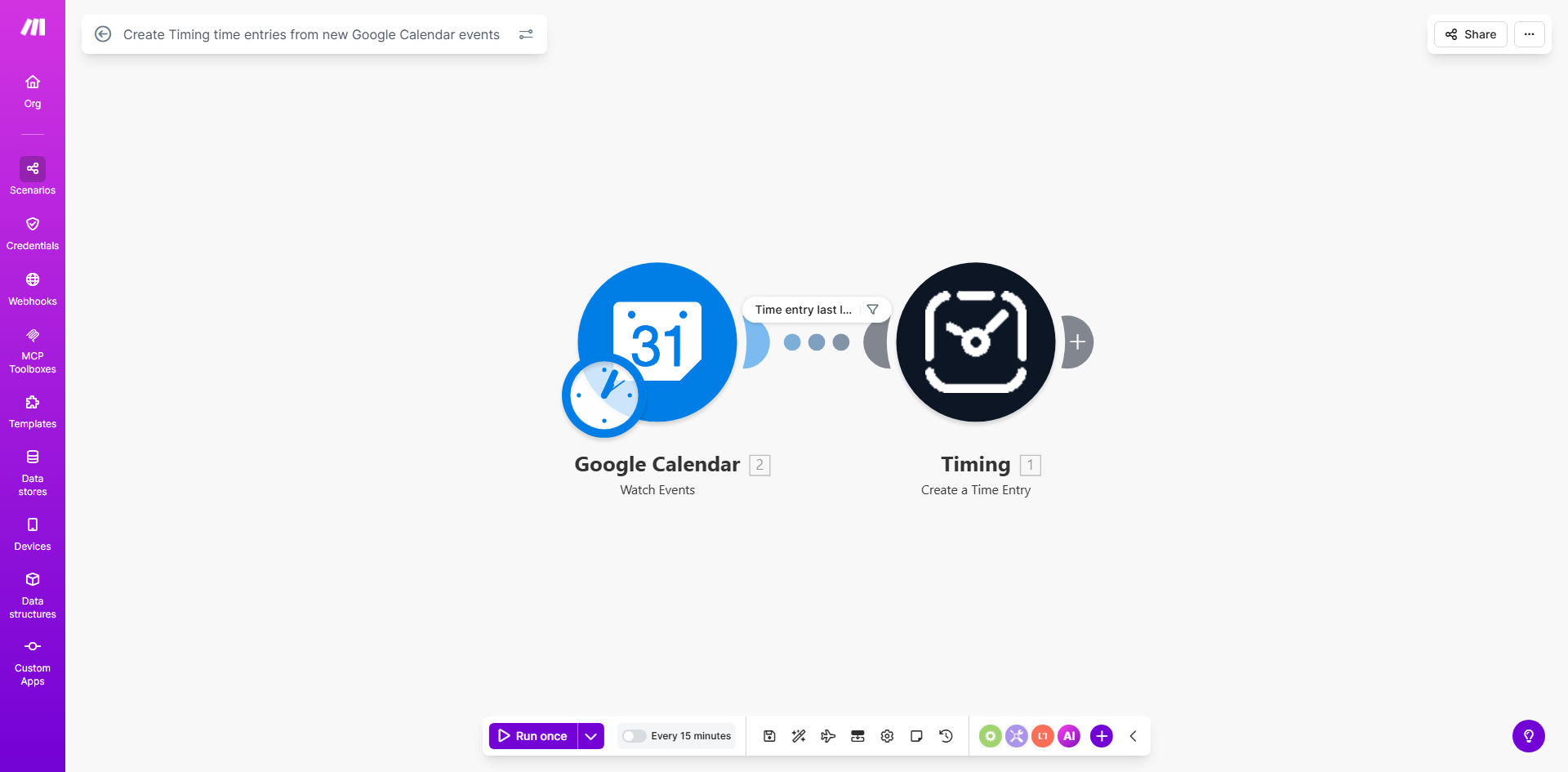
What This Workflow Does
For freelancers, consultants, and agency teams, time is literally money. Yet, manually tracking every meeting, client call, and project session is a tedious, error-prone task that often gets forgotten. This leads to lost billable hours, inaccurate project costing, and frustration. This automation solves that by bridging your schedule with your time sheet.
The workflow watches your Google Calendar for new events. Whenever a meeting or blocked work time is added, it instantly creates a corresponding time entry in Timing.app. The entry includes the event title, start and end times, and any notes you’ve added, creating a perfect audit trail of your workday without you lifting a finger.
The business value is clear: accurate, automatic time capture translates directly into precise client invoices, reliable profitability data, and 5-10 hours saved each month on administrative chores. You focus on the work itself, while the system handles the tracking.
How It Works
The automation runs on a simple, reliable trigger-action principle. Here’s the step-by-step process:
Step 1: Monitoring Your Calendar
The Make.com scenario is set to check your connected Google Calendar at regular intervals (e.g., every 15 minutes). It looks specifically for events that have started since the last check. This ensures no meeting slips through the cracks.
Step 2: Capturing Event Details
When a new event is detected, the workflow extracts key data: the event summary (title), start and end datetime, description, and calendar name. This data forms the basis of your time entry.
Pro tip: Use consistent naming in your calendar events (e.g., "Client: Project X - Strategy Call") to make the auto-generated time entries in Timing immediately understandable and easy to categorize later.
Step 3: Creating the Time Entry
The workflow then uses Timing's API to create a new time entry. It maps the calendar event details directly: the event title becomes the time entry name, the duration is calculated automatically, and the description can be passed as notes. The entry is logged in Timing, ready for review, reporting, or invoicing.
Who This Is For
This automation is a game-changer for any professional who bills by the hour or needs to track time for productivity analysis.
- Freelancers & Solo Consultants: Automatically track time for every client call and project work block, ensuring you bill for every minute.
- Digital Agencies & Studios: Keep accurate time records across multiple team members and projects by syncing shared calendars.
- Lawyers, Accountants & Therapists: Capture billable sessions directly from appointment calendars, eliminating manual entry errors.
- Project Managers & Remote Teams: Gain visibility into how time is spent on meetings versus deep work, based on actual calendar data.
What You'll Need
To use this template, you only need a few things set up beforehand:
- A Make.com account (free tier available).
- A Google Calendar with events you want to track.
- A Timing account (or another time-tracking tool with an API).
- API connection credentials (OAuth) for both Google Calendar and Timing, which Make.com will guide you to set up securely.
Quick Setup Guide
You can have this automation running in under 10 minutes.
- Clone the Template: Click "Get This Workflow" to copy the ready-made scenario into your Make.com workspace.
- Connect Your Apps: Authorize Make.com to access your Google Calendar and your Timing account via their respective modules.
- Configure the Trigger: Set the Google Calendar module to watch the specific calendar you use for work (e.g., "Primary" or "Work").
- Map the Data: Review how the event fields (title, start time, end time) map to the Timing time entry fields. Adjust if needed.
- Activate & Test: Turn the scenario on and create a test event in your calendar. Check Timing within a few minutes to see the automated entry appear.
Key Benefits
Eliminate Billable Hour Leakage: Manual time tracking is notoriously inaccurate. This automation ensures every scheduled minute is captured, potentially recovering hundreds of dollars in lost revenue each month.
Save 5+ Hours Per Week: No more stopping after a meeting to manually start a timer or reconstruct your day from memory. The automation does the logging for you, freeing up mental space and administrative time.
Improve Project Profitability Insights: With accurate time data flowing automatically from calendar to Timing, you get a true picture of how much time each client or project actually takes, enabling better pricing and resource planning.
Reduce Context Switching: Jumping from a productive meeting into your time sheet app breaks your flow. This seamless integration keeps you in your work zone.
Create a Reliable Audit Trail: For compliance, client disputes, or internal reviews, having an automatic log of your activities linked directly to calendar invites provides undeniable evidence of work completed.