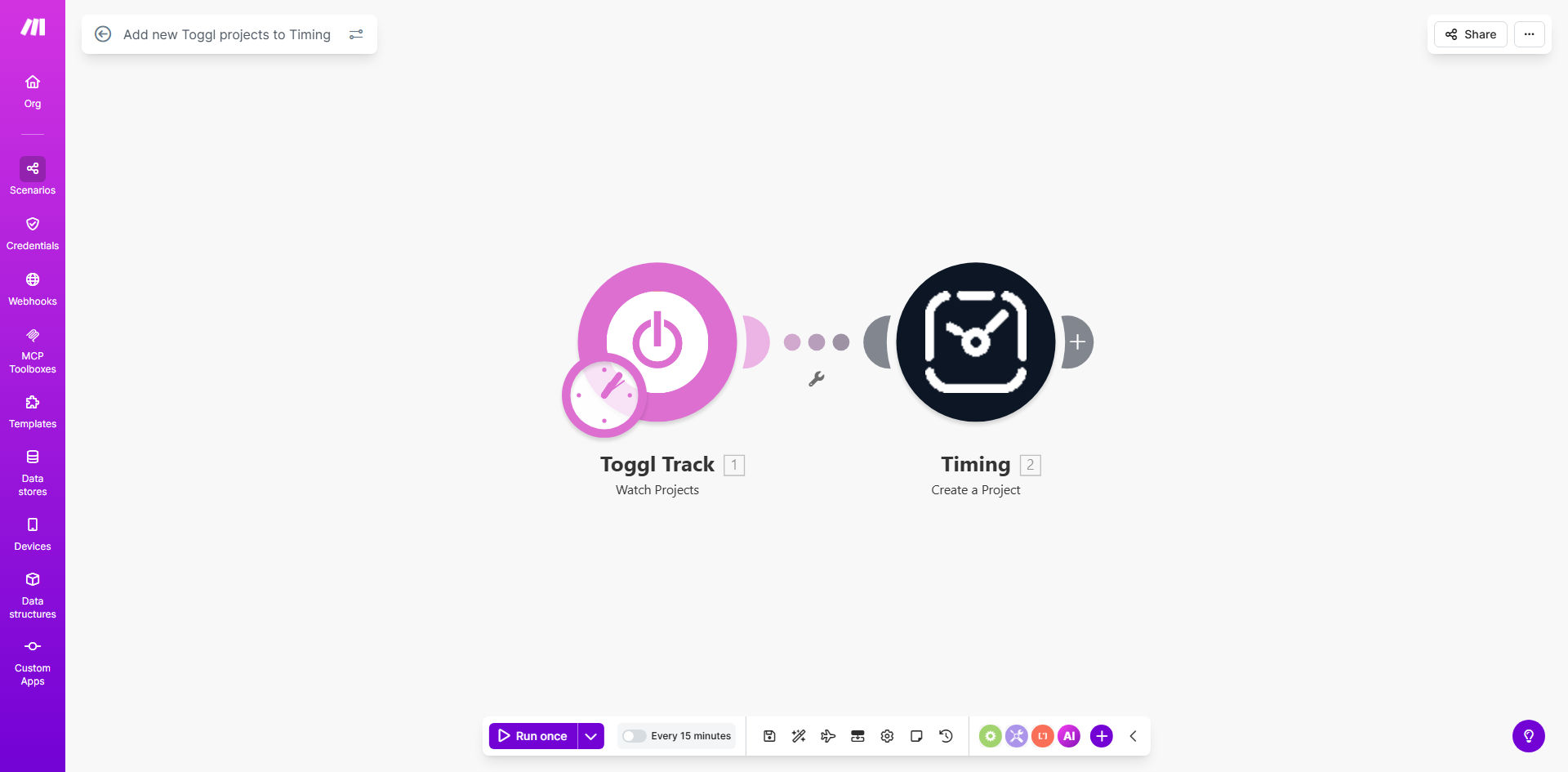
What This Workflow Does
For teams using multiple time-tracking tools, manual project management is a silent productivity killer. You create a new client project in Toggl Track for planning and estimates, but your team uses Timing App to automatically capture their computer activity. Without a bridge, someone must manually recreate that project in Timing—a task that’s easily forgotten, leading to lost billable hours and messy data.
This Make.com automation solves that problem completely. It acts as a diligent assistant that constantly monitors your Toggl workspace for new projects. The moment one is created, the workflow instantly captures the project details—like name, client, and color code—and creates a corresponding time entry or project in your Timing account. This ensures your time-tracking ecosystem is unified from the very first second a project goes live.
The business value is clear: it eliminates administrative busywork, guarantees data consistency across platforms, and ensures every billable minute can be accurately attributed. No more scrambling to create projects mid-sprint or reconciling time logs from mismatched project lists.
How It Works
The automation follows a simple, reliable sequence to keep your tools in sync.
Step 1: Scheduled Check for New Toggl Projects
The workflow is triggered on a schedule you set (e.g., every 15 minutes or hourly). It queries your Toggl account via the Toggl Track API, looking specifically for projects created since its last check.
Pro tip: Set the schedule interval based on your project creation frequency. For fast-paced agencies, check every 15 minutes. For internal teams, once an hour is often sufficient.
Step 2: Data Mapping and Preparation
For each new project found, Make.com extracts the relevant information. This typically includes the project name, client name, project ID, and sometimes notes or custom fields. The workflow structures this data into the format required by the Timing API.
Step 3: Create Corresponding Entry in Timing
The workflow then authenticates with your Timing account and uses its API to create a new time entry or project. It passes along the mapped data, ensuring the project in Timing mirrors the one in Toggl. The result is a seamless, hands-off sync.
Who This Is For
This template is a perfect fit for freelancers, digital agencies, consulting firms, and remote teams who rely on a multi-tool stack for time management. It's especially valuable if Toggl is your source of truth for project setup and client billing, while Timing is your team's preferred tool for automatic, passive time tracking. Project managers, operations leads, and anyone tired of being the "human sync tool" between apps will benefit immediately.
What You'll Need
- A Make.com account (free tier available).
- An active Toggl Track account with admin or project creation permissions.
- An active Timing account (subscription required for API access).
- Your API keys or authentication tokens for both Toggl and Timing.
- A basic understanding of where projects are created in your Toggl workspace.
Quick Setup Guide
- Clone the Template: Click "Get This Workflow" and duplicate the scenario into your Make.com account.
- Connect Toggl: In the first module, add your Toggl connection using your API token from the Toggl Track profile settings.
- Connect Timing: In the Timing module, add your connection using the API key from your Timing account preferences.
- Configure the Schedule: Set the trigger module to run at an interval that suits your workflow (start with once an hour).
- Test Run: Turn the scenario on, then create a test project in Toggl. Within one schedule cycle, check your Timing app to confirm the project appears automatically.
Key Benefits
Save 2–5 hours per month on manual admin work. Eliminate the repetitive task of copying project details between apps. This time adds up quickly for teams managing dozens of projects.
Ensure 100% data accuracy and eliminate sync errors. Manual entry is prone to typos and omissions. Automation guarantees that every project field is transferred correctly, every single time.
Capture every billable minute from day one. When a new project starts, your team can track time to it immediately in Timing, preventing revenue leakage from untracked early work.
Improve team adoption of time-tracking tools. Remove friction by making the system work for your team. When tools are connected and easy to use, compliance and data quality soar.
Create a single source of truth for project reporting. With synchronized projects, you can confidently pull reports from either Toggl or Timing, knowing the underlying project data is consistent and reliable.