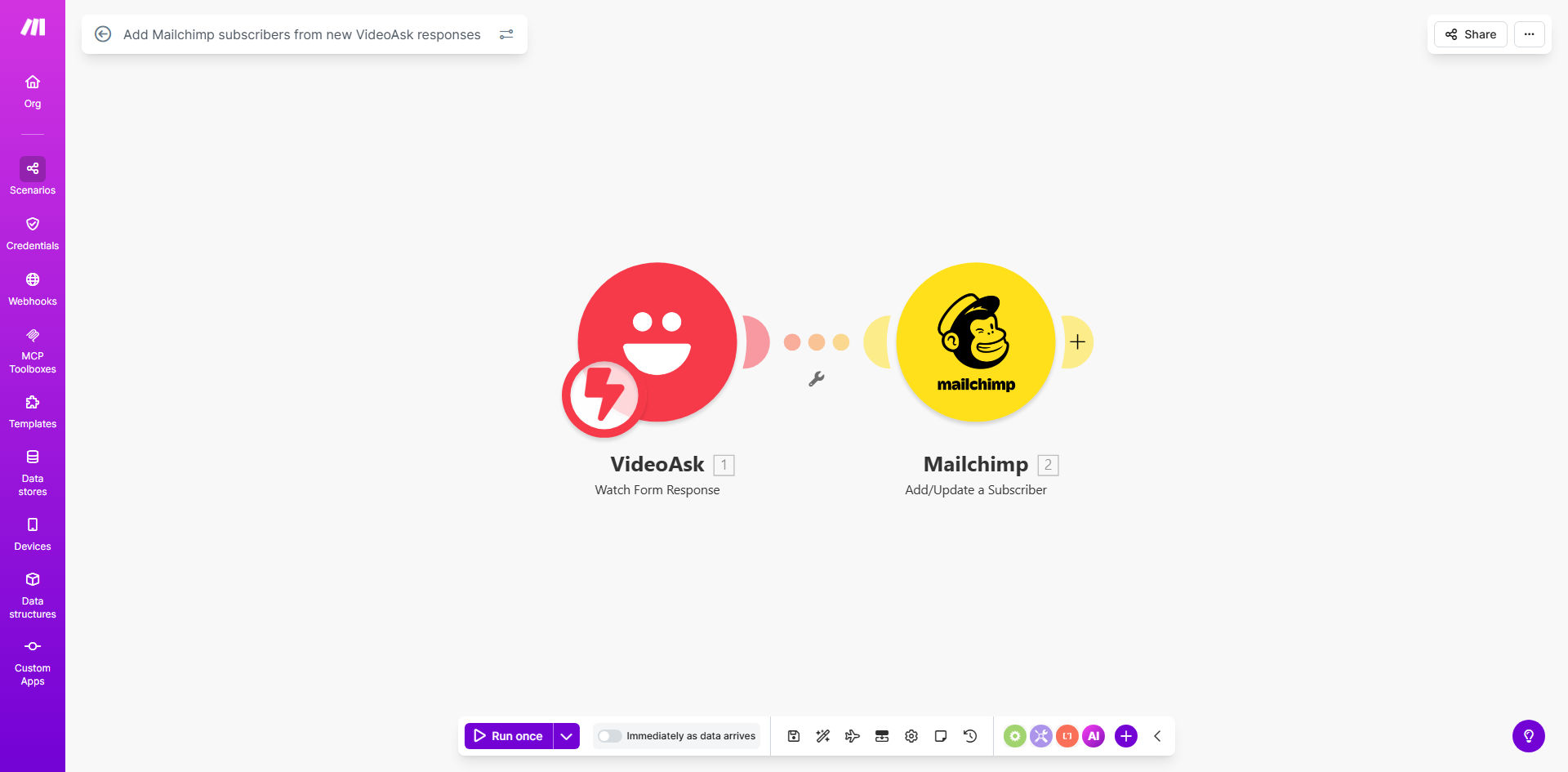
What This Workflow Does
If you use VideoAsk for lead generation—through consultations, webinar sign-ups, or feedback forms—you know the frustration of manually transferring contact details to your email marketing platform. This disjointed process wastes valuable time, introduces errors, and delays your follow-up, causing potential leads to go cold.
This automation solves that by creating a seamless bridge between VideoAsk and Mailchimp. Every time someone submits a response to your VideoAsk form, their email address and any other collected details are instantly and accurately added as a subscriber to your designated Mailchimp list. It turns a manual, error-prone task into a reliable, hands-off system that ensures no lead slips through the cracks.
The business value is clear: faster lead nurturing, a consistently growing email list, and hours of administrative work saved each month. Your team can focus on creating engaging video content and crafting effective email campaigns, confident that the data flow between these two powerful tools is fully automated.
How It Works
The workflow acts as an intelligent middleman, listening for new data in VideoAsk and pushing it to Mailchimp in the correct format.
Step 1: Trigger on New VideoAsk Response
The automation is activated the moment a new response is submitted to your VideoAsk form. It captures the entire response packet, including the respondent's email address, name, and any custom answers from your form fields.
Step 2: Format and Prepare the Data
The workflow then processes this data. It checks for required fields (like a valid email), formats names correctly, and maps VideoAsk question answers to corresponding Mailchimp merge fields (e.g., "Job Title" from VideoAsk to the "TITLE" field in Mailchimp).
Pro tip: Use this step to clean data. You can add a filter to ignore test submissions or responses from your own team email addresses, keeping your list clean.
Step 3: Add Subscriber to Mailchimp
Finally, the processed data is sent to Mailchimp's API. The contact is added to your specified audience list. You can configure the subscriber status (e.g., "subscribed" or "pending" for double opt-in) and apply tags based on which VideoAsk form was used, enabling powerful segmentation from day one.
Who This Is For
This automation is ideal for marketers, coaches, consultants, and course creators who leverage VideoAsk's interactive format for lead generation. It's perfect for businesses that run webinars, offer discovery calls, distribute lead magnets, or collect applications through video. If you value immediate follow-up and want to systemize your lead capture process, this workflow is for you.
What You'll Need
- A Make.com account (free tier available) to host and run the automation.
- A VideoAsk account with an active form that collects email addresses.
- A Mailchimp account with an existing audience list ready to receive new subscribers.
- API access credentials for both VideoAsk and Mailchimp, which are easily obtained from each platform's settings.
Quick Setup Guide
You can have this automation running in under 15 minutes.
- Get the Template: Click "Get This Workflow" to copy the ready-made scenario into your Make.com account.
- Connect Your Apps: In Make.com, authorize the connections to your VideoAsk and Mailchimp accounts when prompted.
- Configure the Trigger: Select the specific VideoAsk form you want to monitor for new responses.
- Map Your Fields: In the Mailchimp module, select your target audience and map the data from VideoAsk (like email and first name) to the correct Mailchimp fields.
- Test and Activate: Submit a test response to your VideoAsk form. Verify the contact appears in your Mailchimp list, then turn the scenario on. It will now run automatically.
Key Benefits
Eliminate Manual Data Entry: Save 2-5 hours per week by automatically syncing leads, allowing your team to focus on high-value marketing activities instead of administrative copy-pasting.
Improve Lead Response Time: New subscribers are added to Mailchimp within seconds, enabling you to trigger instant welcome emails or nurturing sequences, which can increase engagement rates by up to 50%.
Ensure 100% Data Accuracy: Remove the risk of human error from manual entry. Every email address and name is transferred exactly as provided, maintaining a clean and reliable email list.
Enable Smart Segmentation from Day One: Automatically tag subscribers based on the VideoAsk form they used or their answers, allowing for highly targeted and relevant email campaigns right from the start.
Scale Your Lead Generation Effortlessly: As your video content attracts more viewers and responses, your email list grows automatically without any additional effort or system bottlenecks.