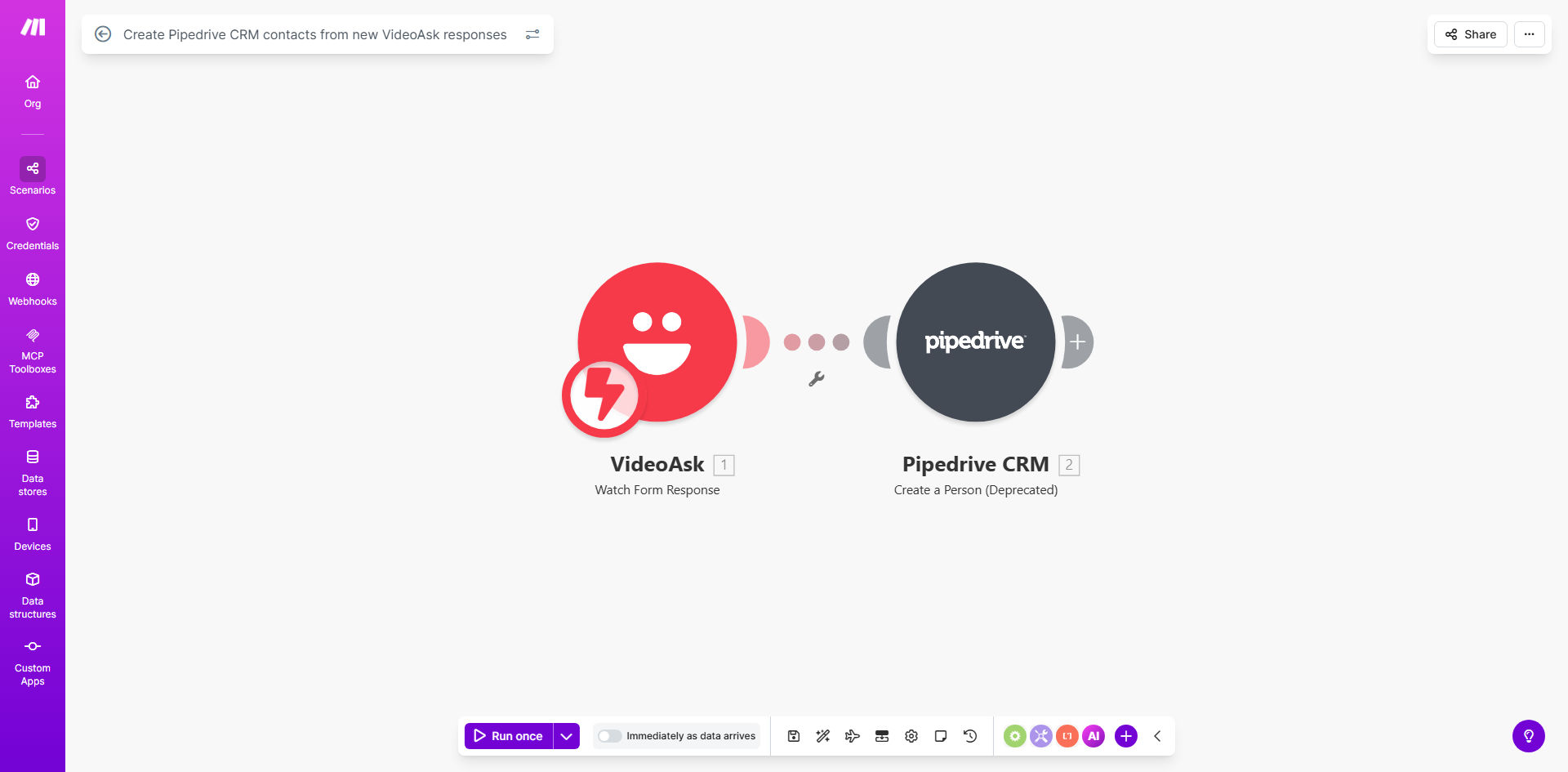
What This Workflow Does
Businesses using interactive video forms through VideoAsk face a critical bottleneck: manually transferring lead information into their CRM. This process is slow, prone to errors, and causes delays in sales follow-up, potentially losing hot leads who engaged with your video content.
This automated workflow solves that by creating a seamless bridge between VideoAsk and Pipedrive. Every time a prospect completes your VideoAsk form—whether it's a sales qualification, feedback request, or application—their response data is instantly and accurately transformed into a new contact record in Pipedrive. This ensures your sales team has immediate access to enriched lead data, including video responses, ready for personalized outreach.
The automation handles the entire data flow behind the scenes. It captures the respondent's name, email, answers to multiple-choice questions, and even the URL to their video recording, structuring it all within the appropriate Pipedrive contact fields. This turns a manual, time-consuming administrative task into a zero-touch, reliable process that operates 24/7.
How It Works
The workflow is triggered by new activity in your VideoAsk account and executes a series of actions in Make.com to format and deliver the data to Pipedrive.
Step 1: Monitor for New VideoAsk Responses
The scenario starts with a Watch Responses module in VideoAsk. It polls your account at regular intervals, instantly detecting when a new form submission or video response is completed. This trigger captures the entire response payload.
Step 2: Parse and Structure the Response Data
Make.com then processes the incoming data. It extracts key values like the respondent's first name, last name, email address, and answers to specific questions. The router or filter modules can be used to handle different form types or apply basic qualifying logic based on the answers provided.
Pro tip: Use this parsing step to assign a lead score or tag based on VideoAsk answers. For example, if a respondent indicates a high budget, you can automatically mark them as a "High-Priority" lead in Pipedrive.
Step 3: Create or Update the Contact in Pipedrive
The final action is the Create a Person module in Pipedrive. The formatted data from Step 2 is mapped directly to the corresponding fields in Pipedrive. This creates a new, fully populated contact record. You can also include the link to the video response in the contact's notes, giving sales reps invaluable context for their first call.
Who This Is For
This automation is a game-changer for sales and marketing teams that rely on personalized engagement. It's perfect for coaches and consultants who use VideoAsk for client applications, ensuring no potential client falls through the cracks. B2B sales teams using video for product demos or qualification can instantly route leads to the correct sales rep.
Marketing agencies running video-based campaigns for multiple clients will find it invaluable for streamlining lead handoff. Recruitment and HR teams using video interviews can automatically populate their candidate tracking system in Pipedrive. Essentially, any business using VideoAsk to capture meaningful interactions and Pipedrive to manage relationships will benefit from this connected workflow.
What You'll Need
- A Make.com account (free tier available) to build and run the automation.
- A VideoAsk account with an active form or video ask that collects responses.
- A Pipedrive CRM account with admin access to generate API keys and create contacts.
- The API keys or OAuth credentials for both VideoAsk and Pipedrive to connect them to Make.com.
- A clear understanding of which VideoAsk form fields (e.g., "email", "full_name") should map to which Pipedrive contact properties.
Quick Setup Guide
You can have this automation running in under 30 minutes by following these steps.
- Clone the Template: Click the "Get This Workflow" button above to open the pre-built template in your Make.com account and create a copy.
- Connect Your Apps: In the Make.com scenario, authorize the connections to your VideoAsk and Pipedrive accounts. This usually involves logging in and granting permission.
- Configure the Trigger: Select the specific VideoAsk form or "ask" you want to monitor for new responses in the Watch Responses module.
- Map the Data Fields: In the Pipedrive "Create a Person" module, map the data from VideoAsk to the correct Pipedrive fields. Standard mappings are: Email → email, First Name → first_name, Last Name → last_name.
- Test and Activate: Turn on the scenario and submit a test response to your VideoAsk form. Verify that a new contact appears in your Pipedrive CRM with all the correct data. Once confirmed, your automation is live.
Key Benefits
Eliminate 15–30 minutes of manual data entry per lead. What was once a tedious copy-paste task between tabs is now completely automated, freeing your team to focus on selling and building relationships instead of administrative work.
Achieve near-instant lead follow-up, boosting conversion rates by up to 391%. Studies show contacting a lead within 5 minutes makes them 9x more likely to convert. This workflow ensures leads are in your CRM and assigned to a rep moments after they engage.
Ensure 100% data accuracy and never lose a lead to human error. Automated data transfer removes typos, missed fields, and forgotten follow-ups. Every piece of information from the video response is captured reliably.
Gain richer lead context with direct video links in the CRM. Sales reps can watch the prospect's video response directly from the Pipedrive contact record, allowing for highly personalized and empathetic outreach that resonates deeply.
Scale your lead capture process without adding overhead. Whether you receive 10 or 1000 VideoAsk responses per month, the automation handles the volume effortlessly, allowing your business to grow without proportional increases in administrative cost.