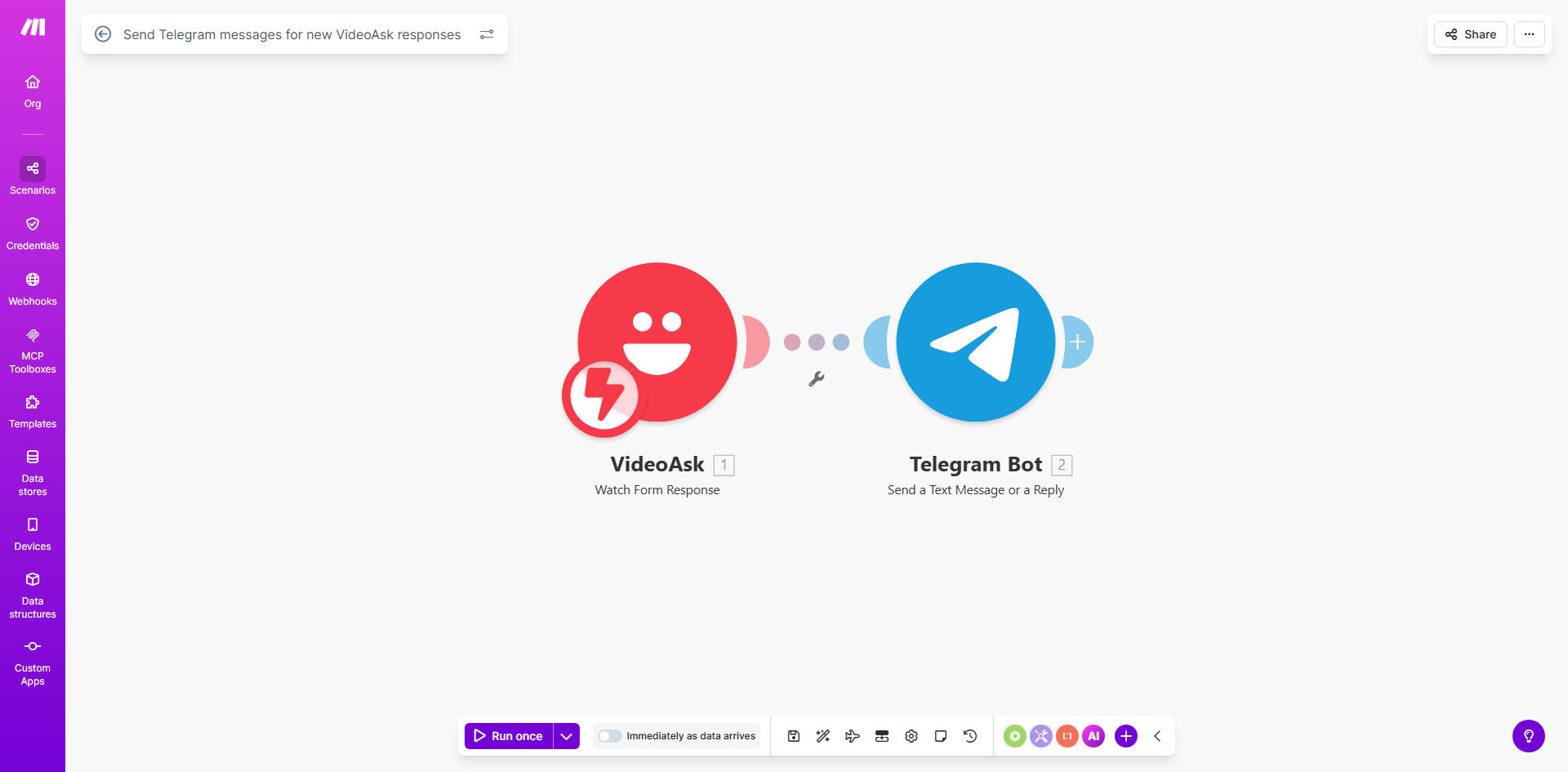
What This Workflow Does
VideoAsk is a powerful tool for capturing leads, feedback, and applications through interactive video. However, valuable responses can sit unnoticed in your dashboard for hours, leading to missed opportunities and slower customer service. This automation solves that problem by creating a real-time bridge between VideoAsk and Telegram.
Every time a new response is submitted—whether it's a sales inquiry, a support question, or a completed survey—this workflow instantly triggers a detailed notification to a designated Telegram channel or chat. This means your team gets alerted on their mobile devices the moment a potential customer engages, enabling lightning-fast follow-up and significantly improving response rates and customer satisfaction.
How It Works
The workflow is built on Make.com and operates on a simple "watch and notify" principle. It continuously monitors your VideoAsk account for new activity and formats that information into a clear, actionable Telegram message.
Step 1: Trigger on New VideoAsk Response
The scenario starts by watching your VideoAsk account using a webhook or the "Watch Responses" module. The instant a respondent submits a form or answers a question, the workflow captures the entire response packet, including contact details, answers, timestamps, and any uploaded files.
Step 2: Parse and Format the Response Data
Make.com then processes the incoming data. It can extract specific fields like the respondent's name, email address, the question asked, and the video or text answer. This step ensures only the most relevant information is prepared for the notification.
Step 3: Send a Customized Telegram Message
Finally, the workflow uses the Telegram Bot API to send a formatted message to your chosen Telegram destination. The message can include emojis for quick scanning, direct links back to the VideoAsk dashboard for review, and clear labels so your team knows exactly what type of response has arrived and how urgently it needs attention.
Pro tip: Create separate Telegram channels for different purposes (e.g., #leads-videoask, #support-videoask). You can then route responses based on the VideoAsk form or question type, keeping your team organized and ensuring the right people get the right notifications.
Who This Is For
This automation is ideal for any business or professional using VideoAsk for customer-facing interactions. Sales teams can capture hot leads from demo requests instantly. Recruitment agencies can get immediate alerts for new job applications. Coaches and consultants can be notified when a client books a discovery call. Support teams can triplicate video-based support tickets in real-time. Essentially, if your business relies on timely responses to video interactions, this workflow is for you.
What You'll Need
- A Make.com account (free tier available).
- A VideoAsk account with an active form or video that collects responses.
- A Telegram account and a Telegram Bot created via @BotFather.
- The Chat ID of the Telegram channel, group, or personal chat where you want to receive notifications.
Quick Setup Guide
You can have this automation running in under 10 minutes.
- Clone the template: Click the "Get This Workflow" button above to open the template in your Make.com account and create a copy.
- Connect VideoAsk: In the first module, authorize Make.com to access your VideoAsk account and select the specific form or video you want to monitor.
- Configure Telegram: In the Telegram module, paste the API token from your Telegram Bot and enter the destination Chat ID (for a channel, remember to include the `@` or `-100` prefix).
- Customize the message: Map the data from the VideoAsk response into the Telegram message text. You can add static text like "New Lead:" and then insert variables like the respondent's name.
- Test and activate: Run the scenario once manually to send a test notification. Once confirmed, schedule it to run automatically and turn it on.
Key Benefits
Reduce response time from hours to minutes. By receiving alerts directly on your phone, you can contact a hot lead while their interest is highest, dramatically increasing your chances of conversion.
Eliminate manual dashboard checking. Free up 15-30 minutes per day that your team would otherwise spend logging into VideoAsk to check for new responses. The automation does the monitoring for you.
Never miss a critical inquiry. Automated notifications ensure every response is seen, preventing valuable customer feedback, support tickets, or sales leads from falling through the cracks due to human oversight.
Improve team coordination. By sending alerts to a shared Telegram group or channel, your entire team stays in the loop on customer interactions, enabling better collaboration and handoffs.
Gain a competitive edge in service. In an era where speed is a key differentiator, being the first to respond to a customer inquiry can set you apart from competitors who rely on slower, manual processes.