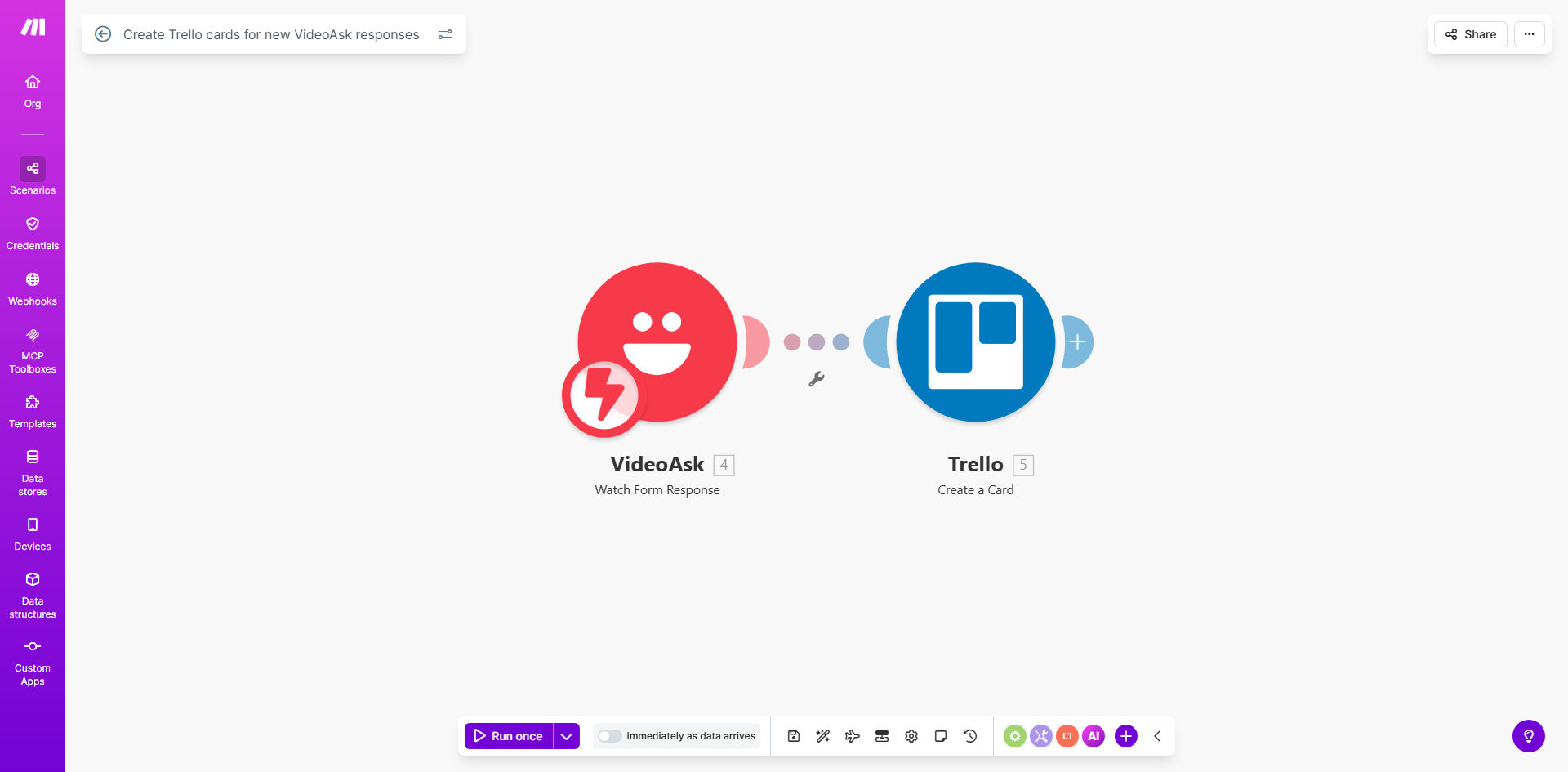
What This Workflow Does
Businesses using VideoAsk for lead generation, candidate screening, or customer feedback face a critical bottleneck: manual follow-up. Every insightful video response ends up trapped in an admin dashboard, requiring someone to watch, transcribe notes, and manually create a task in a project management tool like Trello. This process is slow, error-prone, and causes valuable opportunities to slip through the cracks.
This automated workflow solves that by creating a seamless bridge between VideoAsk and Trello. Every time a new response is submitted—whether it's a sales inquiry, a job application video, or product feedback—it automatically triggers the creation of a detailed Trello card. The card is populated with key respondent data, a direct link to the video, and can be assigned to the right team member, instantly moving the response from a passive inbox to an active workflow.
How It Works
The automation runs on Make.com, acting as the intelligent middle layer that listens for new data and takes action.
Step 1: Trigger on New VideoAsk Response
The scenario starts by monitoring your specific VideoAsk form or funnel. The moment a respondent completes and submits their video, Make.com instantly captures the entire response package, including the video file URL, transcript, answers to form questions, and contact details.
Step 2: Parse and Structure the Data
Make.com processes the incoming data. You can set up modules to filter responses (e.g., only forward responses with a certain keyword), extract specific answers to use as the card title, or format a comprehensive description that includes the video link and a summary.
Pro tip: Use the respondent's answer to a key question (like "What's your biggest challenge?") as the Trello card title. This makes each card immediately actionable for your team.
Step 3: Create the Trello Card
The workflow then connects to your Trello board and creates a new card in the designated list (e.g., "New Leads," "Applications to Review"). It maps the structured data from VideoAsk to the card's fields: title, description, checklist items, labels for categorization, due dates, and even attaches the respondent's email as a comment for easy contact.
Step 4: Notify and Assign (Optional)
As a final step, you can extend the automation to add specific team members to the card or send a notification to a Slack channel alerting the team that a new video response has been logged and is ready for action.
Who This Is For
This automation delivers immense value for any team using video for interactive communication.
- Sales & Marketing Teams: Qualify leads from video inquiries on your website. Each lead becomes a card in your sales pipeline board.
- HR & Recruiting Teams: Screen candidates with video interviews. Automatically create a candidate card for review, complete with their video introduction.
- Product & Customer Success Teams: Collect video feedback or bug reports. Instantly log user testimonials or issues as prioritized tasks in your product backlog.
- Coaches & Consultants: Manage client intake forms. Turn potential client applications into cards in your client management board.
What You'll Need
- A Make.com account (free tier available).
- An active VideoAsk account with a form or funnel collecting responses.
- A Trello account with a board and list where you want the new cards to appear.
- API connection keys for both VideoAsk and Trello (easily obtained within each platform).
- Clear understanding of which data points (name, question answer, video link) you want on your Trello cards.
Quick Setup Guide
- Clone the Template: Click "Get This Workflow" to copy the ready-made scenario into your Make.com account.
- Connect Your Apps: In the Make.com scenario, authorize the VideoAsk and Trello modules by logging into your accounts and granting access.
- Configure the Trigger: Select the specific VideoAsk form or funnel you want to monitor for new responses.
- Map Your Trello Board: Select your target Trello board and the list (e.g., "Inbox" or "To Process") where new cards should be created.
- Customize Data Mapping: Drag and drop data from the VideoAsk response into the Trello card fields. Set the card title, description, and any labels.
- Test and Activate: Use the "Run once" feature to test with a real past response. Confirm the card appears correctly in Trello, then turn the scenario to "On" to automate future responses.
Key Benefits
Eliminate 100% of manual data entry between VideoAsk and Trello, saving an estimated 5–10 minutes per response. This time adds up to hours per week that your team can reinvest in high-value tasks like following up with leads or reviewing candidates.
Ensure zero responses are missed or forgotten. The automation guarantees every video submission is instantly captured and turned into a trackable task, dramatically improving response rates and candidate experience.
Speed up your workflow cycle time. By moving responses into your project management tool in seconds, you reduce the lag between receiving information and taking action, allowing your team to respond faster and more effectively.
Improve data accuracy and context. Automated mapping removes human error from copying details. The Trello card contains a direct, clickable link to the original video, giving your team full context at a glance.
Scale your video interaction processes. As the volume of video responses grows, this automation handles the increased load effortlessly, allowing you to maintain a personal touch at scale without adding administrative headcount.