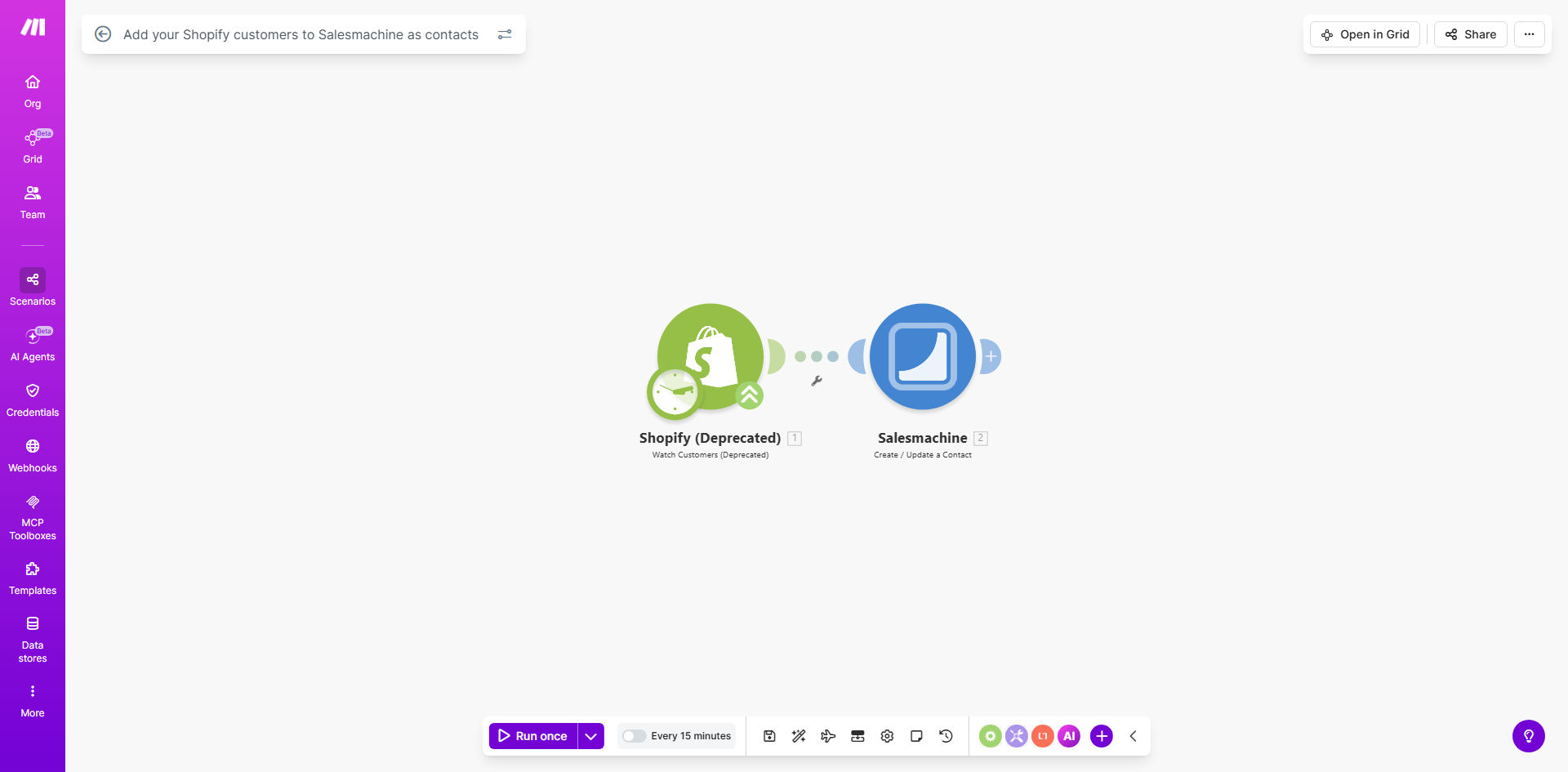
What This Workflow Does
For e-commerce businesses using Shopify, every new customer represents a potential long-term relationship and future sales opportunity. However, this opportunity is often lost when customer data remains siloed in your store's backend, invisible to your sales team in their primary CRM, Salesmachine. Manually exporting lists and importing contacts is a slow, error-prone process that leads to delayed follow-ups and missed deals.
This automated workflow solves that problem by creating a seamless bridge between your e-commerce platform and your sales intelligence tool. It monitors your Shopify store at regular intervals, detects newly created customers, and instantly creates corresponding contact records in Salesmachine. This ensures your sales representatives have immediate, actionable visibility into who is buying from you, enabling timely and personalized outreach that can increase repeat purchase rates and customer lifetime value.
How It Works
The automation acts as a diligent data connector, working silently in the background to keep your systems in sync.
Step 1: Monitor for New Shopify Customers
The workflow is triggered on a schedule you define (e.g., every hour or daily). It queries your Shopify store's API to retrieve a list of customers created since the last check.
Step 2: Process and Map Customer Data
For each new customer found, the automation extracts key information such as their full name, email address, phone number, and any available notes or tags from Shopify. This data is formatted to match the contact field structure expected by Salesmachine.
Pro tip: Use this step to enrich the data. You can add a step to calculate the customer's lifetime value from their order history or segment them based on their first purchase category before sending them to Salesmachine.
Step 3: Create Contact in Salesmachine
The formatted customer data is sent to Salesmachine via its API, where a new contact is created. The contact is automatically tagged with its source (e.g., "Shopify") and can be assigned to a specific sales rep or pipeline based on your rules.
Step 4: Log and Handle Errors
The workflow includes error handling. If a contact fails to create (e.g., due to a duplicate email), the error is logged, and the process continues with the next customer, ensuring robustness. You can set up notifications for any failures that require attention.
Who This Is For
This automation is ideal for any business using Shopify for sales and Salesmachine for sales pipeline management. It's particularly valuable for:
- E-commerce brands with a dedicated sales team following up on high-value or wholesale orders.
- Subscription-based businesses where understanding the customer base is key to reducing churn and increasing upgrades.
- Companies selling B2B through Shopify, needing to pass lead information directly to account executives.
- Marketing and sales managers tired of manual reporting and data exports between departments.
What You'll Need
- A Shopify store with admin access to generate API credentials.
- A Salesmachine account with permissions to create contacts via API.
- A Make.com account (free tier available) to host and run the automation scenario.
- Basic information like your Shopify store URL and API keys for both services.
Quick Setup Guide
- Get the Template: Click "Get This Workflow" to copy the pre-built scenario into your Make.com account.
- Connect Shopify: In the first module, authenticate and connect your Shopify store. The workflow will need permissions to read customers.
- Connect Salesmachine: In the "Create Contact" module, authenticate with your Salesmachine account to establish the connection.
- Configure the Schedule: Set the trigger module to run at an interval that suits your business volume (e.g., every 6 hours).
- Test and Activate: Run the scenario once to test with a recent customer. Confirm the contact appears in Salesmachine, then turn the scenario on.
Key Benefits
Eliminate 2-5 hours of manual work per week previously spent on exporting CSV files from Shopify and importing them into Salesmachine. This time is now reclaimed for strategic sales activities.
Improve sales team response time from days to minutes. New high-value customers can be contacted by a sales rep within an hour of their purchase, dramatically increasing the chance of securing a second sale or subscription upgrade.
Ensure 100% data accuracy and completeness by removing the human error inherent in manual data entry. Every customer field is transferred exactly as captured at checkout.
Create a single source of truth for sales intelligence. Your sales team no longer needs to juggle between Shopify and Salesmachine. All the customer context they need—purchase history, contact details, and value—lives directly in their CRM.
Scale your sales process effortlessly. Whether you get 10 or 1000 new customers a day, the automation handles the sync seamlessly, allowing your sales operations to grow without adding administrative overhead.