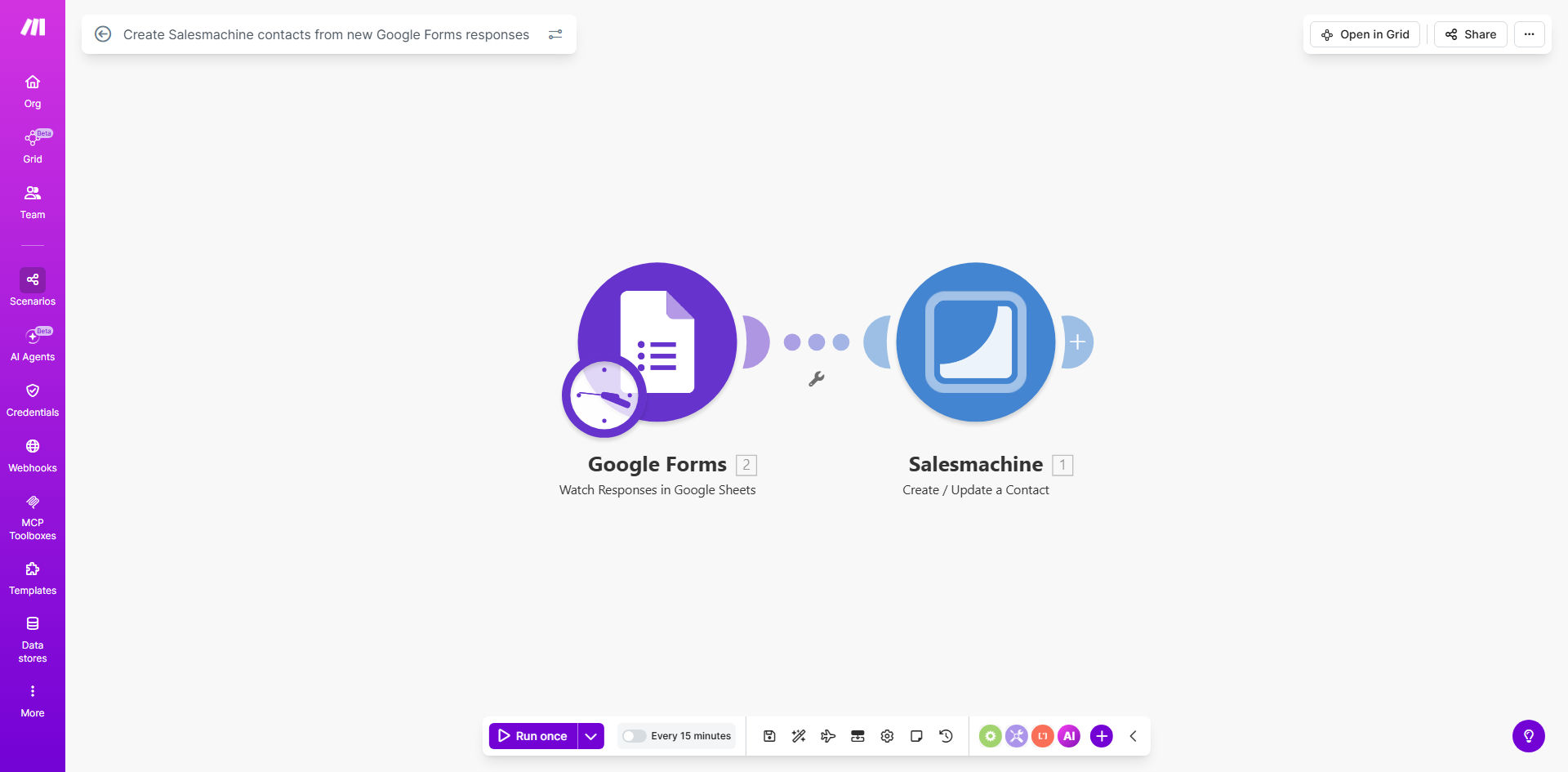
What This Workflow Does
Every minute a lead sits in a spreadsheet is a minute your sales team can't act on it. Manual data entry from Google Forms into your CRM is a slow, error-prone process that costs you deals and productivity. This automation solves that by creating a real-time bridge between your lead capture forms and your sales engagement platform.
The workflow watches for new submissions on your Google Form. The moment someone fills it out—whether it's a demo request, contact inquiry, or event registration—the automation triggers. It takes the respondent's information (name, email, company, etc.) and uses it to instantly create a new, fully populated contact inside your Salesmachine account. This means your sales reps can start their outreach sequences immediately, while the lead is hottest.
How It Works
The automation runs on a simple, powerful sequence that requires zero ongoing effort from your team.
Step 1: Monitor for New Form Responses
The workflow is set to check your specified Google Form at regular intervals (e.g., every 5 minutes). It uses the Google Forms module in Make.com to detect any new submissions that have come in since the last check.
Step 2: Extract and Structure the Data
Once a new response is found, the automation parses the data. It maps each answer from the form to a specific data field. For example, the "Email Address" question maps to the contact's email field, "First Name" maps accordingly, and any custom questions map to notes or custom properties in Salesmachine.
Pro tip: Use consistent naming in your Google Form questions (like "Work Email" instead of just "Email") to make field mapping foolproof and easier to maintain.
Step 3: Create the Contact in Salesmachine
The structured data is then sent to Salesmachine via its API. The workflow uses the "Create a Contact" action, populating all the relevant fields. The contact is created in your Salesmachine account with the lead source automatically tagged as "Google Form," providing valuable tracking data.
Step 4: Confirm and Log (Optional)
For reliability, the workflow can include a final step to log the successful creation in a Google Sheet or send a confirmation to a Slack channel. This gives you a passive audit trail and peace of mind that every lead is being processed.
Who This Is For
This automation is ideal for sales and marketing teams that rely on inbound leads. It's perfect for B2B companies using Google Forms for lead magnets, webinar sign-ups, demo requests, or contact pages. If your sales team uses Salesmachine for outreach sequences and lead scoring, this workflow ensures they get every lead instantly, without manual handoff. Marketing agencies managing client lead generation will also find immense value in setting this up for their clients to demonstrate seamless operational efficiency.
What You'll Need
- A Google Forms form that is actively collecting lead information.
- A Salesmachine account with admin or API access to create contacts.
- A Make.com account (free tier is sufficient to start).
- The API connection keys (OAuth) for both Google Forms and Salesmachine, which Make.com will guide you through securely.
- Basic knowledge of your form's field names and the corresponding contact property names in Salesmachine.
Quick Setup Guide
You can have this automation running in under 15 minutes.
- Clone the Template: Click "Get This Workflow" and duplicate the template into your own Make.com scenario.
- Connect Your Apps: Authorize the Google Forms and Salesmachine modules by logging into your accounts when prompted by Make.com.
- Select Your Form: In the Google Forms module, choose the specific form you want to monitor from the dropdown list.
- Map the Fields: In the Salesmachine "Create Contact" module, map the data from the form response to the correct Salesmachine contact fields (e.g., map "Email" to "email").
- Test and Activate: Use the "Run once" feature to test with a recent form submission. Verify the contact appears correctly in Salesmachine, then schedule the scenario to run every 5 minutes and turn it on.
Key Benefits
Eliminate 100% of manual data entry for leads coming through Google Forms. This reclaims 2-5 hours per week for sales or marketing staff that would otherwise be spent copying and pasting.
Speed up lead response time from hours to seconds. Studies show contacting a lead within 5 minutes makes you 9x more likely to convert them. This automation makes that immediate follow-up possible.
Ensure 100% data accuracy and zero lost leads. Automated transfer removes human error—no more typos in email addresses or missed submissions buried in email notifications.
Improve sales team productivity and morale by giving them a steady, automated stream of ready-to-contact leads in their primary tool, allowing them to focus on selling, not admin work.
Gain better lead source tracking by having every form-generated contact automatically tagged in Salesmachine, making your marketing attribution clearer and more reliable.