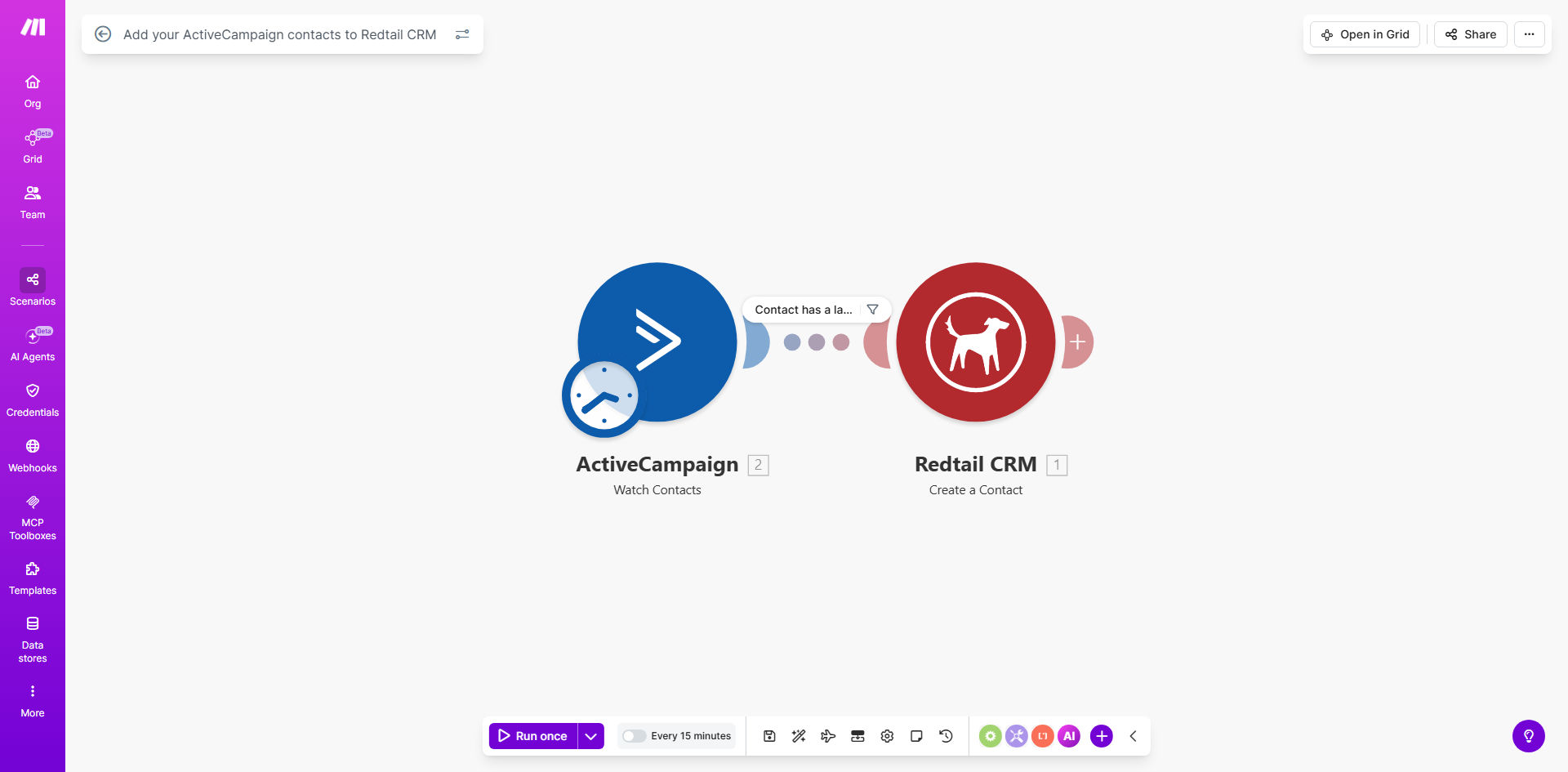
What This Workflow Does
For financial advisors, insurance agents, and sales teams using Redtail CRM, manually transferring new leads from marketing platforms like ActiveCampaign is a tedious, error-prone bottleneck. Valuable leads can sit in a marketing list for days before a salesperson sees them, causing missed opportunities and lengthening sales cycles.
This automated workflow solves that problem by creating a seamless bridge between your marketing automation and your CRM. It continuously monitors your ActiveCampaign account for new contacts or updated lead information and instantly creates or updates corresponding records in Redtail CRM. This ensures that every qualified lead is immediately actionable by your sales team, with all their marketing engagement history intact.
The result is a unified sales and marketing engine where data flows automatically. Marketing can nurture leads with confidence, knowing successful conversions are handed off instantly. Sales can trust that their CRM always contains the most current, complete prospect information, allowing for faster, more informed follow-up.
How It Works
The automation acts as a smart, real-time data courier between ActiveCampaign and Redtail. Here's the step-by-step process:
Step 1: Monitor for New Contacts
The workflow is triggered on a schedule (e.g., every 15 minutes) to check your ActiveCampaign account for any new contacts added since the last check. It can also be configured to watch specific lists or tags for highly targeted lead routing.
Step 2: Retrieve Contact Details
For each new contact found, the automation gathers all available data: name, email, phone number, company, custom fields, lead score, and even tags indicating their interests or campaign source. This creates a comprehensive profile for the sales team.
Step 3: Check for Duplicates in Redtail
Before creating a new record, the automation searches Redtail CRM using the contact's email address to see if they already exist. This prevents duplicate entries and maintains a clean, reliable database.
Step 4: Create or Update the CRM Record
If the contact is new, a full record is created in Redtail CRM, mapping all the relevant fields from ActiveCampaign. If the contact exists, the workflow can update their record with the latest information from ActiveCampaign, such as a higher lead score or new tags.
Step 5: Log the Activity & Handle Errors
Every sync attempt is logged. If an error occurs—like a missing required field—the workflow can notify an admin via email or Slack instead of failing silently, ensuring data integrity is maintained.
Pro tip: Enhance this workflow by adding a step to automatically assign the new Redtail contact to a specific sales rep or team based on the lead's geographic location, product interest (from ActiveCampaign tags), or lead score, creating a fully automated lead distribution system.
Who This Is For
This automation is ideal for any business using ActiveCampaign for lead generation and Redtail CRM for sales pipeline management, particularly in regulated industries like financial services where client data accuracy is critical.
Financial Advisory Firms: Automatically move prospects who download a retirement planning guide into their advisor's CRM for immediate follow-up.
Insurance Agencies: Sync leads from online quote requests or webinar registrations directly into the agency's Redtail pipeline, ensuring fast contact.
Sales Teams: Bridge the gap between marketing-qualified leads (MQLs) in ActiveCampaign and sales-qualified leads (SQLs) in Redtail, accelerating the sales process.
Marketing Managers: Prove ROI by seamlessly tracking leads from campaign to closure without manual reporting.
What You'll Need
- A Make.com account (free tier available).
- An ActiveCampaign account with contacts and API access enabled.
- A Redtail CRM account with administrative permissions to generate API keys.
- The API credentials (keys) for both ActiveCampaign and Redtail CRM.
- A clear understanding of which contact fields (email, name, phone, custom fields) you want to sync between the systems.
Quick Setup Guide
You can have this automation running in under 30 minutes by following these steps:
- Clone the Template: Click "Get This Workflow" to copy the ready-made template into your Make.com account.
- Connect Your Apps: In the Make.com scenario, create connections to your ActiveCampaign and Redtail CRM accounts using your API keys.
- Configure the Trigger: Set the schedule module to check for new contacts at your desired interval (e.g., every hour).
- Map Your Fields: In the "Create a Contact" module for Redtail, map the data from ActiveCampaign (like `contact.email`) to the corresponding fields in Redtail CRM.
- Test and Activate: Run a single test cycle with a known contact to ensure data flows correctly. Once verified, turn the scenario on.
Key Benefits
Eliminate 5–10 hours of manual data entry per week. Your team stops being data clerks and gets back to high-value tasks like building client relationships and closing deals.
Accelerate sales cycles by up to 30%. Instant lead delivery means sales can contact prospects while their interest is hottest, significantly increasing conversion rates.
Achieve 100% data accuracy and eliminate silos. Automated sync removes human error from copy-paste transfers and ensures marketing and sales always work from the same, up-to-date information.
Gain full-funnel visibility. Track a lead's journey from first website visit in ActiveCampaign to closed deal in Redtail, providing clear metrics for marketing ROI.
Scale your operations effortlessly. As lead volume grows, your automated system handles the increased load without requiring additional administrative staff.