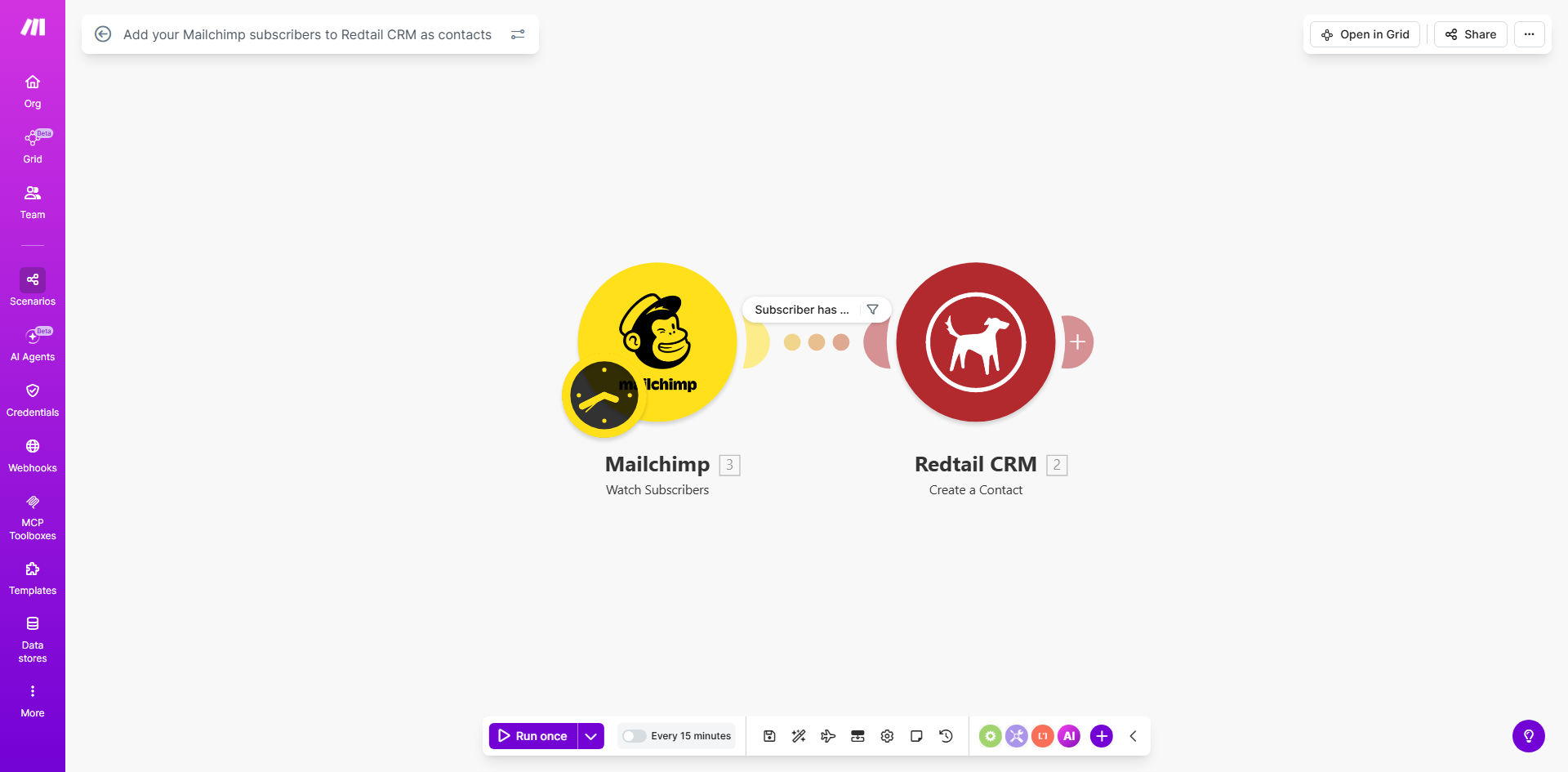
What This Workflow Does
For financial advisors, wealth managers, and financial service firms, marketing efforts often start with email campaigns via Mailchimp. When someone subscribes to your newsletter, webinar, or financial guide, they become a potential client. However, manually transferring each new subscriber's information into your Redtail CRM is a tedious, error-prone task that wastes valuable time you could spend with clients.
This automation solves that problem. It connects Mailchimp and Redtail CRM on Make.com, creating a seamless bridge between your marketing funnel and your client relationship management. Whenever a new person joins a specified Mailchimp list, the workflow instantly captures their details—like email, name, and company—and creates a corresponding contact record in Redtail CRM. This ensures every lead is systematically captured and ready for follow-up without any manual intervention.
The result is a unified system where your marketing leads automatically become managed prospects in your CRM. You eliminate data silos, reduce administrative overhead, and accelerate your client acquisition process.
How It Works
The workflow operates on a simple, reliable trigger-action principle, orchestrated by Make.com.
Step 1: Monitoring Mailchimp for New Subscribers
The automation periodically checks your designated Mailchimp mailing list for new subscribers. You can set the schedule (e.g., every hour, daily) based on your list growth rate. When a new subscription event occurs, Make.com receives the subscriber's data package.
Step 2: Processing Subscriber Data
Make.com formats the incoming data from Mailchimp. It extracts key fields such as email address, first name, last name, and any custom merge fields you collect (like phone number or company). This data is mapped and prepared for entry into Redtail CRM's contact structure.
Step 3: Creating the Contact in Redtail CRM
The formatted data is sent to Redtail CRM via its API. The workflow creates a new contact record, populating the basic fields. Optionally, it can also assign tags, notes, or ownership within Redtail to categorize the lead as a "Marketing Prospect" or assign it to a specific advisor.
Step 4: Logging and Error Handling
The process includes logging each successful sync and handling exceptions. If a duplicate email is detected or an API error occurs, the workflow can send an alert or skip the entry, ensuring your CRM data remains clean and reliable.
Who This Is For
This automation is ideal for financial professionals and firms who use email marketing to attract clients and rely on Redtail CRM to manage relationships.
- Independent Financial Advisors: Who spend too much time copying leads from marketing emails into their CRM.
- Financial Planning Firms: With teams where marketing-generated leads need to be distributed quickly to the right advisor.
- Investment Managers & Wealth Managers: Who host webinars or publish market insights and want to automatically capture interested subscribers as prospects.
- Fintech Companies & Financial Educators: Using Mailchimp for content distribution and needing to build a CRM database of engaged followers.
If you're managing more than 50 new subscribers per month manually, this automation will save you significant operational time.
What You'll Need
To implement this template, ensure you have the following prerequisites ready:
- A Make.com account (free tier available).
- Active Mailchimp account with at least one mailing list containing subscribers.
- A Redtail CRM account with API access enabled (check your Redtail settings or contact support).
- The API keys or authentication credentials for both Mailchimp and Redtail CRM.
- Basic understanding of which Mailchimp list(s) you want to sync and how you want contacts labeled in Redtail CRM.
Pro tip: Before connecting, audit your Mailchimp list fields. Ensure you collect first name and last name at subscription, as these are crucial for CRM contact creation.
Quick Setup Guide
Follow these steps to get your automation running in under 15 minutes:
- Clone the Template: Use the "Get This Workflow" button above to open the template on Make.com and create a copy in your own account.
- Connect Mailchimp: In the Make.com scenario, add your Mailchimp account by providing your API key. Select the specific mailing list you want to monitor.
- Connect Redtail CRM: Add your Redtail CRM module and authenticate using your Redtail API credentials.
- Map the Data Fields: Configure the module to map Mailchimp fields (email, firstName, lastName) to the corresponding Redtail CRM contact fields.
- Set the Schedule: Choose how often the scenario checks for new subscribers (recommended: every 6 hours for most lists).
- Test & Activate: Run a test with a recent subscriber to ensure the contact appears correctly in Redtail CRM. Then activate the scenario.
Key Benefits
Save 2-5 hours per week on manual data entry. Eliminate the repetitive task of transferring subscriber lists. This time can be redirected to client service or business development.
Ensure 100% lead capture from your marketing efforts. No subscriber is ever missed or forgotten because the sync happens automatically. Every marketing touchpoint becomes a tracked prospect.
Improve data accuracy and reduce duplicates. Automated transfers eliminate human typos and prevent duplicate entries that clutter your CRM and confuse your team.
Speed up your sales follow-up process. New leads appear in your CRM instantly, allowing your team to reach out while the prospect is still warm from their initial engagement with your email content.
Create a unified marketing-to-sales funnel. Bridge the gap between your email marketing platform and your client management system, providing a complete view of the prospect journey.