What This Workflow Does
For financial advisors, insurance agents, and service-based businesses, every client interaction is valuable. When a client books a meeting through your Appointlet calendar, that interaction needs to be captured in your client relationship management (CRM) system, Redtail. Manually copying appointment details—names, times, notes—is a repetitive, error-prone task that wastes precious time you could spend with clients.
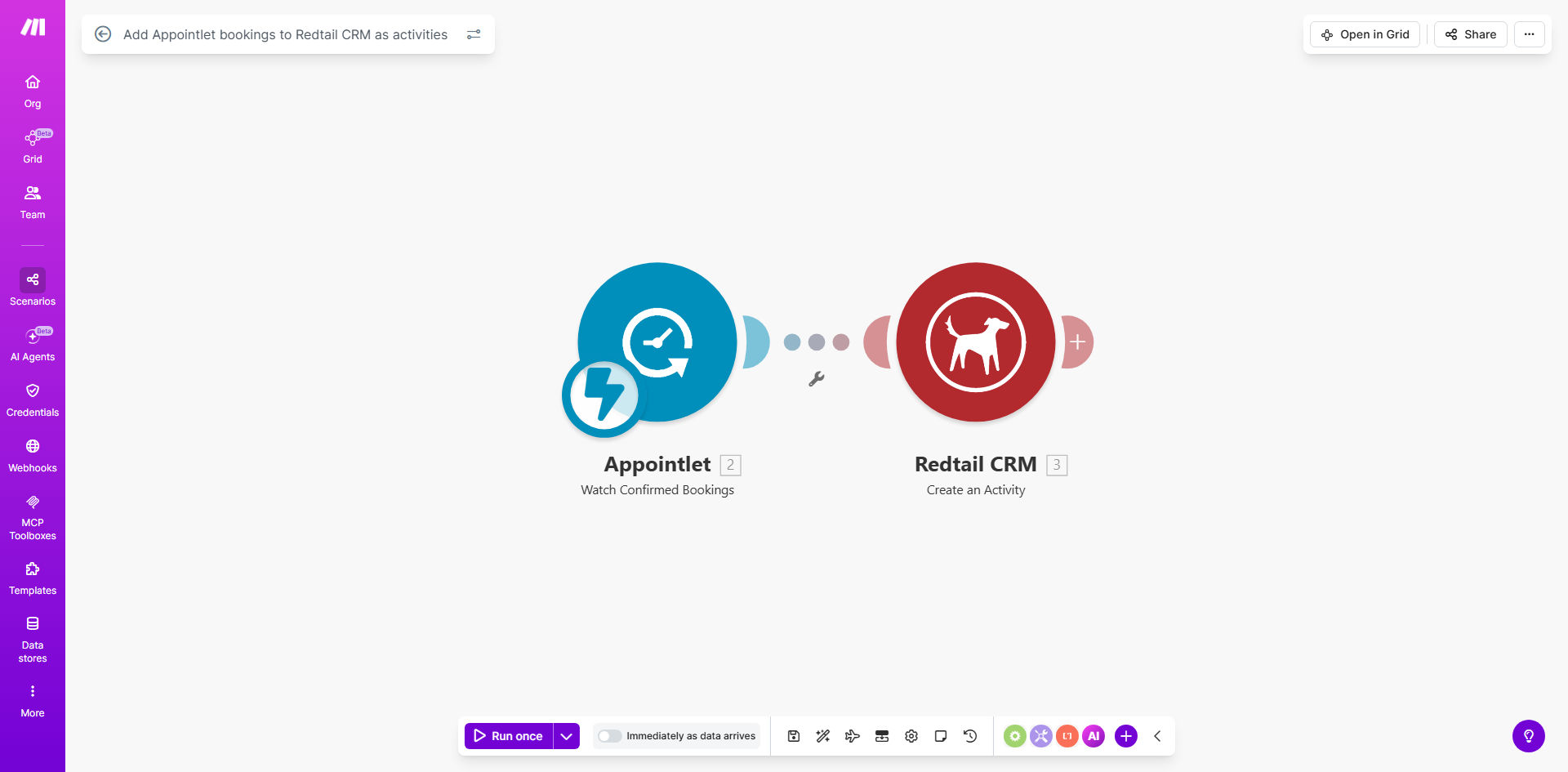
This automation solves that problem completely. It acts as a silent bridge between your scheduling tool and your CRM. Every time a new booking is confirmed in Appointlet, this Make.com workflow instantly triggers and creates a corresponding "Activity" in Redtail CRM. The activity is populated with all the relevant details from the booking, providing a complete and timely record of client engagement without you lifting a finger.
The result is a CRM that is always current, giving you a reliable source of truth for client history. This enables better preparation for meetings, more accurate follow-up, and ultimately, stronger, more informed client relationships.
How It Works
The workflow follows a simple, reliable sequence to transfer data from point A (Appointlet) to point B (Redtail CRM).
Step 1: Trigger on New Appointlet Booking
The workflow is activated the moment a new appointment is booked and confirmed in your connected Appointlet account. Make.com watches for this event in real-time, capturing the entire booking payload.
Step 2: Parse and Format Booking Data
The raw data from Appointlet (like client name, email, appointment date/time, service type, and any custom answers) is extracted and formatted to match the expected fields in Redtail CRM's activity module.
Step 3: Create Activity in Redtail CRM
Using the formatted data, the workflow makes an API call to Redtail CRM to create a new activity. It associates the activity with the correct contact (if they exist in Redtail) and logs all the details, such as setting the subject, date, time, duration, and adding notes from the appointment.
Pro tip: Enhance this workflow by adding a step to search for the client in Redtail first. If they aren't found, the automation can create a new contact record before logging the activity, ensuring no booking is ever lost.
Who This Is For
This automation is a game-changer for any professional who uses Redtail CRM for client management and Appointlet for scheduling.
- Financial Advisors & Planners: Automatically log introductory calls, review meetings, and follow-ups directly into the client's timeline.
- Insurance Agents: Track policy consultations, renewal meetings, and client inquiries as activities for perfect compliance and service records.
- Coaches & Consultants: Keep a detailed history of all scheduled sessions linked to each client profile.
- Small Service Businesses: Any team using Redtail to manage client interactions and Appointlet for booking discovery calls or consultations.
What You'll Need
- An active Make.com account (formerly Integromat).
- A paid Appointlet account with admin access to generate an API key.
- An active Redtail CRM subscription with administrator privileges to obtain API credentials (API Key and Database ID).
- Basic understanding of where to find API settings in both Appointlet and Redtail.
Quick Setup Guide
You can have this automation running in less than 30 minutes by following these steps:
- Clone the Template: Click "Get This Workflow" and duplicate the provided Make.com scenario into your own account.
- Connect Appointlet: In the first module, authorize Make.com to access your Appointlet account using your API key (found in Appointlet Settings > API).
- Connect Redtail CRM: In the Redtail CRM module, input your API Key and Database ID from your Redtail account settings.
- Map the Data Fields: Review the data mapping. Ensure key Appointlet fields (like
start_time,invitee_name,invitee_email) are correctly linked to the corresponding Redtail activity fields (Date, Subject, Linked Contact). - Test & Activate: Run a single test cycle by creating a dummy booking in Appointlet. Verify that a test activity appears in Redtail. Once confirmed, activate the scenario to run automatically.
Key Benefits
Eliminate 5-10 hours of monthly data entry. Free your team from the tedious, error-prone task of manually logging appointments, allowing them to focus on high-value client work and business growth.
Achieve 100% CRM accuracy and completeness. Automatically capture every single client interaction from the moment it's scheduled, creating an impeccable audit trail and client history that improves service and compliance.
Improve client follow-up and retention. With activities instantly logged, advisors can prepare thoroughly for meetings and schedule timely follow-ups based on accurate records, leading to more personalized service and stronger relationships.
Scale your operations seamlessly. As booking volume grows, the automation handles the increased load effortlessly, ensuring your CRM management processes don't become a bottleneck for your business.