Make.com CRM Automation Appointment Scheduling Data Sync Financial Services

Add MakePlans Bookings to Redtail CRM as Activities

Automatically log every new client appointment as a detailed activity in Redtail CRM, eliminating manual entry and ensuring perfect client records.

Get This Workflow → Make.com · Free Template
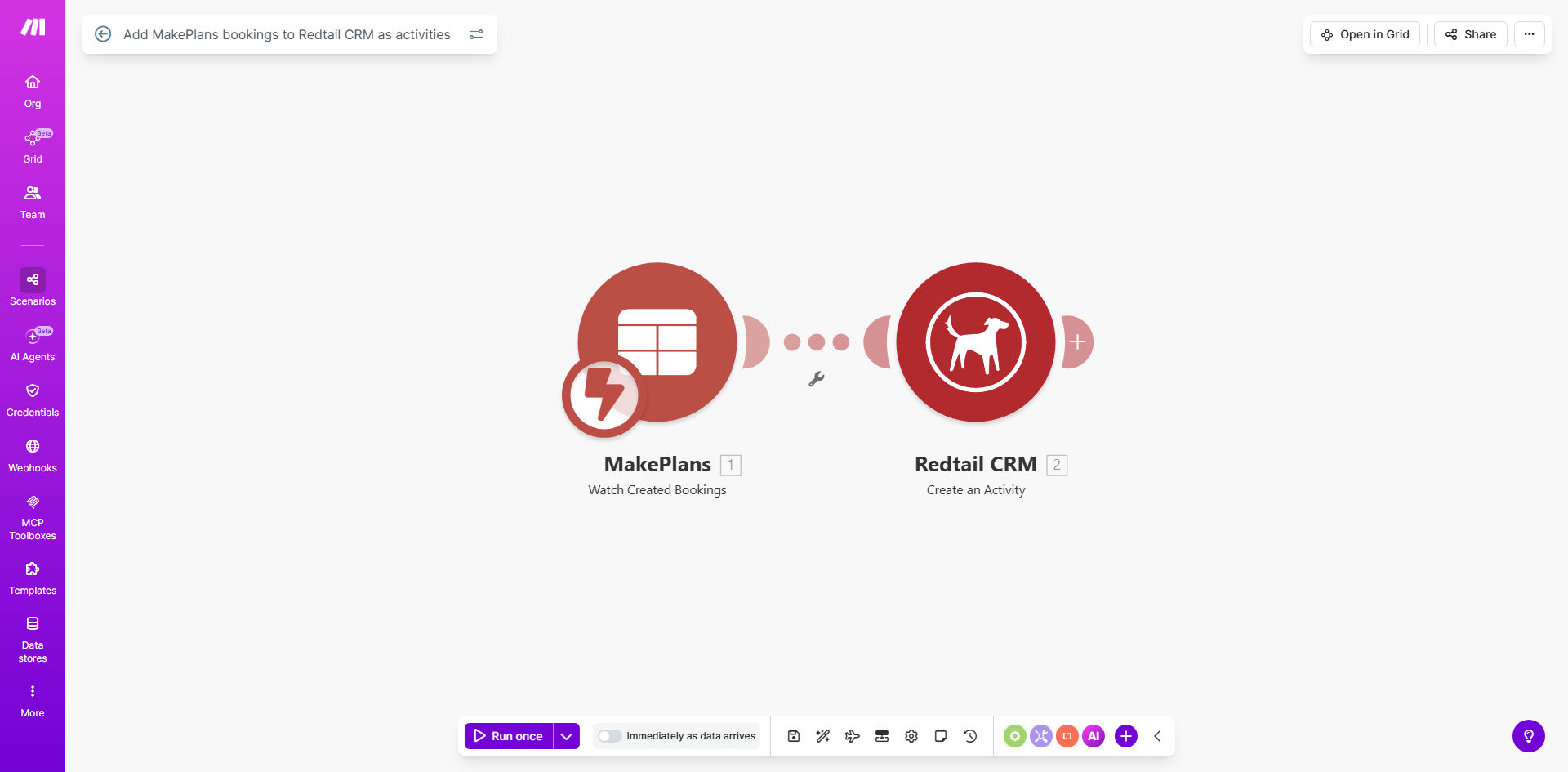
Diagram showing automation flow from MakePlans booking form to Redtail CRM activity log

What This Workflow Does

For financial advisors, consultants, and service-based businesses, managing client appointments and maintaining an accurate CRM are two critical yet time-consuming tasks. You use MakePlans (or a similar booking system) to let clients schedule appointments easily, but then someone on your team must manually transfer each booking's details—client name, time, service type, notes—into Redtail CRM as a new activity. This process is prone to errors, delays, and creates a disconnect between your scheduling tool and your client history.

This free Make.com template solves that problem by creating a seamless, automatic bridge between MakePlans and Redtail CRM. Every time a new booking is created online, this workflow instantly triggers. It captures all the relevant booking information, formats it correctly, and creates a corresponding activity within the correct client's profile in Redtail. The result is a perfectly synchronized system where your CRM always reflects the latest client engagements without any manual effort.

How It Works

The automation operates on a simple "watch and create" principle, ensuring no booking slips through the cracks.

Step 1: Trigger on New MakePlans Booking

The workflow is initiated the moment a new booking is confirmed in your MakePlans account. Make.com watches for this specific event in real-time.

Step 2: Extract and Map Booking Data

The workflow pulls key details from the booking, such as the client's first and last name, email address, scheduled date and time, duration, the specific service booked, and any notes provided during scheduling.

Pro tip: Use this step to filter out test bookings or appointments from specific staff members by adding a router module. This keeps your CRM clean and only logs genuine client activities.

Step 3: Create Activity in Redtail CRM

Using the mapped data, the workflow connects to your Redtail CRM account via the API. It creates a new "Activity" linked to the client (matched by email or name). The activity subject can be formatted like "Scheduled: [Service Name]" and includes all the booking details in the notes, creating a comprehensive record for your team.

Who This Is For

This automation is ideal for any professional service business that uses Redtail CRM for client management and an online booking system for scheduling. It's particularly valuable for:

  • Financial Advisors & Planners: To automatically log initial consultations, review meetings, and client check-ins.
  • Consulting Firms: To track scheduled strategy sessions and client calls directly in their CRM.
  • Coaches & Therapists: To maintain a private, detailed history of all scheduled sessions within their client records.
  • Small Business Service Providers: Such as accountants, marketers, or lawyers who need to track appointments linked to client projects.

What You'll Need

  1. A Make.com account (free tier available to run this workflow).
  2. An active MakePlans account with existing bookings or a scheduling page.
  3. A Redtail CRM account with API access enabled (check with your Redtail administrator).
  4. The API credentials or OAuth connection details for both MakePlans and Redtail CRM to authorize the Make.com scenario.

Quick Setup Guide

You can have this automation running in under 30 minutes.

  1. Clone the Template: Click "Get This Workflow" to copy the template into your own Make.com account.
  2. Connect Your Apps: In the Make.com scenario editor, authorize the connections to your specific MakePlans and Redtail CRM accounts.
  3. Test the Trigger: Create a test booking in MakePlans to ensure the workflow triggers correctly.
  4. Map the Data: Review the data mapping between MakePlans and the Redtail "Create an Activity" module. Adjust field mappings (like subject line, notes, activity type) to match your preferred format.
  5. Activate & Monitor: Turn the scenario on and monitor the first few executions to ensure activities are created accurately in Redtail. Your automation is now live.

Key Benefits

Eliminate 100% of manual data entry for new appointments. This workflow saves an average of 5-10 minutes per booking, which can add up to 5-10 hours per month for a busy practice.

Guarantee 100% data accuracy and completeness in your CRM. Since the transfer is automatic, there are no typos, missed fields, or forgotten bookings, ensuring your client history is always reliable.

Improve client service with instant visibility. Your team sees new appointments in Redtail immediately, allowing for better preparation and timely follow-up communications, enhancing the professional client experience.

Create a searchable audit trail. Every client interaction, from the first booked consultation onwards, is timestamped and logged in Redtail, providing invaluable context for future engagements and compliance.

Scale your operations without adding admin staff. As your client base grows, this automation handles the increased booking volume effortlessly, freeing your team to focus on higher-value tasks.

Frequently Asked Questions

Common questions about booking and CRM automation and integration

Syncing bookings to a CRM is crucial because it creates a single source of truth for all client interactions. Every appointment, consultation, or service booked becomes a trackable activity linked to the client's profile. This eliminates manual data entry errors, ensures follow-ups are never missed, and provides a complete history for better customer service and upselling opportunities.

For example, a financial advisor can instantly see a client's past meetings before a scheduled review, allowing for highly personalized and prepared conversations that strengthen the relationship and drive better outcomes.

Automating MakePlans with Redtail CRM saves significant administrative time by removing the need to copy-paste booking details. It ensures data accuracy, as information flows directly from the booking form to the CRM. This real-time sync also allows advisors to immediately see new client appointments and prepare accordingly, leading to more personalized and professional client engagements.

The key benefits include:

  • Time savings of several hours per week.
  • Zero double-entry or missing appointments.
  • Enhanced client readiness and service quality.

Yes, with an automation platform like Make.com, you have full control over the data mapping. You can choose to send the client's name, email, booking time, service type, notes, and any custom fields from MakePlans. This data can then be formatted to fit specific Redtail CRM activity fields, ensuring the created activity is detailed and useful for your team.

For instance, you could prepend "[Booked Online]" to the activity subject or combine the service name and date into a custom note format that your team prefers. The flexibility allows you to tailor the output to your exact business processes.

A basic automation trigger on 'new booking' will not handle cancellations automatically. For a robust system, you can build additional workflows. For example, you can set up a separate automation that watches for 'booking updated' events in MakePlans. This workflow can then find and update the corresponding activity in Redtail CRM, or even create a new 'cancellation' activity to keep the client history accurate.

This level of automation requires more advanced scenario design but is a common customization we build for clients who need full lifecycle tracking of their appointments.

When set up correctly through Make.com, the integration is secure. Make.com uses encrypted connections (HTTPS) and OAuth for connecting to both MakePlans and Redtail CRM, meaning your login credentials are not stored in plain text. Data is transferred directly between the apps via these secure APIs without being stored unnecessarily, maintaining confidentiality for sensitive client information.

It's always a best practice to review the specific data permissions you grant during the OAuth connection setup to ensure you are only sharing the minimum necessary data for the automation to function.

This automation improves CRM by ensuring no client interaction is ever lost. Every booked appointment is instantly logged as a touchpoint. This allows financial advisors, consultants, or service providers to review a client's complete engagement history before meetings. It enables proactive follow-ups, personalized communication based on past services, and builds a stronger, more informed advisor-client relationship.

Ultimately, it transforms your CRM from a static database into a dynamic, actionable tool that actively helps you deliver exceptional, consistent service that clients remember and value.

MakePlans can be connected to a wide ecosystem of tools. Beyond CRM sync, you can automate email confirmations via Gmail or Outlook, send SMS reminders via Twilio, create invoices in QuickBooks or Xero for paid appointments, add new clients to email marketing lists in Mailchimp, or even post booking details to a Slack channel for team notification.

The possibilities are extensive:

  • Payment processing with Stripe or PayPal.
  • Task creation in project tools like Asana or Trello.
  • Data syncing to Google Sheets for reporting.

Absolutely. GrowwStacks specializes in building tailored automation solutions. If your business uses a different booking system, CRM, or has unique workflow requirements, we can design a custom integration. We handle the complex logic, error handling, and testing to deliver a system that saves you time every day and perfectly fits your operational processes.

Our team works with you to understand your specific needs—like handling cancellations, syncing custom fields, or integrating with other tools—and builds a robust, reliable automation that works seamlessly in the background of your business.

Need a Custom Booking-to-CRM Automation?

This free template is a starting point. Our team builds fully tailored automation systems for your specific business needs.