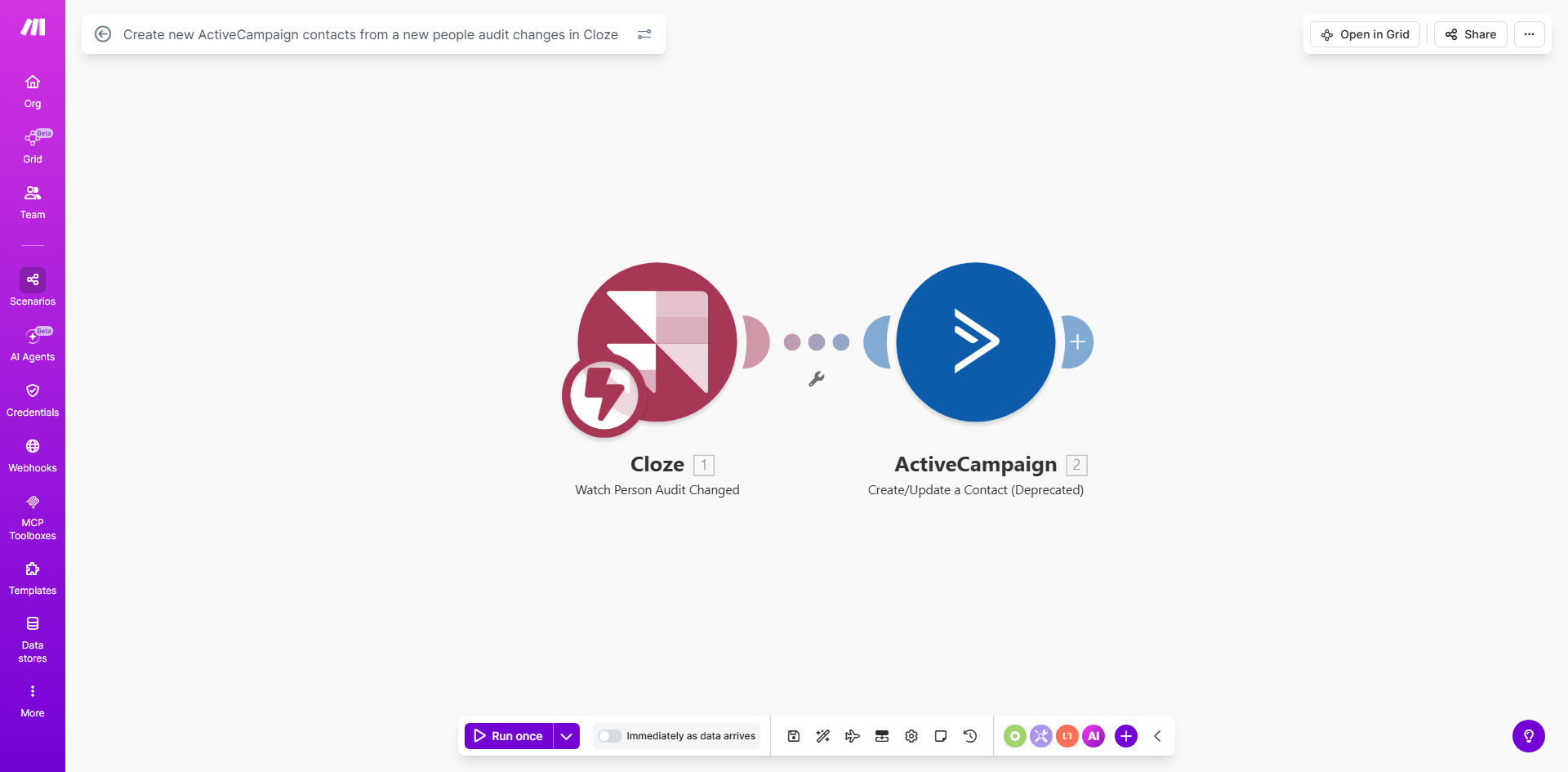
What This Workflow Does
For sales and marketing teams using Cloze for relationship management and ActiveCampaign for email marketing, a major pain point is data silos. When a sales rep updates a contact's information after a call in Cloze, that critical data often doesn't make it to the marketing team's lists in ActiveCampaign. This leads to missed email nurturing opportunities, outdated segmentation, and a disjointed customer experience.
This free Make.com template solves that problem by creating a real-time, one-way sync from Cloze to ActiveCampaign. It monitors the "person audit" log in Cloze—a record of any change to a contact—and automatically triggers the creation of a corresponding contact in your designated ActiveCampaign account. This ensures your marketing automation is always working with the freshest, most accurate data from your sales conversations.
How It Works
The automation acts as a reliable bridge between your two systems, operating silently in the background.
Step 1: Monitor Cloze for Changes
The workflow starts with a Cloze module set to watch for "Person Audit" events. This could be a new contact being added, an email address being updated, a job title change, or notes being logged after an interaction.
Step 2: Parse the Updated Contact Data
Make.com receives the webhook from Cloze containing all the details of the changed contact. The workflow parses this data, extracting key fields like name, email, company, phone number, and any custom fields or tags you want to transfer.
Pro tip: Use Cloze tags to control automation. For instance, tag a contact as "Marketing-Qualified" in Cloze, and set the workflow to only sync contacts with that tag, ensuring your ActiveCampaign lists are highly targeted.
Step 3: Create or Update the Contact in ActiveCampaign
The workflow then uses the ActiveCampaign module to search for an existing contact by email. If found, it can update the record with the new information from Cloze. If not found, it creates a brand new contact. You can also assign the contact to a specific list or add tags in ActiveCampaign based on the data from Cloze.
Who This Is For
This automation is ideal for any business that relies on both relationship intelligence and email marketing. It's perfect for sales teams, business development representatives, founders, and marketing managers who use Cloze to track interactions and want to ensure those contacts are automatically nurtured through ActiveCampaign sequences. Agencies managing client relationships and marketing can also use this to keep client CRM and marketing platforms perfectly aligned.
What You'll Need
- A Make.com account (free tier available).
- A Cloze account with API access enabled.
- An ActiveCampaign account with an API key and URL.
- Basic understanding of the contact fields you want to sync between the two platforms.
Quick Setup Guide
Get your integration running in under 15 minutes by following these steps:
- Clone the template: Click "Get This Workflow" and duplicate the scenario into your Make.com account.
- Connect Cloze: In the first module, authorize Make.com to access your Cloze account using your API credentials.
- Connect ActiveCampaign: In the ActiveCampaign module, input your account API URL and key (found in your ActiveCampaign settings).
- Map your fields: Review the router and ensure the data from Cloze (like `firstName`, `email`) is correctly mapped to the corresponding fields in ActiveCampaign.
- Test and activate: Turn on the scenario, then make a test change to a contact in Cloze. Check your ActiveCampaign account within a minute to confirm the new contact appears.
Key Benefits
Save 5–10 hours per week on manual data entry. Eliminate the tedious, error-prone task of copying and pasting contact information between systems, freeing your team for higher-value work.
Improve email campaign performance by up to 30%. By ensuring your ActiveCampaign lists are populated with recently engaged, updated contacts, your open and click-through rates will increase due to better data hygiene and relevance.
Ensure 100% data consistency between sales and marketing. Break down departmental silos. When sales updates a phone number in Cloze, marketing instantly has the correct info, leading to more cohesive customer journeys and fewer communication errors.
Accelerate lead nurturing. New prospects added to Cloze after a meeting are immediately added to your "New Lead" nurture sequence in ActiveCampaign, reducing the time-to-first-touch and increasing conversion likelihood.
Gain deeper contact insights. By passing Cloze interaction notes or tags as custom fields into ActiveCampaign, you can create hyper-segmented lists for incredibly personalized marketing campaigns.