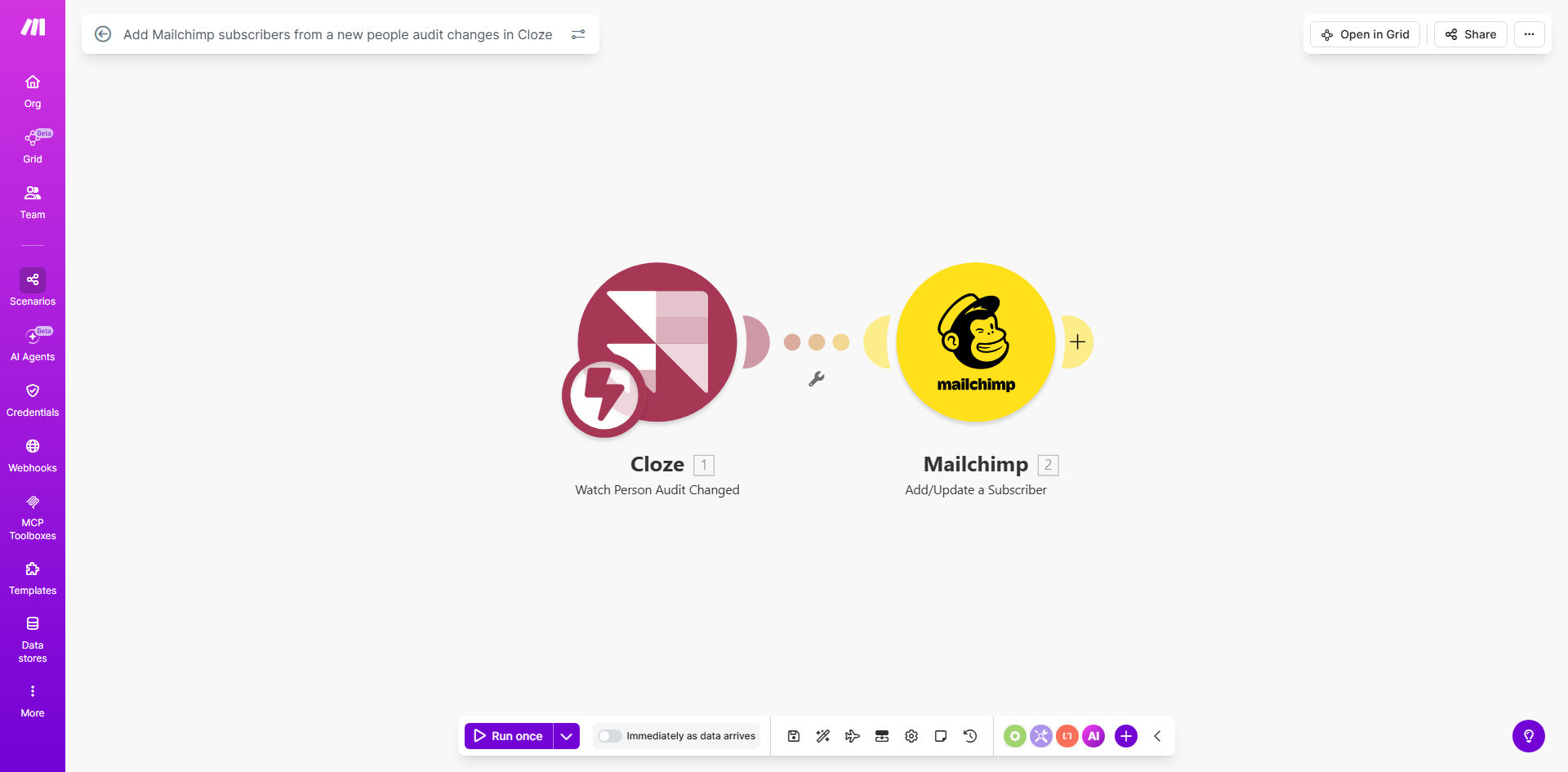
What This Workflow Does
For businesses using Cloze as their relationship intelligence platform and Mailchimp for email marketing, a persistent challenge is data silos. Valuable contacts captured in Cloze—from new leads, updated client information, or network additions—often remain stuck there, requiring manual export and import to reach your marketing campaigns. This disconnect leads to outdated email lists, missed nurturing opportunities, and hours of repetitive administrative work each week.
This automation workflow solves that by creating a seamless, real-time bridge between Cloze and Mailchimp. Every time a contact is added or their details are modified within a Cloze "People Audit," the workflow automatically triggers. It captures the contact's information—such as name, email address, company, and any custom fields—and adds or updates them as a subscriber in your designated Mailchimp audience. The result is a marketing list that dynamically grows and evolves with your CRM, ensuring your email outreach is always targeted at your most current network.
How It Works
The workflow operates on a simple trigger-and-action principle, orchestrated within Make.com. It monitors Cloze for specific changes and pushes that data to Mailchimp without any manual intervention.
Step 1: Monitor Cloze for Contact Changes
The scenario starts by watching your Cloze account for updates to a "People Audit." This is a specific view or segment in Cloze where you manage contacts. Whenever a person within that audit is created or has their information changed, Cloze sends a webhook notification to Make.com, kicking off the automation.
Step 2: Format and Prepare the Contact Data
Make.com receives the raw data from Cloze. This step involves parsing the information, extracting the necessary fields like email address, first name, last name, and any other relevant tags or custom properties you want to carry over. The data is cleaned and structured into the format Mailchimp expects for a new subscriber.
Step 3: Add or Update Subscriber in Mailchimp
The formatted contact data is then sent to your connected Mailchimp account via its API. The workflow adds the contact to a specified audience (list). Advanced configurations can also check if the subscriber already exists and update their information instead of creating duplicates, maintaining list hygiene.
Pro tip: Use Cloze tags or custom fields to segment your contacts. The workflow can pass these as "tags" or "merge fields" to Mailchimp, allowing you to automatically place contacts into specific groups or trigger personalized email sequences based on how you've categorized them in your CRM.
Who This Is For
This automation is ideal for sales professionals, small business owners, consultants, and marketing teams who rely on Cloze for contact management and Mailchimp for audience engagement. If you find yourself regularly copying email addresses from one platform to another, or if your email campaign performance suffers because your list isn't synced with your latest business connections, this workflow is for you. It's particularly valuable for businesses that generate leads through networking, events, or referrals and want to immediately onboard those contacts into a nurturing funnel.
What You'll Need
- A Make.com account (free tier available) to host and run the automation.
- A Cloze account with contacts organized in a "People Audit" that you want to monitor.
- A Mailchimp account with an existing audience (list) ready to receive new subscribers.
- API keys or OAuth access to connect both Cloze and Mailchimp to Make.com (the template guides you through this).
- A clear understanding of which contact fields (email, name, company, etc.) you want to sync between the two systems.
Quick Setup Guide
Getting this automation live takes about 15-20 minutes. Follow these steps after clicking "Get This Workflow" to clone the template into your Make.com account.
- Authorize the Connections: In the cloned scenario, click on the Cloze and Mailchimp modules. Follow the prompts to log in and grant Make.com permission to access your data from both services.
- Configure the Trigger: In the Cloze module, select the specific "People Audit" you want to monitor for new or changed contacts.
- Map Your Data Fields: In the Mailchimp "Add Subscriber" module, map the data from Cloze to the corresponding fields in Mailchimp. At a minimum, map the email address. You can also map first name, last name, and custom fields to Mailchimp merge tags.
- Choose Your Mailchimp Audience: Select the Mailchimp audience (list) where new subscribers should be added. You can also set the subscriber status (e.g., subscribed, pending).
- Test and Activate: Use the "Run once" feature to test the scenario. Add a test contact to your Cloze People Audit and verify it appears in your Mailchimp audience. Once confirmed, turn the scenario "ON" to run automatically.
Key Benefits
Eliminate 2-5 hours of manual data entry per week. By automating the contact sync, your team can focus on high-value tasks like crafting email content and analyzing campaign performance instead of copying and pasting data.
Improve email campaign relevance and deliverability. Sending emails to a clean, updated list reduces bounce rates and spam complaints. Contacts receive timely, relevant communication based on their most recent information from your CRM.
Accelerate lead nurturing by hours or days. A new lead captured in Cloze can be automatically added to a Mailchimp welcome sequence within minutes, significantly shortening the sales cycle and increasing engagement rates.
Ensure data consistency across platforms. Automated syncing acts as a single source of truth, preventing discrepancies between your sales CRM and marketing database that can lead to miscommunication and missed opportunities.
Scale your marketing efforts effortlessly. As your network in Cloze grows, your Mailchimp audience grows in perfect sync, allowing your email marketing to scale seamlessly with your business development activities.