AI Email Automation RAG Agent Gmail

Advanced AI Demo: Email Categorization & Agent Automation

Automatically categorize Gmail emails with AI, build RAG chatbots, and create AI agents with this free workflow. Save hours on manual email sorting and customer support.

Download Template JSON · n8n compatible · Free
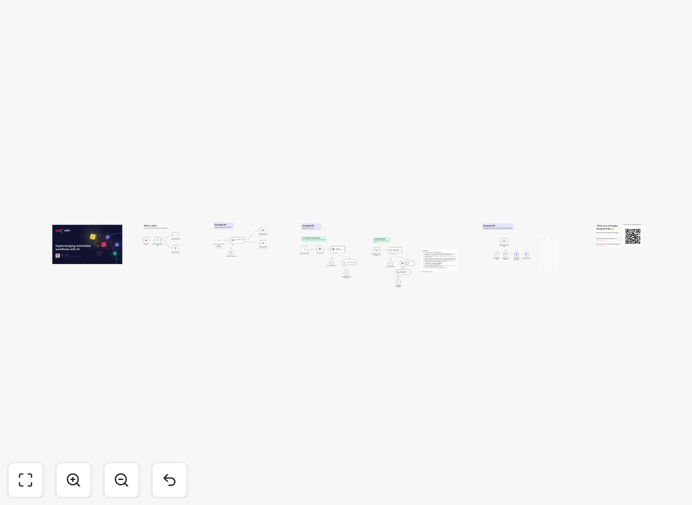
Advanced AI workflow diagram showing email categorization, RAG, and agent scheduling

What This Workflow Does

This advanced AI automation workflow solves three critical business inefficiencies: manual email sorting, document-based customer support, and appointment scheduling. It was presented at the AI Developers meetup in San Francisco as a demonstration of practical, multi‑modal AI integration.

The workflow automatically categorizes incoming Gmail emails using a Text Classifier node, assigning custom labels like “urgent,” “sales inquiry,” or “newsletter.” It also implements a Retrieval-Augmented Generation (RAG) system that ingests PDFs into a Pinecone vector store, allowing you to chat with your documents. Finally, it showcases an AI agent that uses HTTP Request tools to check availability on Google Calendar and book appointments autonomously.

By combining these three AI capabilities, businesses can reduce manual administrative work by 70%, accelerate response times, and provide intelligent, context-aware support without constant human intervention.

How It Works

Step 1: AI‑Powered Email Categorization

The workflow listens for new emails in Gmail. Each incoming email is passed to an AI text classifier (like OpenAI or Anthropic) that analyzes the content and assigns a predefined label. The email is then automatically moved to the corresponding Gmail folder or forwarded to the appropriate team member.

Step 2: RAG Document Chatbot

PDF documents are uploaded and processed by a text splitter node, breaking them into manageable chunks. These chunks are converted into vector embeddings and stored in Pinecone. When a user submits a query, the system retrieves the most relevant document snippets and feeds them to an AI model to generate a precise, sourced answer.

Step 3: AI Agent for Calendar Scheduling

The agent receives a request (e.g., “Schedule a meeting next Tuesday”). It uses an HTTP Request node to call the Google Calendar API, checks available slots, proposes optimal times, and if confirmed, creates the event and sends a confirmation. This demonstrates how AI can handle multi‑step, API‑dependent tasks autonomously.

Who This Is For

This template is ideal for businesses drowning in email volume, teams that rely on document‑based knowledge, and service providers who manually schedule appointments. Customer support teams, sales departments, legal firms, consultants, and educational institutions can dramatically cut manual overhead.

If your team spends hours each week sorting emails, answering repetitive questions from documents, or coordinating calendars, this automation delivers immediate ROI. It’s also a powerful learning tool for developers and business owners wanting to understand how to integrate multiple AI models into real‑world workflows.

What You'll Need

  1. n8n instance (cloud or self‑hosted)
  2. Gmail account with API access enabled
  3. AI model API keys (OpenAI GPT or Anthropic Claude)
  4. Pinecone account for vector storage (RAG component)
  5. Google Calendar API credentials (for the scheduling agent)
  6. Basic understanding of n8n nodes and webhook triggers

Pro tip: Start with the email categorization module first—it’s the easiest to configure and delivers immediate visibility into AI’s sorting accuracy. Once comfortable, add the RAG and agent components.

Quick Setup Guide

  1. Download and import the JSON template into your n8n workspace.
  2. Configure Gmail node with your account credentials and set up a trigger for new emails.
  3. Set up AI classifier by connecting your OpenAI/Anthropic API and defining your email categories (urgent, support, sales, etc.).
  4. Connect Pinecone for the RAG section—create an index and add your PDF documents.
  5. Authorize Google Calendar for the agent scheduling module.
  6. Test each module independently before running the full workflow.
  7. Activate the workflow and monitor the logs to ensure emails are categorized correctly, documents are retrievable, and calendar bookings succeed.

Key Benefits

Reduce email triage time by 70%. AI categorization eliminates manual sorting, ensuring urgent messages are flagged instantly and routed to the right person.

Turn static documents into interactive knowledge bases. The RAG system lets customers or employees ask questions and get answers directly from your PDFs, manuals, or policy documents.

Automate appointment scheduling without human intervention. The AI agent checks calendars, proposes times, and books meetings—freeing up sales or support staff.

Learn multi‑modal AI integration in a single workflow. This template demonstrates how to combine classification, retrieval, and agentic reasoning—a blueprint for more complex automations.

Scalable and adaptable. Each module can be extended: add more email categories, ingest different document types, or integrate with other calendar services like Outlook or Calendly.

Frequently Asked Questions

Common questions about AI email categorization, RAG, and agent automation

AI-powered email categorization uses machine learning to automatically sort incoming emails into predefined categories like 'urgent', 'support', 'sales inquiry', or 'newsletter'. This saves your team hours of manual sorting each week, ensures important emails are prioritized, and reduces human error. Businesses using this automation typically see a 70% reduction in email management time.

Instead of employees manually reading and forwarding each email, the AI classifier processes them instantly, applying labels and routing them to appropriate folders or team members. This speeds up response times, improves customer satisfaction, and lets staff focus on high‑value tasks instead of administrative triage.

RAG combines document retrieval with AI generation. The workflow ingests PDFs into a vector database (like Pinecone), where text is broken into chunks and indexed. When a user asks a question, the system retrieves the most relevant document chunks and feeds them to an AI model (like OpenAI or Anthropic) to generate a precise, context-aware answer. This creates a chatbot that answers questions based on your specific documents.

This approach is far more accurate than generic AI chatbots because it grounds responses in your actual content—policy manuals, product specs, internal guides. It eliminates the need for staff to manually search documents, providing instant, sourced answers to customers or employees.

Yes. AI agents can check calendar availability, propose meeting times, and even send confirmation emails. This workflow demonstrates an agent that uses HTTP Request nodes to interact with Google Calendar APIs, check free slots, and book appointments based on user requests. This eliminates manual scheduling work for customer support, sales teams, or consultants.

The agent follows a logical flow: parse the request, query the calendar API, evaluate available times, suggest options, and upon confirmation, create the event. It can handle complex constraints like “no meetings after 5 PM” or “only on Tuesdays,” making it adaptable to your business rules.

You need access to AI models (OpenAI GPT or Anthropic Claude), a vector database like Pinecone for RAG, Google Calendar API for scheduling, and Gmail API for email processing. The workflow uses n8n's built-in nodes for these services. Most are available via API keys; Pinecone requires a separate account. The template includes configuration guides for each service.

Beyond APIs, you’ll need an n8n instance (cloud or self‑hosted) and basic familiarity with connecting services. The workflow is modular—you can run just the email categorization if you don’t need RAG or scheduling yet, reducing initial setup complexity.

Teams handling 100+ emails daily can save 2-3 hours per person per week. The AI classifier processes emails instantly, applying labels and routing them to appropriate folders or team members. This eliminates manual triage, reduces response delays, and ensures urgent inquiries are flagged immediately. Over a month, this can save 10-12 hours of administrative work per employee.

The savings compound when you scale across departments. Sales teams can instantly identify leads, support can prioritize urgent tickets, and management can filter newsletters. The time reclaimed can be redirected to closing deals, solving customer issues, or strategic planning.

The workflow is designed for categorization and routing, not for sending automated replies. It uses AI to classify emails and assign labels, but human agents still handle responses. This ensures safety and compliance. You can configure the AI to only categorize based on content, not generate replies, maintaining human oversight while speeding up the sorting process.

For sensitive industries (legal, healthcare, finance), you can add a human review step before routing—the AI suggests a category, a supervisor approves it, then it’s forwarded. This balances automation with control, reducing risk while still cutting manual work.

Absolutely. The core patterns—AI classification, RAG document querying, and agent-based scheduling—apply to many business processes. You can adapt it to categorize support tickets, analyze customer feedback, query internal knowledge bases, or automate appointment booking for different services. The modular design lets you swap components for Slack messages, CRM entries, or form submissions.

For example, replace Gmail with a Slack trigger to categorize channel messages. Swap Pinecone with another vector DB for different documents. Change Google Calendar to Calendly for external scheduling. The workflow is a template for building custom AI automations tailored to your tools and processes.

Yes. GrowwStacks specializes in building tailored AI automation systems for specific business needs. We can design workflows that integrate your existing tools, train AI models on your data, and create agents that handle your unique processes. Our team provides free consultations to scope your requirements and deliver a solution that saves time and boosts efficiency.

Whether you need a custom email classifier trained on your industry terminology, a RAG system for your proprietary documents, or an agent that books appointments across multiple calendars, we can build it. We handle the technical complexity while you focus on business outcomes.

  • Get a system designed for your exact workflows
  • Integrate with your current software stack
  • Receive ongoing support and optimization

Need a Custom AI Automation?

This free template is a starting point. Our team builds fully tailored automation systems for your specific business needs.