What This Workflow Does
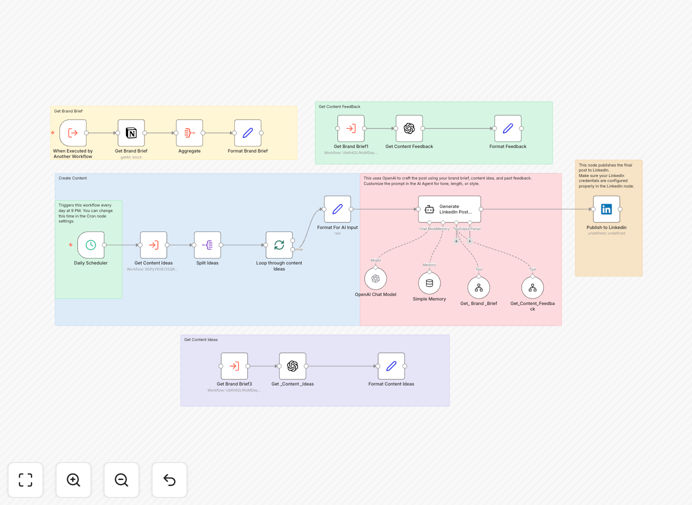
This n8n workflow solves the challenge of maintaining consistent, high-quality LinkedIn content by automating the entire creation and publishing process. It combines AI-generated ideas with human oversight and performance-based refinement to ensure your posts resonate with your target audience while saving hours of manual work each week.
The system pulls from your brand guidelines in Notion, generates multiple post variations using OpenAI, collects feedback from your team, schedules optimal posting times, and tracks engagement metrics to continuously improve content quality. This creates a virtuous cycle where each post informs better future content.
How It Works
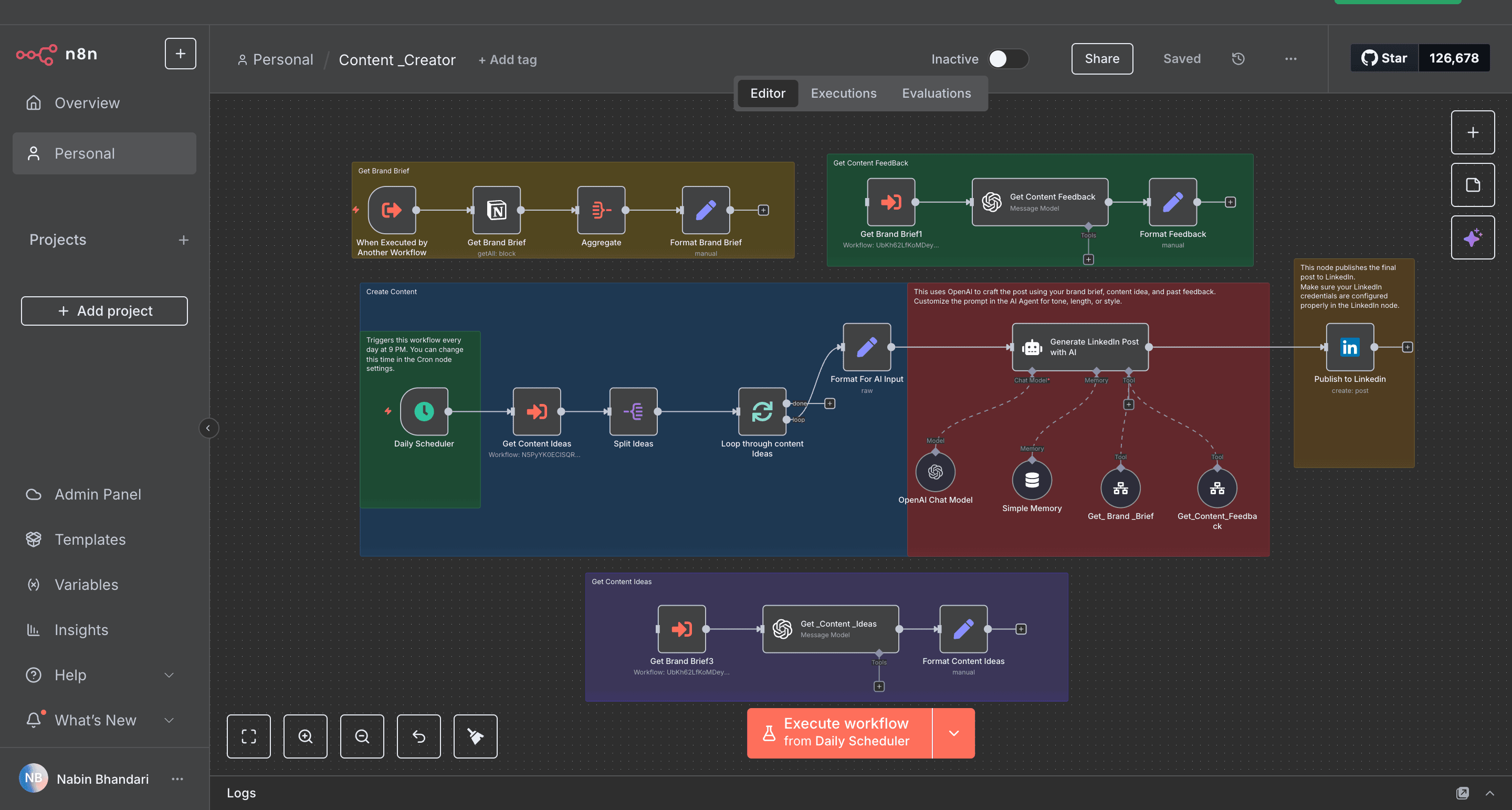
1. Content Brief Extraction
The workflow starts by pulling your latest content strategy brief from Notion, including target keywords, audience personas, and brand voice guidelines. This ensures all generated content aligns with your marketing objectives.
2. AI Idea Generation
OpenAI analyzes your brief and produces 5-7 post ideas with complete drafts. The system weights suggestions based on past performance data, favoring content types and topics that historically performed well for your audience.
3. Human Approval Workflow
Generated posts route to your team for review via email or Slack. Approvers can request revisions or approve posts directly in the workflow interface. Approved content gets scheduled while rejected drafts trigger regeneration with additional guidance.
4. Performance Tracking & Optimization
After publishing, the system monitors engagement metrics and updates your Notion content database. These insights inform future post generation, creating a continuous improvement cycle that increases content effectiveness over time.
Pro tip: Seed your Notion database with 10-15 of your best-performing historical posts to train the AI on your successful content patterns from day one.
Who This Is For
This workflow benefits:
- Marketing teams needing consistent LinkedIn content without daily creative effort
- Solopreneurs and consultants building personal brands
- Agencies managing multiple client accounts
- HR teams establishing employer branding
- Sales professionals nurturing prospects through content
What You'll Need
- Active LinkedIn Company Page or personal profile with publishing permissions
- Notion account with content strategy database
- OpenAI API key
- n8n instance (cloud or self-hosted)
- Basic understanding of LinkedIn content best practices
Quick Setup Guide
- Download the JSON template file
- Import into your n8n instance
- Connect your LinkedIn, Notion, and OpenAI accounts
- Configure your content brief database in Notion
- Set approval workflow recipients
- Test with sample posts before enabling automation
Key Benefits
Save 5-7 hours weekly by automating content ideation, drafting, and scheduling while maintaining human oversight at critical stages.
30-50% higher engagement through data-driven content optimization that learns from every post's performance.
Consistent brand voice across all content with AI trained on your specific guidelines and top-performing posts.
Scalable content production that grows with your needs - easily adjust posting frequency without quality compromises.
Centralized content repository in Notion for easy repurposing and performance analysis across your entire content library.