Google Calendar Todoist Slack Productivity AI Coaching

AI-powered productivity coach using Google Calendar, Todoist, Slack and Sheets

Automatically analyze your work patterns and receive personalized improvement suggestions delivered to Slack

Download Template JSON · n8n compatible · Free
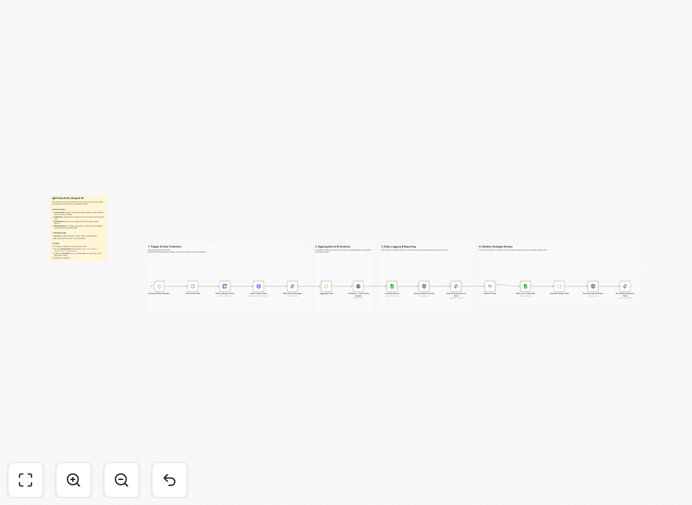
AI productivity coach workflow dashboard

What This Workflow Does

This AI-powered productivity coach analyzes your work patterns across Google Calendar and Todoist to identify inefficiencies and opportunities for improvement. It automatically tracks metrics like meeting-to-work ratio, task completion rates, priority alignment, and focus time consistency.

The system delivers personalized coaching messages via Slack with actionable suggestions based on your data. Unlike manual tracking, it spots subtle patterns you might miss and benchmarks your metrics against productivity best practices. The workflow also logs trends in Google Sheets for long-term analysis.

How It Works

1. Data Collection

The workflow pulls events from your Google Calendar and completed tasks from Todoist. It categorizes calendar events (meetings, deep work, etc.) and analyzes task completion patterns.

2. AI Analysis

An AI model processes the raw data to identify productivity patterns. It looks for trends like meeting overload, context switching frequency, priority mismatches, and optimal focus periods.

Pro tip: The AI learns your personal work rhythms over time, providing increasingly accurate suggestions as it gathers more data.

3. Coaching Delivery

Insights are delivered via scheduled Slack messages with clear, actionable recommendations. The system highlights both positive patterns to maintain and areas needing improvement.

4. Trend Tracking

All metrics are logged in Google Sheets with timestamped records, allowing you to track progress over weeks and months through simple visualizations.

Who This Is For

This workflow benefits knowledge workers, managers, and entrepreneurs who want data-driven insights about their work habits. It's particularly valuable for:

  • Remote workers needing structure without micromanagement
  • Busy professionals struggling with meeting overload
  • Productivity enthusiasts who want to optimize their systems
  • Managers who want to model good work habits for their teams

What You'll Need

  1. Active accounts with Google Calendar, Todoist, Slack, and Google Sheets
  2. API access enabled for all connected services
  3. n8n instance (cloud or self-hosted) to run the workflow
  4. A dedicated Slack channel for productivity notifications

Quick Setup Guide

  1. Download the JSON template file
  2. Import into your n8n instance
  3. Connect your Google, Todoist, Slack, and Sheets accounts
  4. Configure the Slack channel for notifications
  5. Set your preferred schedule for analysis (daily/weekly)
  6. Test with sample data to verify connections
  7. Activate the workflow

Key Benefits

Save 3-5 hours weekly by identifying and eliminating productivity drains like excessive meetings or context switching.

Improve task completion rates by 20-40% through data-driven scheduling adjustments based on your actual work patterns.

Receive personalized coaching without the cost of a human productivity consultant ($100-$300/hour).

Maintain long-term trends with automatic Google Sheets logging that shows your productivity evolution over months.

Get unbiased analysis - the AI spots patterns you might rationalize away when self-evaluating.

Frequently Asked Questions

Common questions about productivity automation and AI coaching

AI productivity tools analyze work patterns across your apps to identify inefficiencies. They provide data-driven insights about time allocation, task completion rates, and focus periods. Unlike manual tracking, AI can spot subtle patterns in your calendar events and task management that you might miss, then suggest concrete improvements tailored to your work style.

For example, the AI might notice you consistently complete creative work faster in morning blocks but schedule them in afternoons. Or it could detect that 2-hour meetings rarely produce better outcomes than 50-minute ones for your workflow. These insights help optimize your schedule based on evidence rather than guesswork.

  • Identifies your personal productivity rhythms
  • Surfaces hidden time drains
  • Provides objective metrics beyond self-perception

Key productivity metrics include time spent in meetings vs deep work, task completion rates, priority alignment (how often urgent tasks displace important ones), and focus time consistency. This workflow tracks all these by analyzing your Google Calendar events and Todoist task completion patterns. The AI then benchmarks your metrics against productivity best practices.

For instance, knowledge workers typically aim for 30-50% deep work time. If your analysis shows only 15%, the system will suggest calendar adjustments. Similarly, if high-priority tasks regularly get postponed for urgent but less important ones, you'll receive scheduling strategies to protect priority work.

  • Meeting-to-work ratio
  • Task completion velocity
  • Context switching frequency

Automated productivity coaching provides consistent, unbiased analysis without manual data entry. It aggregates information from all your work tools (calendar, task manager, etc.) into unified reports. The system can alert you about negative patterns (like too many context switches) immediately rather than waiting for a monthly review with a human coach.

A marketing executive used this workflow to discover they were spending 65% of their time in meetings while believing it was only 40%. The automated alerts helped them gradually reduce meetings to 35% within two months, reclaiming 12+ hours weekly for strategic work.

  • 24/7 monitoring without human bias
  • Real-time pattern detection
  • Seamless data integration across tools

When implemented well, productivity tracking should reduce distraction. This workflow delivers insights via scheduled Slack messages rather than constant notifications. It focuses on high-level patterns (weekly trends) rather than minute-by-minute monitoring. The AI filters out noise to highlight only the most impactful recommendations for improvement.

The system is designed to augment rather than interrupt focus. For example, it might send one weekly summary every Monday morning with key takeaways, plus occasional urgent alerts (like when it detects three consecutive days of fragmented work sessions). This balanced approach prevents analysis paralysis while still providing valuable insights.

  • Scheduled rather than real-time reporting
  • Focuses on macro patterns
  • Filters out insignificant fluctuations

Combining Todoist and Google Calendar gives a complete picture of planned vs actual work. The integration reveals if scheduled work blocks actually contain productive work, how often tasks get rescheduled, and whether your calendar reflects true priorities. This helps identify planning fallacies and improve time estimation skills.

A common insight from this integration is discovering that tasks estimated at 30 minutes actually take 50-70 minutes when accounting for transitions and interruptions. Over time, users develop more realistic scheduling habits, reducing stress from constantly running behind schedule.

  • Reveals planning vs reality gaps
  • Improves time estimation accuracy
  • Aligns tasks with calendar commitments

This workflow uses official API connections with read-only access to your productivity apps. Data isn't stored long-term - the system analyzes recent activity then discards raw information after generating insights. For enterprise use, we can implement additional security measures like private cloud deployment and data anonymization.

The workflow follows the principle of least privilege, requesting only the specific permissions needed (like reading calendar events or task lists). All data transmission is encrypted, and you maintain full control over which team members can access the productivity reports.

  • Read-only API access
  • No long-term raw data storage
  • Enterprise-grade security options

Absolutely! GrowwStacks specializes in tailored productivity systems for teams. We can build custom dashboards tracking team-wide metrics, implement department-specific coaching flows, or create executive-level productivity reports. Our solutions integrate with 100+ business tools beyond the apps in this template.

For example, we recently built a custom system for a law firm that combined time tracking, document management, and calendar data to identify case preparation bottlenecks. The solution reduced average case turnaround time by 22% while improving work-life balance for attorneys.

  • Team-wide productivity analytics
  • Industry-specific metrics
  • Custom integration with your existing tools

Need a Custom Productivity Integration?

This free template is a starting point. Our team builds fully tailored automation systems for your specific needs.