What This Workflow Does
This automation transforms chaotic email-based IT requests into structured Jira tickets with AI-powered resolution suggestions. It eliminates manual ticket creation while ensuring all requests are properly documented and tracked. The system automatically categorizes incoming support emails, extracts key details, and creates standardized Jira tickets with relevant priority levels.
When integrated with Slack, the workflow notifies support teams about new tickets and suggests potential resolutions based on historical data. This reduces response times while maintaining complete audit trails of all support interactions. The AI component learns from past resolutions to continuously improve its suggestions.

How It Works
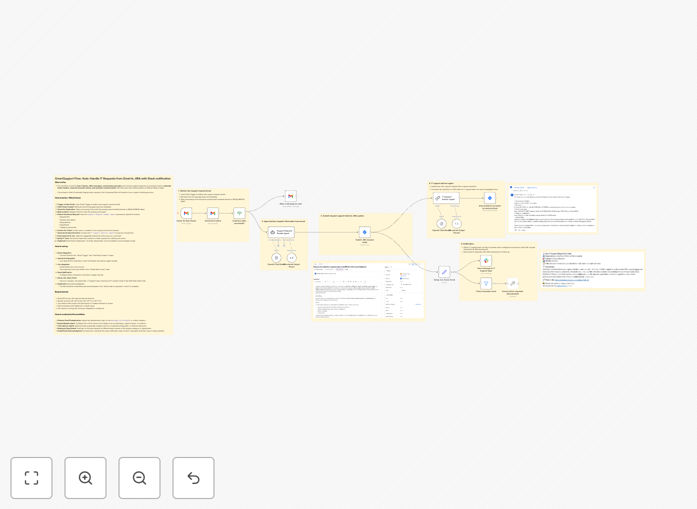
1. Email Processing
The system monitors designated IT support inboxes for new emails. It analyzes message content to distinguish legitimate support requests from spam or non-urgent communications.
2. Information Extraction
Key details like requester name, department, issue type, and urgency are automatically extracted from the email body and subject line. The AI identifies patterns to classify the request type.
3. Ticket Creation
A standardized Jira ticket is created with all relevant fields populated, including attachments from the original email. The system sets appropriate priority based on content analysis and predefined rules.
Pro tip: Configure your email subject line format (e.g., "[IT Support] Printer Issue - Accounting") to improve the AI's classification accuracy.
4. AI Resolution Suggestions
The workflow queries your historical ticket database to suggest potential resolutions based on similar past cases. These appear as comments on the new ticket with confidence scores.
5. Team Notification
Slack notifications alert the appropriate support channel about the new ticket, including the AI's suggested resolution path. Team members can claim tickets directly from Slack.
Who This Is For
This automation benefits IT departments handling 50+ support requests weekly, especially those transitioning from email-based to structured ticketing systems. It's ideal for:
- Internal IT teams overwhelmed by email support requests
- Companies implementing Jira Service Management
- MSPs managing multiple client support queues
- Organizations aiming to reduce ticket resolution times
What You'll Need
- n8n instance (cloud or self-hosted)
- Jira Cloud or Server access with project admin rights
- Dedicated IT support email account
- Slack workspace with appropriate channel access
- Historical ticket data (optional but recommended for AI training)
Quick Setup Guide
- Download the JSON template file
- Import into your n8n instance
- Configure email account credentials
- Connect your Jira and Slack accounts
- Map your Jira project fields to the workflow
- Test with sample emails and adjust AI parameters
- Deploy to production and monitor initial tickets
Key Benefits
80% faster ticket creation by eliminating manual data entry and categorization. Support staff can focus on solving issues rather than administrative tasks.
Improved resolution accuracy through AI-powered suggestions based on your team's historical solutions to similar problems.
Real-time visibility across platforms with Slack notifications keeping everyone informed without constant Jira checking.
Scalable support operations that maintain quality as request volumes grow, without proportionally increasing staff.
Actionable analytics from structured ticket data helps identify recurring issues and training opportunities.