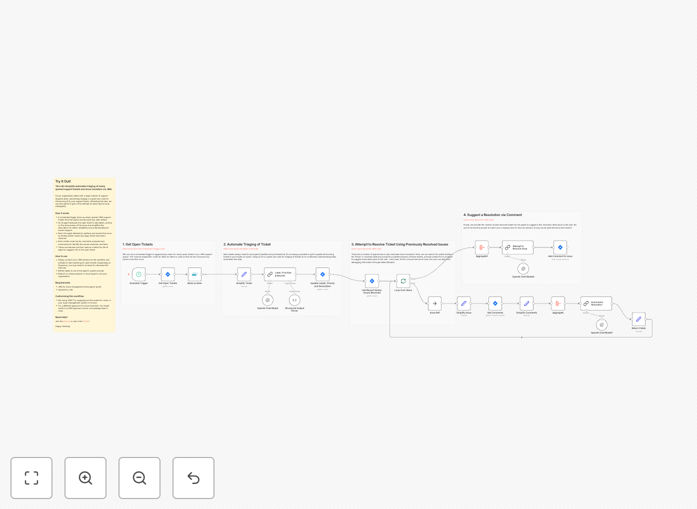
What This Workflow Does
This n8n workflow template automates the entire lifecycle of JIRA support tickets, from initial triage to resolution. It solves the critical challenge of managing high volumes of support requests while maintaining fast response times and consistent quality. By combining JIRA's issue tracking with AI-powered automation, it reduces manual work for support teams by 40-60%.
The system automatically analyzes incoming tickets, assigns priority levels, routes them to appropriate teams, and even suggests or implements solutions for common issues. This eliminates hours of repetitive manual classification while ensuring urgent tickets get immediate attention.
How It Works
1. New Ticket Detection
The workflow monitors your JIRA instance for newly created support tickets. When a ticket appears, it immediately extracts key details like title, description, and submitter information.
2. AI-Powered Analysis
An AI model processes the ticket content to determine: issue category, urgency level, likely solution path, and optimal assignment. This happens in seconds, far faster than human review.
3. Automated Triage
Based on the analysis, the system automatically: sets priority levels, adds relevant labels, assigns to the correct team, and triggers appropriate workflows (like sending automated responses for common issues).
4. Resolution Assistance
For known issues, the workflow can: suggest knowledge base articles, auto-respond with solutions, or even implement fixes through API connections to other systems.
Pro tip: Start with partial automation (AI suggestions + human review) before transitioning to full automation as confidence in the system grows.
Who This Is For
This template is ideal for:
- IT support teams handling 50+ weekly tickets
- SaaS companies with growing customer bases
- Enterprise help desks managing multiple departments
- Managed service providers (MSPs) supporting multiple clients
- Any team using JIRA for issue tracking that wants to reduce ticket resolution times
What You'll Need
- An active JIRA Cloud or Server instance
- n8n instance (cloud or self-hosted)
- Admin access to configure JIRA webhooks
- Access to an AI/NLP service (like OpenAI, Google Cloud NLP, or AWS Comprehend)
- Basic understanding of JIRA workflows and n8n
Quick Setup Guide
- Download the template file
- Import into your n8n instance
- Configure JIRA credentials in the HTTP Request nodes
- Set up your AI service connection
- Define your priority rules and assignment logic
- Test with sample tickets before going live
Key Benefits
Faster response times: Automatically prioritize and route tickets the moment they're created, reducing first response time by 30-50%.
Reduced workload: Handle 40-60% of routine tickets without human intervention, freeing your team for complex issues.
Consistent quality: AI applies your business rules uniformly, eliminating human variability in ticket classification.
24/7 triage: The system works around the clock, ensuring urgent issues get attention even outside business hours.
Actionable insights: Get automated reports on common issues, resolution paths, and team performance.