AI Image Editing APImage E-commerce Marketing n8n

Automatically Replace & Relight Image Backgrounds with AI

Transform product photos and marketing visuals instantly. This free n8n workflow uses APImage AI to replace backgrounds and adjust lighting automatically—no manual editing required.

Download Template JSON · n8n compatible · Free
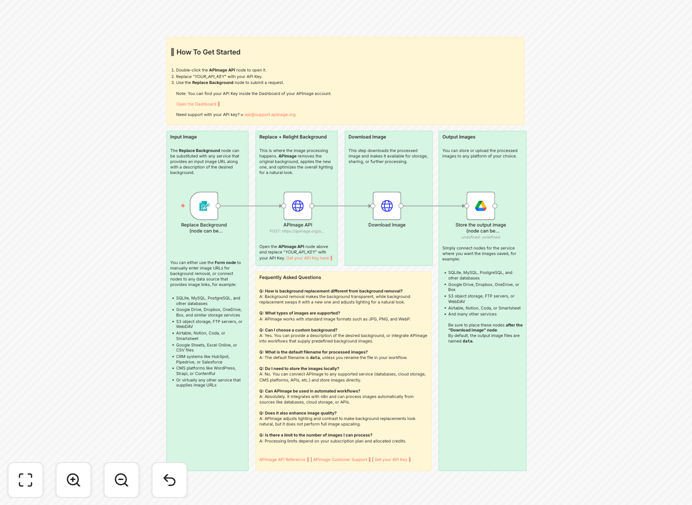
AI Image Background Replacement workflow diagram showing before and after product photos

What This Workflow Does

This automation solves a common but time-consuming problem for businesses: creating professional, consistent product and marketing images. Instead of manually editing each photo in Photoshop or hiring expensive designers, this workflow uses APImage's AI API to automatically replace backgrounds and adjust lighting based on your description.

The system takes any image URL (from your e-commerce platform, cloud storage, or submitted via form) and a text prompt describing the desired background. The AI intelligently separates the subject, generates a new background that matches your description, and applies realistic lighting and shadows to create a natural-looking composite. The processed image is then downloaded or sent to your preferred storage destination.

This transforms what used to be a 15-30 minute manual editing task into a seconds-long automated process, enabling businesses to scale their visual content production without increasing costs or timelines.
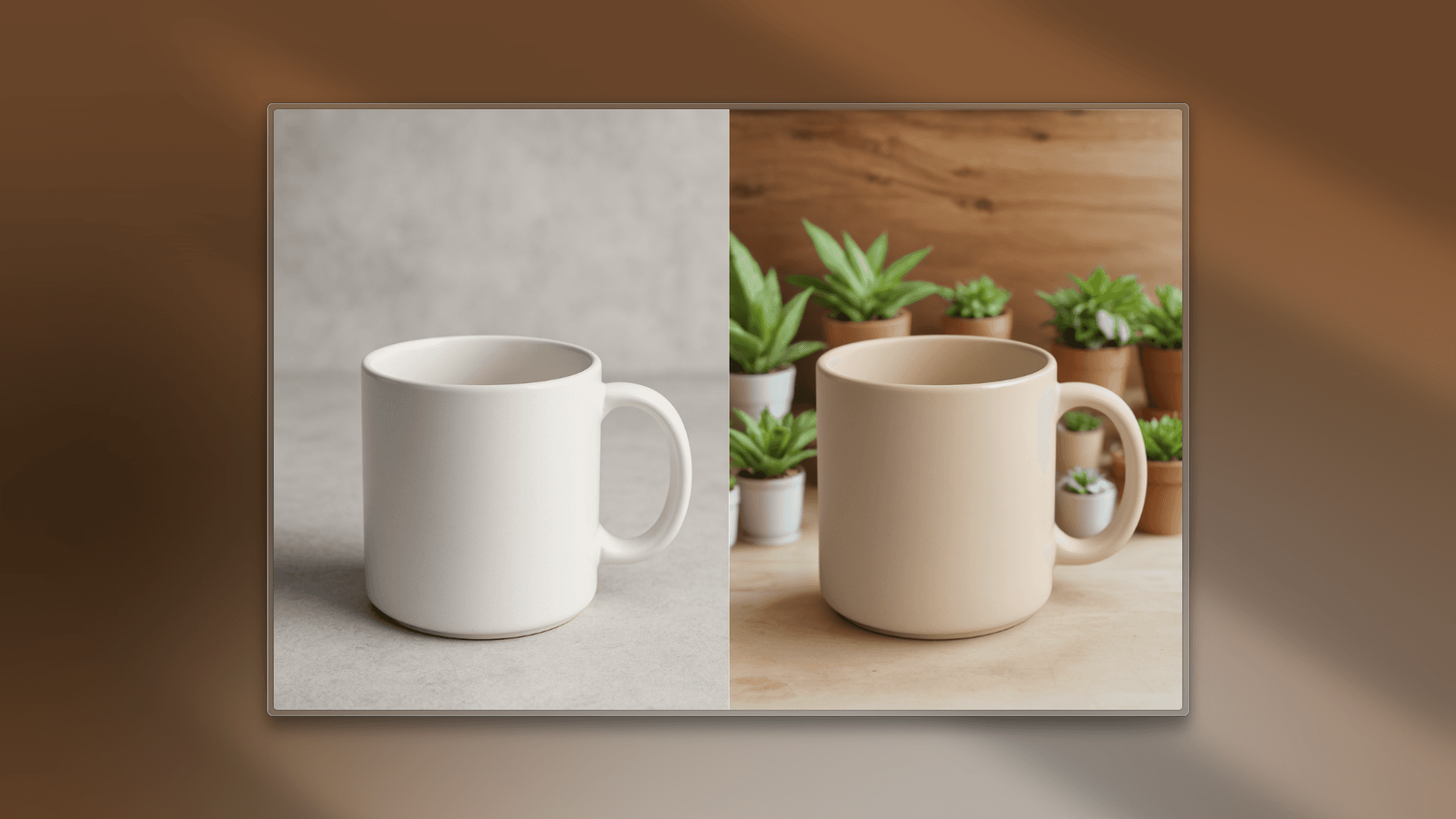
Before and after example of AI background replacement showing product on white background vs. professional studio setting
Example transformation: Product photo background replaced from plain white to professional studio setting with proper lighting.

How It Works

The workflow follows a logical sequence that mimics what a human designer would do, but automated and scalable.

1. Input Collection

The process begins with a form trigger where users submit an image URL and background description. This can be replaced with automated triggers from e-commerce platforms, cloud storage events, or database updates for fully hands-off operation.

2. AI Processing

The image and prompt are sent to APImage's AI endpoint. The model performs three key operations simultaneously: precise subject segmentation, background generation based on your description, and lighting adjustment to match the new environment.

3. Quality Output

The AI returns a high-resolution image with the subject perfectly integrated into the new background. The system preserves fine details like hair, transparent materials, and complex edges that traditional tools often struggle with.

4. Delivery & Storage

The processed image is downloaded and can be automatically routed to Google Drive, Dropbox, your CMS, or directly to your e-commerce platform. Metadata can be added, and notifications sent to relevant teams.
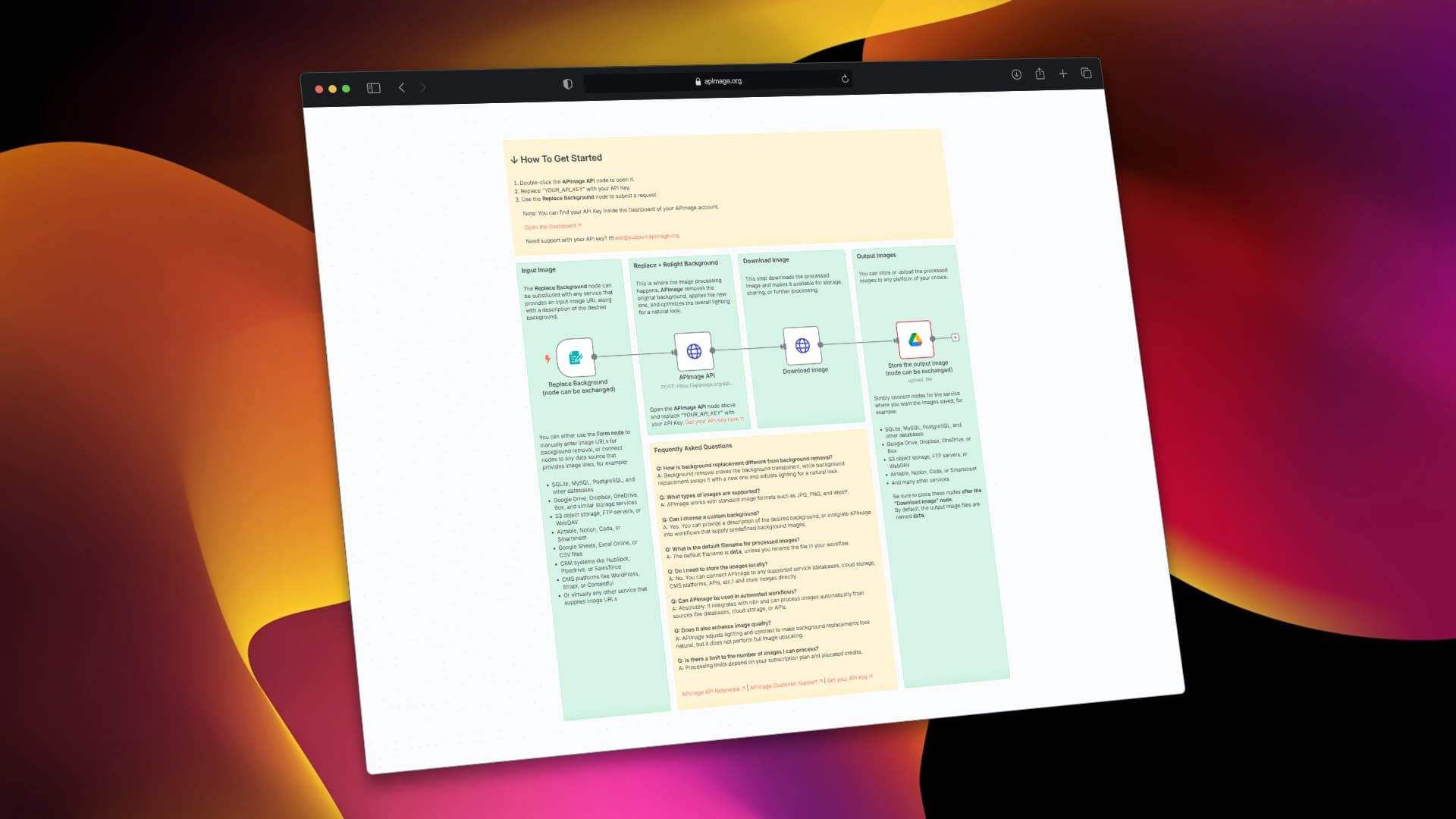
n8n workflow diagram showing the automated background replacement process with APImage integration
The complete n8n workflow structure showing the integration between form input, APImage AI processing, and output delivery.

Who This Is For

This automation delivers immediate value to several business types:

E-commerce brands with large product catalogs can maintain consistent background styles across thousands of SKUs. Marketing agencies can rapidly produce multiple visual variations for A/B testing campaigns. Photography studios can offer background replacement as a scalable service. Social media managers can create engaging content faster. Real estate professionals can enhance property photos with better skies or surroundings. Essentially, any business that regularly produces visual content for products, marketing, or presentations will benefit.

Pro tip: Connect this workflow to your product database so new items automatically get professional background treatment before going live on your store.

What You'll Need

  1. n8n instance (cloud or self-hosted)
  2. APImage API key (free tier available for testing)
  3. Source of images (URLs from your e-commerce platform, cloud storage, or user submissions)
  4. Destination for processed images (Google Drive, Dropbox, S3, or your CMS)
  5. Clear background descriptions (e.g., "modern office setting," "tropical beach sunset," "minimalist white studio")

Quick Setup Guide

Get this automation running in under 10 minutes:

  1. Download the template using the button above and import it into your n8n instance.
  2. Get your APImage API key from their dashboard and add it to the HTTP Request node.
  3. Test with a sample image by running the workflow manually with a product photo URL and background description.
  4. Customize the output by adding nodes to save processed images to your preferred storage service.
  5. Automate the trigger by replacing the manual form with webhooks from your e-commerce platform or scheduled runs.

Key Benefits

Cut editing costs by 90%+ – What costs $5-25 per image when outsourced now costs pennies with AI automation.

Maintain brand consistency – Every product image follows the same style guidelines automatically, strengthening your visual identity.

Scale without hiring – Process hundreds of images daily without adding design staff or waiting for freelancer availability.

Faster time-to-market – New products can be photographed and published in consistent styles within minutes instead of days.

Flexible creative options – Test different background styles for seasonal campaigns or target audiences without additional cost.

Frequently Asked Questions

Common questions about AI image background replacement and automation

AI-powered background replacement uses machine learning to automatically remove and replace the background of any image while preserving the main subject and adjusting lighting for a natural look. This is incredibly valuable for businesses that need consistent, professional product photography for e-commerce sites, marketing materials, or social media without the high cost and time of manual photo editing.

For example, an e-commerce store with 500 products can ensure every item has a consistent white or branded background, making their store look more professional and trustworthy. Marketing teams can create multiple visual variations for A/B testing in minutes instead of days.

Traditional photo editing requires manual masking, clipping, and lighting adjustments in software like Photoshop, which can take 15-30 minutes per image with variable quality depending on the editor's skill. AI background replacement automates this entire process in seconds, handling complex edges like hair or transparent objects more accurately than most manual edits.

The AI also intelligently matches lighting and shadows between the subject and new background, creating a more realistic composite than most manual edits can achieve efficiently. This consistency is particularly valuable for brands maintaining visual standards across large catalogs.

E-commerce stores with large product catalogs benefit tremendously by maintaining consistent white or branded backgrounds across hundreds or thousands of products. Marketing agencies can quickly create multiple visual variations for campaigns without designer bottlenecks.

Real estate agents can enhance property photos with better skies or surroundings. Photographers can offer background replacement as an upsell service without additional editing time. Any business creating social media content, advertisements, or presentations with product images will save significant time and resources.

Modern AI models like APImage are surprisingly capable with complex images. They can handle glassware, jewelry, fabrics with fine details, and even semi-transparent objects better than traditional methods. For images with multiple subjects, results vary based on spacing between elements, but the technology continues to improve rapidly.

For best results, use high-quality source images with good contrast between subject and original background. The AI performs best with clear, well-lit photos rather than low-resolution or poorly exposed images. Complex scenes may require some manual refinement, but still represent significant time savings.

Through automation platforms like n8n, background replacement can connect directly to e-commerce platforms (Shopify, WooCommerce), cloud storage (Google Drive, Dropbox), CMS systems, or product databases. New product images uploaded to a designated folder can automatically get processed with consistent backgrounds and uploaded to your store.

Marketing teams can submit image requests via forms that trigger automated processing and delivery to specific channels. The workflow can also add metadata, rename files, and notify team members when processing is complete—creating a complete hands-off pipeline.

Manual editing costs $5-25 per image when outsourced or requires significant staff time. For 100 product images, that's $500-2,500 plus coordination overhead. Automated AI processing reduces this to pennies per image and processes batches in minutes instead of days or weeks.

A business processing 500 images monthly could save $2,000-10,000 monthly while getting consistent results 24/7 without waiting for designer availability or time zone differences. The ROI typically justifies the setup within the first month for businesses with regular image processing needs.

Yes, absolutely. While this free template provides a starting point for AI background replacement, GrowwStacks specializes in building fully customized automation systems tailored to your specific business needs. We can integrate APImage or other AI services with your e-commerce platform, DAM system, or marketing workflows.

Our team will design a complete image processing pipeline that saves you hours daily and ensures brand consistency across all visual assets. We handle everything from setup to maintenance, allowing you to focus on your business while we manage the automation.

  • Custom integration with your existing tools and platforms
  • Bulk processing of historical image catalogs
  • Quality assurance workflows and human review steps
  • Ongoing optimization and support

Need a Custom Image Processing Automation?

This free template is a starting point. Our team builds fully tailored automation systems for your specific business needs.