n8n Security 2FA Automation

Complete guide to setting up and generating TOTP codes in n8n ๐Ÿ”

Automate secure two-factor authentication code generation without manual input

Download Template JSON ยท n8n compatible ยท Free
n8n TOTP workflow interface

What This Workflow Does

This n8n workflow automates the generation of Time-based One-Time Password (TOTP) codes used for two-factor authentication. It eliminates the need for manual code entry from authenticator apps, enabling secure automation of processes that require 2FA.

The template handles the entire TOTP lifecycle - from extracting secrets from QR codes to generating valid authentication codes on demand. It's particularly valuable for IT teams managing automated systems that require secure logins without human intervention.

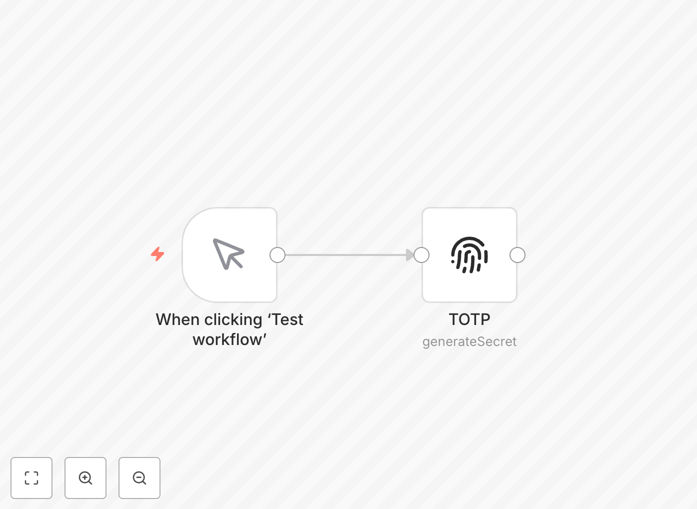
TOTP workflow nodes in n8n
The workflow nodes showing TOTP code generation process

How It Works

Step 1: QR Code Processing

The workflow begins by processing the QR code received when enabling two-factor authentication. It extracts the secret key and account information embedded in the QR code URL.

Step 2: Secret Key Storage

The extracted TOTP secret is securely stored in n8n's credential system. This encrypted storage ensures the sensitive authentication material remains protected while being accessible to the workflow.

TOTP credential management in n8n
Secure credential management for TOTP secrets

Step 3: Code Generation

Using the stored secret and current timestamp, the workflow generates valid TOTP codes according to the RFC 6238 standard. These codes refresh automatically based on the time interval specified.

Step 4: Code Utilization

The generated codes can be used directly in subsequent workflow steps for authentication purposes, or output for use in other systems requiring two-factor verification.

Pro tip: Combine this with n8n's error handling nodes to automatically retry authentication if a code expires during processing.

Who This Is For

This workflow is ideal for:

  • IT teams managing automated system logins
  • DevOps engineers needing CI/CD pipeline authentication
  • Security teams implementing automated monitoring
  • Businesses with multiple accounts requiring scheduled 2FA

What You'll Need

  1. An active n8n instance (cloud or self-hosted)
  2. The QR code or secret key from your 2FA setup
  3. Basic familiarity with n8n workflows
  4. Permissions to create and store credentials in n8n

Quick Setup Guide

  1. Download and import the JSON workflow file into your n8n instance
  2. Configure the credential node with your TOTP secret
  3. Test the workflow with a sample QR code or secret
  4. Connect the output to your authentication process
  5. Schedule or trigger the workflow as needed

Key Benefits

Save 10+ hours monthly by eliminating manual TOTP code entry for automated processes. No more interrupting workflows to input 2FA codes.

Reduce authentication errors with automated code generation that's always synchronized with the correct time window.

Enable secure automation of processes that previously required human intervention due to 2FA requirements.

Centralize TOTP management for multiple accounts and services in one secure location.

Frequently Asked Questions

Common questions about TOTP integration and automation

TOTP (Time-based One-Time Password) is a secure authentication method that generates temporary codes valid for 30-60 seconds. It works by combining a shared secret key with the current timestamp to create a unique code. Businesses use TOTP for secure logins without SMS vulnerabilities.

The algorithm ensures codes expire quickly, preventing replay attacks while maintaining usability. For example, when logging into a cloud service, the TOTP code from your authenticator app changes every 30 seconds, making stolen codes useless after expiration.

  • More secure than SMS-based 2FA
  • Works offline once initially configured
  • Standardized algorithm (RFC 6238)

Automating TOTP codes in n8n eliminates manual code entry errors and saves significant time for teams managing multiple accounts. It enables secure automation workflows that require 2FA without human intervention.

This is particularly valuable for IT teams managing system integrations where manual 2FA entry would create bottlenecks in automated processes. For instance, automated backup systems can now run securely overnight without requiring staff to be available to input codes.

  • Enables truly hands-off automation
  • Reduces operational delays
  • Scales to hundreds of accounts

Automated TOTP generation maintains security while improving efficiency. The secret keys remain encrypted in n8n's credential system, just as secure as manual authenticator apps. Automated workflows actually reduce phishing risks by eliminating human error in code entry.

Proper implementation includes credential rotation and access controls to maintain security standards. For example, you can set up separate credentials for development and production environments with different access levels, something impossible with personal authenticator apps.

  • Encrypted credential storage
  • No human error in code transmission
  • Granular access controls possible

Common use cases include automated system logins for scheduled reports, CI/CD pipeline authentication, automated backup systems requiring 2FA, and bulk account management. Marketing teams use it for social media platform automation, while IT teams automate infrastructure monitoring tools that require secure access.

The workflow enables secure automation where manual 2FA would be impractical. For example, a company running nightly database exports to cloud storage can now fully automate the process even with 2FA enabled on their cloud account.

  • Scheduled system maintenance
  • Automated data pipelines
  • Multi-account management

Yes, the workflow can manage multiple TOTP secrets simultaneously. You can store credentials for different services in n8n's secure credential system and reference them as needed. The template includes logic to handle multiple authentication scenarios.

This makes it scalable for organizations with diverse 2FA requirements across their tech stack. A practical example would be managing TOTP codes for your CRM, marketing automation platform, and internal systems all through one centralized workflow.

  • Manage unlimited services
  • Organize by department or function
  • Easy credential rotation

Best practice recommends rotating TOTP secrets every 90 days for automated systems, similar to password rotation policies. More frequent rotations may be needed for high-security systems. The workflow includes error handling for expired codes, making rotation manageable.

Implement credential rotation as part of your standard security maintenance schedule. For instance, financial institutions might rotate secrets monthly, while other businesses may find quarterly rotation sufficient based on their risk assessment.

  • Balance security and operational needs
  • Align with existing credential policies
  • Document rotation schedules

Absolutely. GrowwStacks specializes in building custom authentication workflows tailored to your security requirements. Our team can design a solution that integrates TOTP generation with your existing systems while maintaining security best practices.

We implement proper credential management, audit logging, and access controls for enterprise-grade automation. Whether you need to automate logins for a specific SaaS platform or build a comprehensive authentication system, we can develop a solution that fits your technical environment and security policies.

  • Enterprise-grade security design
  • Integration with existing systems
  • Ongoing support and maintenance

Need a Custom TOTP Integration?

This free template is a starting point. Our team builds fully tailored automation systems for your specific needs.