n8n TTS Voice Automation Local Processing

Convert text to speech with local KOKORO TTS

Automate voice content creation without cloud API costs using this self-hosted text-to-speech solution

Download Template JSON · n8n compatible · Free
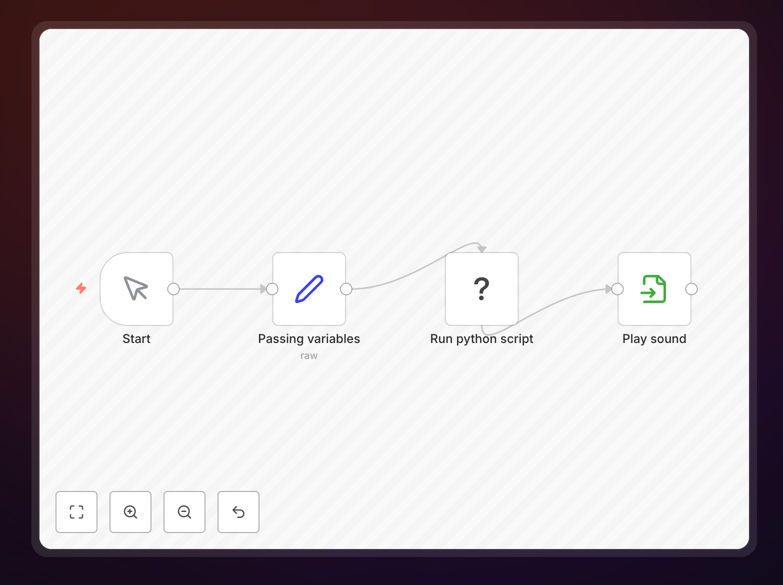
KOKORO TTS workflow interface in n8n

What This Workflow Does

This n8n workflow automates text-to-speech conversion using the local KOKORO TTS engine, eliminating the need for expensive cloud APIs. It transforms any text input into natural-sounding speech files that can be used for customer service, e-learning, accessibility features, or multimedia content creation.

The solution runs entirely on your own infrastructure, ensuring data privacy and cost predictability. It handles text preprocessing, voice selection, audio generation, and file management in a single automated process that can be triggered by various inputs like web forms, databases, or content management systems.
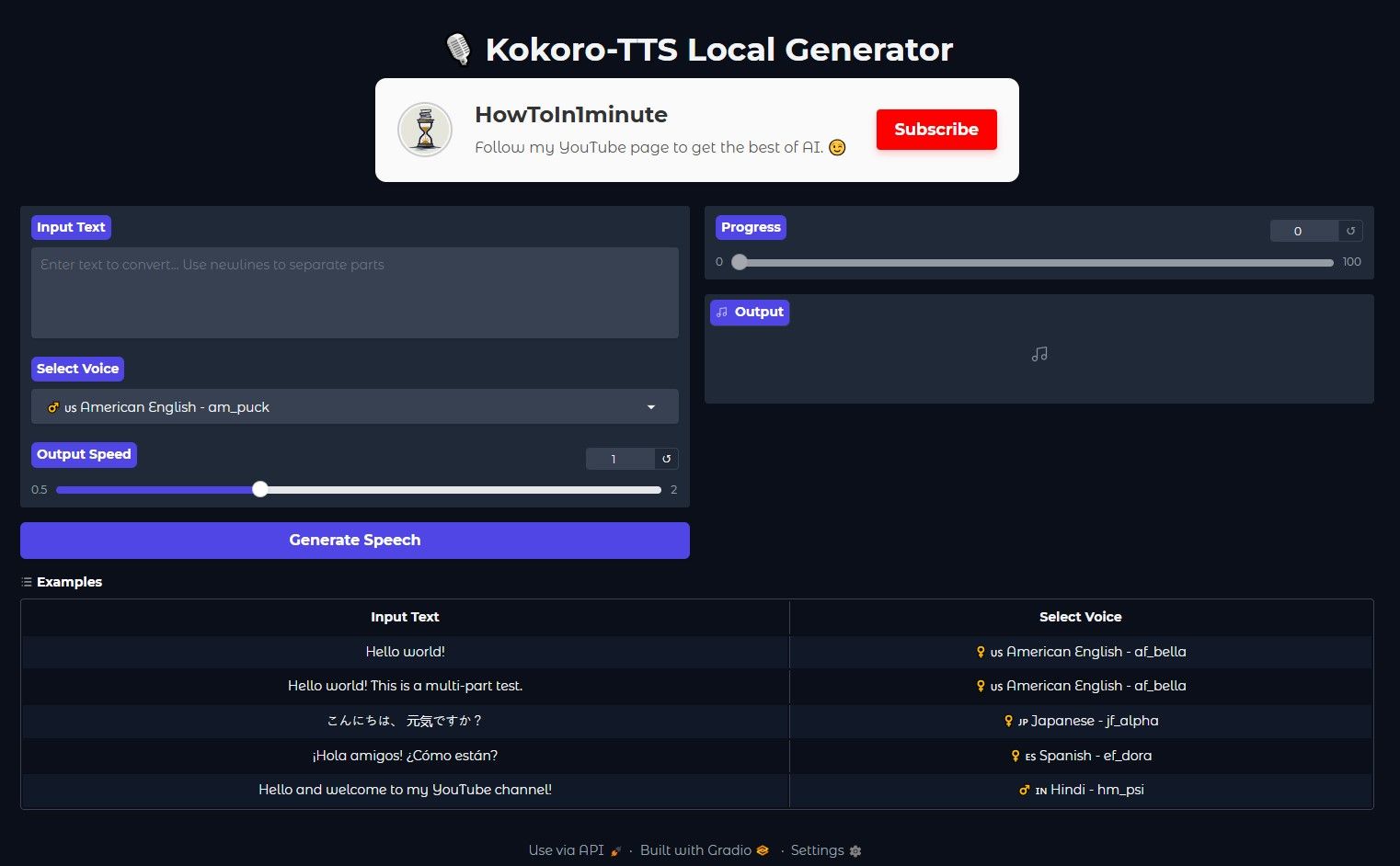
KOKORO TTS voice settings configuration
Configuring voice parameters in the KOKORO TTS workflow

How It Works

1. Text Input Processing

The workflow accepts text from various sources (webhooks, databases, files) and cleans the input by removing special characters, normalizing whitespace, and detecting language for proper voice model selection.

2. Voice Parameter Configuration

Based on content type and language, the workflow selects optimal voice parameters including speech rate, pitch, and emphasis points. These can be customized per use case or maintained as preset configurations.
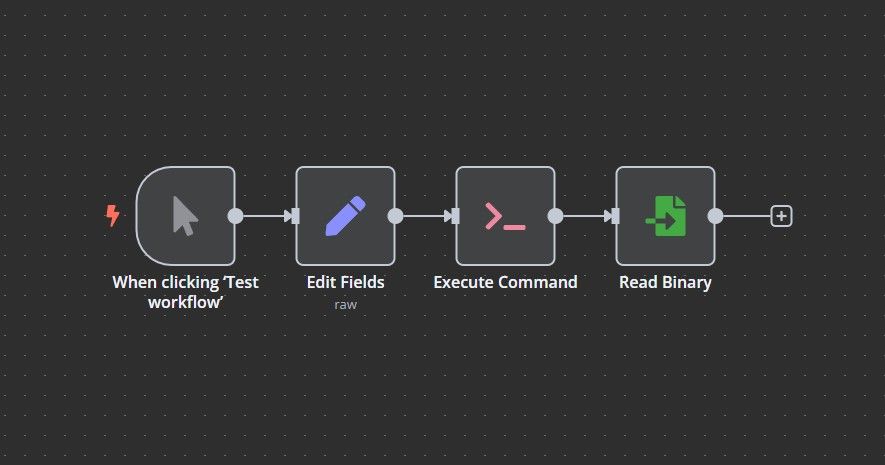
Audio generation process in workflow
Audio generation and processing steps in the workflow

3. Audio Generation & Enhancement

The KOKORO TTS engine converts the processed text into raw audio, which then undergoes post-processing for volume normalization, noise reduction, and proper pacing to create professional-quality output.

4. Output Delivery

Generated audio files are saved to specified locations (local storage, cloud buckets) with proper naming conventions and metadata. The workflow can also trigger notifications or subsequent processes using the audio files.

Pro tip: For best results, structure your source text with proper punctuation and paragraph breaks. The TTS engine uses these cues to create natural pauses and intonation.

Who This Is For

This solution benefits content creators, e-learning platforms, customer support teams, and accessibility coordinators who need to:

  • Produce voiceovers at scale without recording studios
  • Make digital content accessible to visually impaired users
  • Create multilingual audio versions of written materials
  • Develop interactive voice response (IVR) systems
  • Generate audio content for social media and podcasts

What You'll Need

  1. Self-hosted n8n instance (required for Execute Command node)
  2. KOKORO TTS installed on your server
  3. Basic understanding of n8n workflows
  4. Storage location for generated audio files
  5. Text sources (CMS, database, forms) to feed the workflow
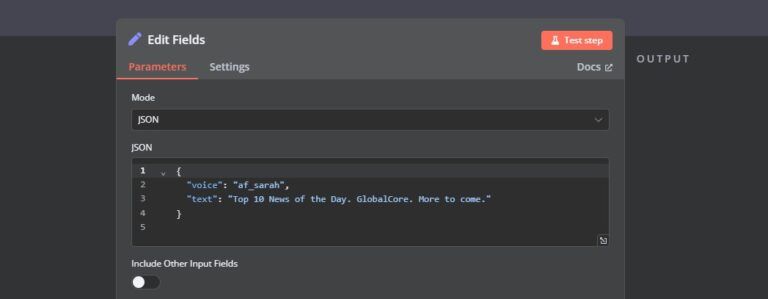
Workflow integration with content sources
Connecting the TTS workflow to various content sources

Quick Setup Guide

  1. Download the JSON template file
  2. Import into your n8n instance
  3. Install KOKORO TTS on your server if not already present
  4. Configure the Execute Command node with your KOKORO TTS path
  5. Set up your input source (webhook, database query, etc.)
  6. Define output locations for generated audio files
  7. Test with sample text and adjust voice parameters as needed

Key Benefits

Cost-effective voice content: Eliminate recurring cloud TTS API fees by processing audio locally, with predictable infrastructure costs.

Data privacy assurance: Sensitive content never leaves your infrastructure, meeting strict compliance requirements for healthcare, legal, and financial materials.

Scalable production: Automatically generate hundreds of voice files from structured content without manual intervention.

Accessibility compliance: Easily create audio versions of written materials to meet WCAG and other accessibility standards.

Consistent brand voice: Maintain uniform tone and pronunciation across all audio content by using standardized voice parameters.

Frequently Asked Questions

Common questions about text-to-speech automation

Text-to-speech automation saves hours of manual voice recording while improving accessibility. Businesses use it for automated customer service responses, e-learning narration, and multilingual content creation.

The KOKORO TTS solution offers natural-sounding voices without cloud API costs. For example, an e-learning platform can generate course narrations instantly whenever content updates, rather than scheduling studio sessions.

  • Reduces voiceover production time by 80-90%
  • Enables real-time content updates with matching audio
  • Supports accessibility compliance with minimal effort

Local TTS processes audio generation on your own servers, eliminating API costs and privacy concerns. While cloud solutions offer more voice options, local TTS provides better cost control for high-volume usage.

A financial services company processing sensitive client communications might choose local TTS to ensure data never leaves their infrastructure, despite having fewer voice options than cloud providers.

  • No per-character or per-minute usage fees
  • Works offline without internet dependency
  • Custom voice training possible with local models

Automated TTS excels with standardized content like product descriptions, FAQ responses, and training materials. It's ideal for content that requires frequent updates or personalization, where recording new voiceovers would be impractical.

An e-commerce site with thousands of product pages uses TTS to generate audio descriptions whenever new items are added, providing accessibility without manual recording for each SKU.

  • Structured content with clear sentences works best
  • Avoid complex technical terms requiring special pronunciation
  • Break long texts into logical segments for better flow

Yes, most TTS systems including KOKORO support multiple languages and accents. The workflow can automatically detect input language and select the appropriate voice model, making it valuable for global businesses.

A travel company uses this to generate audio guides in 12 languages from their existing text content, with consistent quality across all translations and proper pronunciation of local place names.

  • Language detection can be automated or manually specified
  • Some voices handle code-switching (mixing languages) well
  • Consider cultural preferences for voice characteristics

Quality depends on voice model selection, proper punctuation in source text, and audio post-processing. The workflow includes steps to normalize volume, adjust speech rate, and add natural pauses for better listening experience.

An online course provider adds specific markup to their source text indicating where pauses should be longer for student comprehension, resulting in more natural sounding lectures.

  • Test different voice parameters for your content type
  • Add SSML tags for precise pronunciation control
  • Normalize audio levels across all generated files

Common uses include IVR systems, audiobook production, accessibility compliance, training materials, and social media content. E-commerce businesses use it to generate product description audio for visually impaired customers.

A healthcare provider automates medication instruction recordings in multiple languages, ensuring consistent delivery of critical information while meeting accessibility requirements.

  • IVR systems with dynamic content based on caller data
  • Personalized audio messages at scale
  • Audio versions of compliance documentation

Yes, GrowwStacks specializes in custom voice automation solutions. We can integrate TTS with your CRM, CMS, or help desk systems to automate voice content creation at scale while maintaining your brand voice.

We've built solutions for enterprises needing custom voice models, specialized pronunciation dictionaries, and complex workflow integrations that go beyond standard TTS APIs.

  • Custom integrations with your existing systems
  • Brand-specific voice training when needed
  • Enterprise-grade deployment and scaling

Need a Custom Text-to-Speech Integration?

This free template is a starting point. Our team builds fully tailored automation systems for your specific needs.