Zoom Automation n8n

Automate Zoom Meeting Creation

Free template to schedule Zoom meetings automatically through n8n workflows

Download Template JSON · n8n compatible · Free
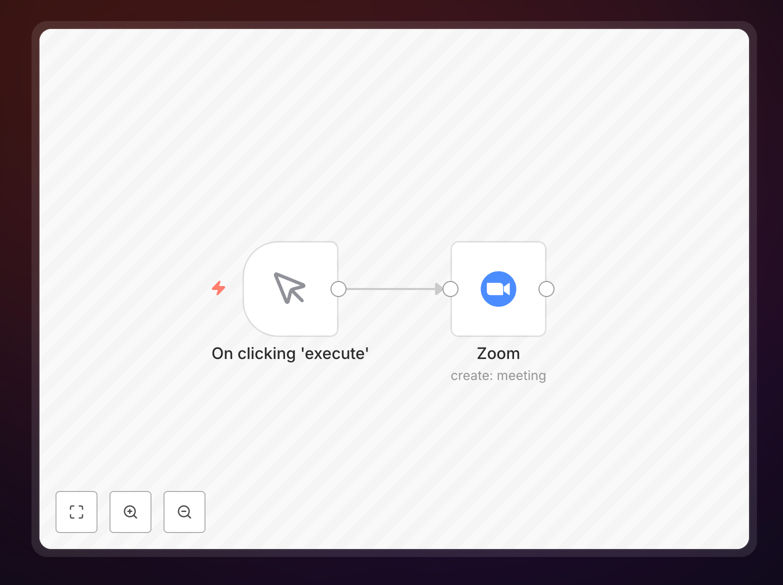
Zoom meeting automation workflow interface

What This Workflow Does

This automation template solves the time-consuming process of manually creating Zoom meetings. It automatically schedules Zoom meetings based on triggers from your calendar, CRM, or other business systems.

The workflow handles all the technical details of interacting with Zoom's API, allowing you to focus on more important work. It can be customized to include specific meeting settings, automatic participant invites, and follow-up actions.

How It Works

1. Trigger Setup

The workflow begins when it detects a new meeting request from your connected system. This could be a calendar event, form submission, or database update.

2. Meeting Configuration

The template pulls relevant meeting details (time, duration, participants) and prepares the API request to Zoom with your preferred settings.

3. Zoom API Integration

Using Zoom's API, the workflow creates the meeting with all specified parameters and security settings automatically applied.

4. Notification & Follow-up

Participants receive meeting invites, and the system logs the created meeting details for tracking and reporting.

Who This Is For

This automation is ideal for:

  • Virtual assistants managing multiple calendars
  • Sales teams scheduling client meetings
  • HR departments coordinating interviews
  • Educators setting up virtual classes
  • Any team that regularly hosts Zoom meetings

What You'll Need

  1. A Zoom account with API access
  2. n8n instance (cloud or self-hosted)
  3. Connection to your trigger source (calendar, CRM, etc.)
  4. Basic understanding of workflow automation

Quick Setup Guide

  1. Download the JSON template file
  2. Import into your n8n instance
  3. Configure your Zoom API credentials
  4. Connect your trigger source
  5. Test with a sample meeting request
  6. Deploy for live use

Key Benefits

Save 5+ hours per week by eliminating manual meeting setup. The automation handles all the repetitive work instantly.

Reduce scheduling errors with consistent, rule-based meeting creation that follows your exact specifications every time.

Improve participant experience with immediate, professionally formatted meeting invites containing all necessary details.

Gain visibility through automatic logging of all created meetings for reporting and analytics.

Scale effortlessly as your meeting volume grows without additional administrative overhead.

Frequently Asked Questions

Common questions about Zoom automation and integration

You can automate Zoom meeting scheduling by using workflow automation tools like n8n to connect Zoom with your calendar, CRM, or other apps. This template shows how to trigger meeting creation based on events.

The automation handles all the API interactions with Zoom, creating meetings with your preferred settings automatically whenever your trigger conditions are met.

Automating Zoom meetings saves administrative time, reduces scheduling errors, ensures consistency in meeting setup, and allows integration with other business systems.

Additional benefits include:

  • Faster response to meeting requests
  • Standardized meeting settings
  • Automatic participant management

Yes, automated Zoom meetings can be fully customized - including duration, participants, waiting rooms, recording settings, and more through the Zoom API.

The template provides a starting point that you can modify to match your specific requirements for different meeting types and use cases.

Zoom's API is highly reliable when properly implemented. Automation workflows typically include error handling and notifications if any issues occur during meeting creation.

For critical meetings, we recommend building in verification steps and fallback procedures within your automation workflow.

Common triggers include calendar events, form submissions, CRM updates, website bookings, or even incoming emails requesting meetings.

The flexibility of workflow automation allows you to connect Zoom to virtually any system that can generate a digital signal indicating a meeting is needed.

Automated workflows can dynamically add participants based on rules, sync with your contact database, and send personalized invitations with meeting details.

You can configure the automation to:

  • Pull participant lists from your CRM
  • Apply role-based access controls
  • Send customized calendar invites

Yes, you can configure your automation to log meeting details, attendance, and duration to spreadsheets, databases, or analytics tools.

The workflow can capture metrics like:

  • Number of meetings created
  • Participant attendance rates
  • Average meeting duration

Yes, our team at GrowwStacks specializes in building custom Zoom automations tailored to your specific workflow needs and existing tech stack.

We can create solutions that integrate Zoom with your CRM, calendar, booking systems, and other tools to create a seamless meeting scheduling experience.

Need a Custom Zoom Automation?

This free template is a starting point. Our team builds fully tailored automation systems for your specific business needs.