Agile CRM n8n Lead Management Automation CRM Sync

Automate Contact Creation in Agile CRM

Sync new leads from forms, spreadsheets, or other apps directly into Agile CRM. Eliminate manual data entry and capture every lead instantly.

Download Template JSON · n8n compatible · Free
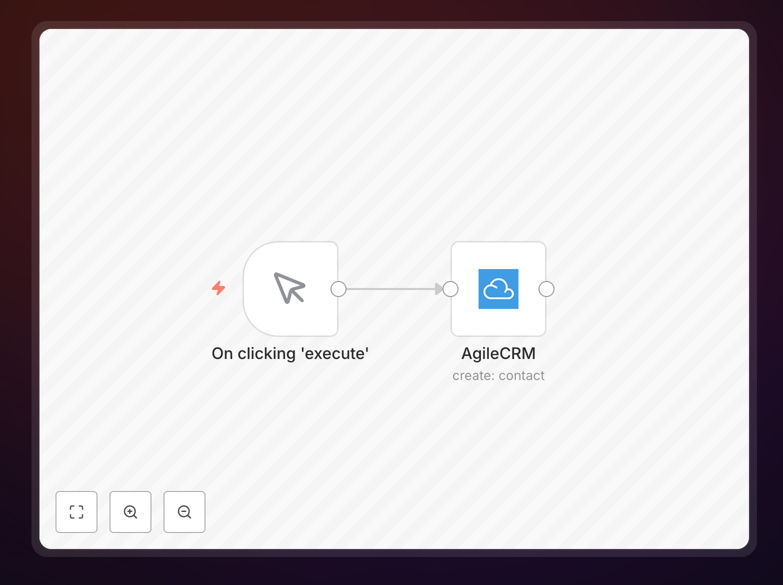
n8n workflow diagram showing contact creation automation for Agile CRM

What This Workflow Does

Manual data entry into your CRM is a time-consuming bottleneck that leads to missed opportunities and inconsistent data. This automation workflow solves that by automatically creating new contacts in Agile CRM whenever a new lead appears in your source system—whether that's a Google Form submission, a new row in a spreadsheet, a website contact form, or an email inquiry.

The workflow acts as a reliable bridge between your lead sources and Agile CRM, ensuring that every potential customer is captured instantly and accurately. It maps data fields, handles formatting, and can even add custom tags or trigger follow-up actions, turning raw lead information into actionable contact records for your sales team.

How It Works

1. Trigger: Capture New Lead Data

The workflow starts when a new lead is detected. This could be triggered by a webhook from your website form, a scheduled check of a Google Sheet, a new email in a specific inbox, or an entry from another app like Typeform or Calendly.

2. Process: Format and Validate Data

The incoming data is processed—names are capitalized, emails are validated, phone numbers are formatted, and custom fields are mapped to match Agile CRM's expected structure. You can add conditional logic here to handle different lead types or sources.

3. Action: Create Contact in Agile CRM

The formatted contact data is sent to Agile CRM via its API, creating a new contact record with all relevant details. The workflow can handle custom fields, tags, lead scores, and contact owner assignments based on your business rules.

4. Follow-up: Trigger Additional Actions

After successful contact creation, the workflow can trigger secondary actions like sending a confirmation email to the lead, notifying your sales team via Slack, creating a follow-up task, or adding the contact to an email sequence.

Who This Is For

This automation is ideal for sales teams, marketing agencies, small business owners, and anyone using Agile CRM who wants to streamline their lead capture process. It's particularly valuable for businesses that generate leads from multiple sources (website, events, partnerships) and need a centralized, automated way to get those leads into their CRM without manual intervention.

If your team spends more than an hour per week copying data between systems, or if you've ever lost track of a lead because it wasn't entered into your CRM promptly, this workflow will solve those problems.

What You'll Need

  1. An Agile CRM account with API access enabled
  2. Your Agile CRM API credentials (domain, email, API key)
  3. A running n8n instance (self-hosted or n8n.cloud)
  4. A lead source that can trigger the workflow (webhook-capable form, Google Sheet, etc.)
  5. Basic understanding of your lead data structure and desired CRM field mappings

Quick Setup Guide

  1. Download and import the template JSON file into your n8n instance.
  2. Configure the trigger node to match your lead source (set up webhook URL or connect to your Google Sheet).
  3. Set up Agile CRM credentials in the Agile CRM node with your API details.
  4. Map your data fields between your source and Agile CRM's contact fields.
  5. Test the workflow with sample data to ensure contacts are created correctly.
  6. Activate the workflow and start automating your lead capture process.

Pro tip: Before going live, run a test with historical data to ensure all field mappings work correctly. Create a "test" tag in Agile CRM to identify automatically created contacts during your testing phase.

Key Benefits

Eliminate manual data entry and save 5-10 hours per week that your team currently spends copying information between systems. This time can be redirected to actual sales activities and customer engagement.

Capture every lead instantly with zero delay between lead submission and CRM entry. No more lost opportunities because someone forgot to enter a contact form submission or email inquiry.

Ensure data consistency by applying standardized formatting rules automatically. All contacts will follow the same naming conventions, phone formats, and field mappings, making your CRM data more reliable and searchable.

Scale your lead management without adding administrative staff. As lead volume grows, this automation handles the increased load seamlessly, allowing your sales team to focus on selling rather than data entry.

Create a complete audit trail of how each contact entered your system. The workflow can log source, timestamp, and any data transformations, providing valuable insights into your lead generation effectiveness.

Frequently Asked Questions

Common questions about CRM automation and contact management

The most effective way is to use an automation platform like n8n to connect your lead sources directly to your CRM. This eliminates manual data entry, ensures data consistency, and captures leads instantly from forms, emails, or other apps.

You can map fields, add conditional logic, and even enrich contact data before it hits your CRM. For example, you might automatically assign a lead score based on the source, append company information from LinkedIn, or trigger a welcome email sequence.

  • Connect multiple lead sources to one centralized CRM
  • Apply business rules and data validation automatically
  • Create a complete audit trail for every contact

You can use an automation workflow to monitor a Google Sheet for new rows. When a new lead is added, the workflow triggers, formats the data, and creates a corresponding contact in Agile CRM with all relevant details.

This approach is perfect for event registrations, partnership referrals, or any situation where leads are collected in a spreadsheet. The automation runs on a schedule (every 15 minutes, for example) to ensure near-real-time syncing without manual intervention.

  • Schedule automatic checks for new spreadsheet entries
  • Map spreadsheet columns to CRM contact fields
  • Handle data validation and error cases gracefully

Automating CRM contact management saves 5-10 hours per week on data entry, reduces human error by 90%, ensures no lead is forgotten, and accelerates sales follow-up from days to minutes.

Beyond time savings, automation creates more valuable contact records by consistently applying business rules. For instance, you can automatically tag contacts by source, calculate lead scores, assign to appropriate sales reps, and trigger personalized follow-up sequences—all without manual work.

  • Faster lead response times increase conversion rates
  • Consistent data improves reporting and analytics
  • Scalable processes support business growth

Yes, advanced automation platforms allow you to map any data point to custom fields in your CRM. You can automatically assign tags based on lead source, calculate lead scores, append notes, and trigger internal notifications.

This creates rich, actionable contact records that help sales teams prioritize and personalize their outreach. For example, a lead from a webinar might get tagged "webinar-attendee" and assigned a higher lead score than a general website visitor.

  • Map custom fields from any data source
  • Apply conditional logic for tagging and scoring
  • Enrich contact data with external APIs

A robust automation workflow should include a duplicate check step before creating a new contact. This typically involves searching the CRM for existing contacts by email or other unique identifiers.

If a match is found, the workflow can update the existing record instead of creating a duplicate, or flag it for review. Some businesses choose to merge data, while others prefer to notify an admin to handle potential duplicates manually, maintaining data hygiene.

  • Search by email, phone, or custom unique identifiers
  • Choose to update, merge, or flag duplicates
  • Maintain a clean, non-redundant contact database

Once contact creation is automated, you can chain additional actions like sending a welcome email, creating a task for the sales rep, adding the contact to a email sequence, posting a notification to Slack, updating a deal pipeline, or syncing to accounting software.

This creates a complete lead-to-customer workflow. For example, a new contact might trigger: 1) CRM entry, 2) Slack notification to sales team, 3) Welcome email to lead, 4) Task creation for follow-up, and 5) Addition to a nurture sequence if not immediately contacted.

  • Create multi-channel follow-up sequences
  • Sync data across your entire tech stack
  • Automate internal team notifications and tasks

Yes, GrowwStacks specializes in building custom CRM automation systems tailored to your specific business processes. We can integrate Agile CRM with your unique tech stack, design complex workflows with conditional logic, and ensure reliable data flow between all your tools.

Our team works with you to understand your lead sources, sales process, and data requirements, then builds an automation solution that saves time, reduces errors, and accelerates your sales cycle. We handle everything from initial consultation to implementation and ongoing support.

  • Custom integrations with your existing tools
  • Complex business logic and conditional workflows
  • Ongoing support and optimization

Need a Custom CRM Automation?

This free template is a starting point. Our team builds fully tailored automation systems for your specific business needs.