Mailchimp Email Marketing n8n Audience Growth

Create a new member on Mailchimp

Automatically add contacts to your Mailchimp audience from any trigger source

Download Template JSON · n8n compatible · Free
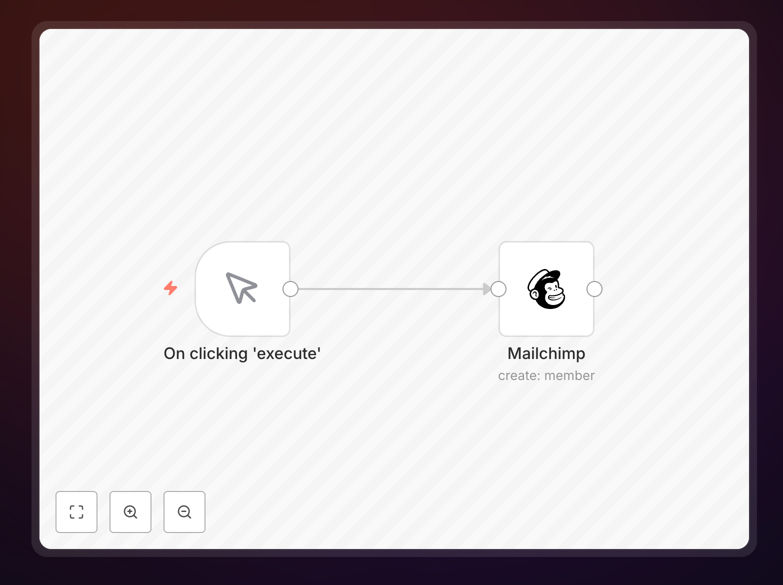
Mailchimp new member workflow diagram

What This Workflow Does

This automation eliminates the manual process of adding new members to your Mailchimp audience. Whether contacts come from website forms, CRM systems, ecommerce platforms, or event registrations, this workflow automatically adds them to your specified Mailchimp list with all relevant contact information and tags.

The solution reduces administrative workload while ensuring real-time audience updates. It handles field mapping, consent management, and can even trigger personalized welcome sequences based on the member's source or attributes.

How It Works

1. Trigger Setup

The workflow activates when a new contact is detected from your chosen source platform. This could be a form submission, CRM update, or purchase event.

2. Data Validation

Contact information is verified for completeness and formatting. The workflow checks for required fields like email address and handles any data transformations needed for Mailchimp compatibility.

3. Mailchimp Integration

Using Mailchimp's API, the contact is added to your specified audience. The workflow can apply tags, set custom fields, and manage subscription preferences based on your business rules.

Pro tip: Add a step to segment contacts immediately based on their signup source or attributes. This enables targeted welcome sequences from day one.

Who This Is For

This automation benefits marketing teams, ecommerce businesses, event organizers, and any organization using Mailchimp for email communications. It's particularly valuable for:

  • Businesses with high-volume signups from multiple sources
  • Teams wanting real-time audience updates without manual imports
  • Marketers implementing sophisticated segmentation strategies
  • Organizations needing GDPR-compliant consent management

What You'll Need

  1. A Mailchimp account with API access enabled
  2. Your Mailchimp audience ID and API key
  3. A trigger source configured (form, CRM, etc.)
  4. n8n instance or account

Quick Setup Guide

  1. Download the JSON template file
  2. Import into your n8n instance
  3. Configure your Mailchimp API credentials
  4. Set your target audience ID
  5. Connect your trigger source
  6. Test with sample data
  7. Activate the workflow

Key Benefits

Time savings: Eliminates hours spent on manual list imports and data entry each week.

Improved accuracy: Reduces human errors in contact information and list management.

Faster engagement: New members receive welcome content immediately rather than waiting for batch updates.

Scalable growth: Handles increasing signup volumes without additional staff time.

Enhanced segmentation: Enables sophisticated targeting from the moment of signup.

Frequently Asked Questions

Common questions about Mailchimp integration and automation

Automating Mailchimp audience growth eliminates manual data entry by instantly adding new contacts from forms, ecommerce platforms, or CRM systems. This ensures real-time list updates while reducing human errors that occur during manual imports.

For example, an ecommerce store can automatically add customers to specific segments based on their first purchase, triggering tailored onboarding sequences without marketing staff intervention. This typically saves 5-10 hours per week for growing businesses.

  • Eliminates CSV imports and spreadsheet management
  • Reduces duplicate entries and formatting errors
  • Enables instant segmentation at signup

Automatic segmentation allows immediate targeting based on signup source, purchase history, or demographic data. This enables personalized welcome sequences and relevant content delivery from day one, increasing engagement rates by 30-50% compared to non-segmented approaches.

A B2B company might segment by job title, sending different resources to executives versus individual contributors. The automation applies these tags during the initial contact addition, making the segmentation persistent and actionable.

  • Higher open and click-through rates
  • Reduced unsubscribe rates
  • Better lead nurturing paths

The workflow can include consent verification steps before adding contacts, plus automatic tagging for consent status. This creates an audit trail while ensuring only opted-in contacts enter your marketing lists, maintaining compliance with privacy regulations.

For instance, the automation can check a "consent granted" field from your signup form or CRM before proceeding. It can also timestamp when consent was given and store this in Mailchimp's custom fields for future reference.

  • Built-in consent verification steps
  • Automatic documentation of opt-ins
  • Easy unsubscribe handling

Top integrations include form builders (Typeform, Jotform), CRM systems (HubSpot, Salesforce), ecommerce platforms (Shopify, WooCommerce), and event tools (Eventbrite). These allow automatic member additions triggered by purchases, form submissions, or CRM updates.

A common setup connects Shopify purchases to Mailchimp, adding customers to specific product interest lists while tagging them with their first purchase category. This enables highly targeted follow-up campaigns without manual list management.

  • Form builders for lead capture
  • CRM systems for contact syncing
  • Ecommerce platforms for customer marketing

Automated onboarding triggers immediate welcome sequences, reducing the 72-hour critical window where new subscribers are most engaged. This can increase open rates by 40% and click-through rates by 25% compared to manual onboarding processes.

For example, a SaaS company using automated onboarding can deliver their first tutorial email within minutes of signup, when user interest is highest. This timely engagement significantly improves conversion rates to active users.

  • Faster time-to-first-engagement
  • Higher sequence completion rates
  • Better lead qualification

Key metrics include signup-to-list addition time, welcome email open rates, segmentation accuracy, and unsubscribe rates from automated flows. Tracking these helps optimize both the automation and your overall email strategy.

Monitoring the time between form submission and list addition reveals if your automation is running efficiently. Similarly, tracking unsubscribe rates by signup source can identify problematic acquisition channels needing optimization.

  • Time-to-list-addition
  • Welcome sequence performance
  • Segment-specific engagement

Yes, GrowwStacks specializes in tailored Mailchimp integrations that connect with your unique tech stack. Our team designs custom workflows for advanced segmentation, conditional welcome sequences, and real-time behavioral triggers to maximize your email marketing performance.

We've built solutions for ecommerce brands needing abandoned cart triggers, SaaS companies requiring product usage-based messaging, and nonprofits managing complex donor communications. Each workflow is designed around your specific business goals and customer journey.

  • Custom integration with your existing tools
  • Advanced segmentation logic
  • Performance monitoring and optimization

Need a Custom Mailchimp Integration?

This free template is a starting point. Our team builds fully tailored automation systems for your specific needs.