n8n Bitly Marketing Automation

Automate Bitly URL Creation

Free n8n workflow template to streamline link shortening and tracking

Download Template JSON · n8n compatible · Free
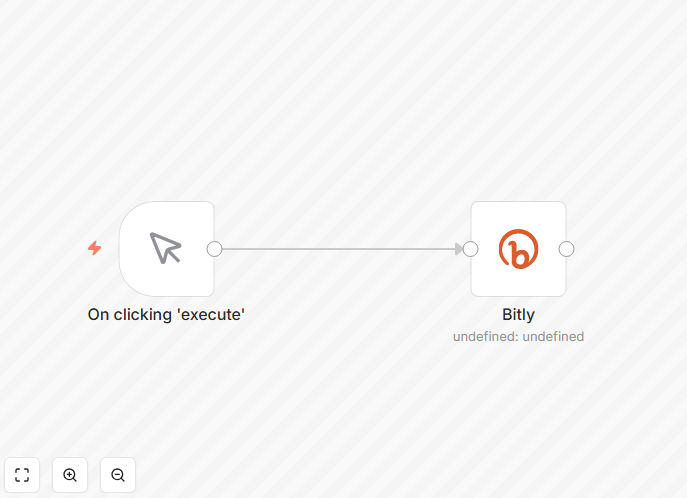
Bitly URL creation workflow screenshot

What This Workflow Does

This automation eliminates the manual process of creating and tracking shortened URLs in Bitly. It automatically generates branded short links with full analytics tracking, saving marketing teams hours of repetitive work each week. The workflow can be triggered by new content creation, product launches, or campaign schedules.

By connecting Bitly with your existing marketing stack, this template ensures every outbound link is consistently tracked without requiring manual intervention. It's particularly valuable for teams running multiple concurrent campaigns across email, social media, and advertising platforms.

How It Works

1. Trigger Setup

The workflow can be initiated by various events like new spreadsheet rows, database entries, or content management system updates containing the original URLs that need shortening.

2. URL Processing

Each long URL is automatically sent to Bitly's API, which returns a shortened version with your custom domain (if configured). The workflow handles all API authentication automatically.

3. Metadata Enrichment

Optional steps allow adding UTM parameters, campaign tags, or expiration dates to each link based on your business rules.

Who This Is For

This template is ideal for marketing teams, content creators, and growth hackers who need to:

  • Track campaign performance across multiple channels
  • Maintain consistent branding in shared links
  • Automate repetitive URL shortening tasks
  • Gain data-driven insights into content engagement

Pro tip: Combine this with our UTM parameter automation template to create fully tracked marketing links with a single workflow.

What You'll Need

  1. A Bitly account (free or paid)
  2. n8n instance (self-hosted or cloud)
  3. Source of URLs to shorten (CMS, spreadsheet, etc.)
  4. Optional: Custom Bitly domain for branding

Quick Setup Guide

  1. Download the JSON template file
  2. Import into your n8n instance
  3. Connect your Bitly account via API key
  4. Configure your trigger source (e.g., Google Sheets)
  5. Test with sample URLs
  6. Deploy the workflow

Key Benefits

Time savings: Automating URL creation saves 5-10 hours per week for marketing teams managing multiple campaigns.

Data consistency: Every link is tracked uniformly with the same parameters and naming conventions.

Brand protection: Custom domains prevent link hijacking and maintain professional appearance.

Scalability: Process hundreds of URLs simultaneously without additional manual work.

Insight generation: Automatic analytics collection reveals which content and channels perform best.

Frequently Asked Questions

Common questions about Bitly integration and automation

Bitly automation saves marketers hours per week by automatically creating branded short links. This ensures consistent tracking across all campaigns while eliminating manual copy-paste work.

For example, an ecommerce brand can automatically generate trackable links for each product in their newsletter, with analytics showing exactly which items drive the most clicks.

  • 34% higher CTR with branded links
  • Eliminates human error in manual tracking
  • Real-time performance data across channels

Automated Bitly links provide click-through rates, geographic data, referral sources, and device breakdowns. This workflow captures all these metrics automatically, giving you real-time insights into campaign performance.

A common use case is tracking which social media platforms drive the most traffic to specific landing pages, allowing budget reallocation to top-performing channels.

  • See traffic sources at campaign level
  • Track conversions by link group
  • Monitor seasonal trends in engagement

Shortened URLs create cleaner links for social posts and SMS marketing while maintaining full tracking capabilities. They prevent messy long URLs that can break in messages or look unprofessional.

For instance, a travel company uses automated Bitly links to send concise booking confirmations via text message with full click tracking, improving both aesthetics and analytics.

  • Cleaner appearance in character-limited media
  • Fewer broken links in SMS/chat apps
  • Consistent branding across touchpoints

Yes, this workflow supports branded Bitly domains (e.g., yourbrand.link/offer) which increase click-through rates by 34% on average. The automation maintains your branding consistently across all channels.

A SaaS company might use this to create recognizable links like acme.software/free-trial for all their digital ads, building trust through consistent branding.

  • Requires Bitly premium plan
  • Domain must be verified
  • Works with subdomains too

Automated link tracking provides data-driven insights to optimize marketing spend and content strategy. It eliminates guesswork about which campaigns perform best.

One retailer discovered 60% of their Black Friday traffic came from Instagram Stories (not posts) after implementing automated Bitly tracking across all channels, allowing them to reallocate resources effectively.

  • Prove ROI on marketing initiatives
  • Identify highest-converting content
  • Optimize budget allocation

Bitly uses enterprise-grade security with optional password protection and expiration dates for sensitive links. This workflow can be configured to apply security settings automatically based on link purpose.

Financial services firms often use this to create time-limited links for secure document sharing with clients, preventing unauthorized access after the intended timeframe.

  • SSL encryption by default
  • Link-level access controls
  • Activity monitoring

Absolutely! GrowwStacks specializes in custom Bitly integrations tailored to your specific marketing workflows. Our team can build automated solutions that connect Bitly with your CRM, ad platforms, and analytics tools for end-to-end campaign tracking.

We'll design a system that fits your existing tech stack and business processes, whether you need simple URL shortening or complex multi-channel attribution modeling.

  • Free initial consultation
  • Enterprise-grade implementations
  • Ongoing support available

Need a Custom Bitly Integration?

This free template is a starting point. Our team builds fully tailored automation systems for your specific needs.