n8n Bannerbear Image Automation

Create an Image Procedurally Using Bannerbear

Automatically generate customized images for marketing, social media, and product content without design work

Download Template JSON · n8n compatible · Free
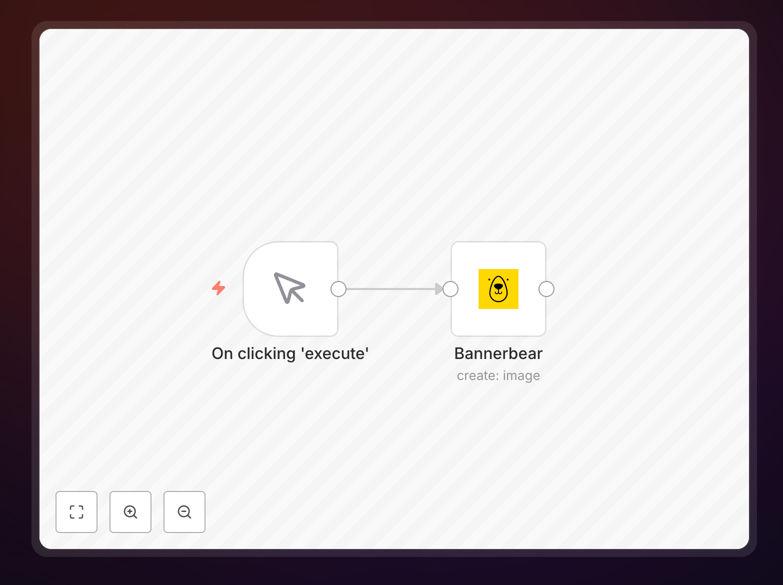
Bannerbear image generation workflow in n8n

What This Workflow Does

This n8n workflow automates the creation of customized images using Bannerbear's API. It solves the problem of manually designing repetitive graphics by programmatically generating images with dynamic text, colors, and layouts based on your input data.

Marketing teams, ecommerce stores, and content creators can use this to automatically produce social media graphics, product images, personalized marketing materials, and more - all without needing a designer to manually create each variation.

How It Works

1. Data Input

The workflow accepts input data containing the variables needed for your image template - text, colors, image URLs, etc. This can come from a spreadsheet, database, or other n8n nodes.

2. Template Configuration

You configure the Bannerbear template ID and map your input data to the template's dynamic fields. The workflow handles all API authentication automatically.

3. Image Generation

Bannerbear generates the customized image based on your template and input data. The workflow can process multiple variations in a single run.

4. Output Handling

The generated images are saved to your preferred destination - cloud storage, email attachments, or passed to other workflows for further processing.

Who This Is For

This workflow is ideal for:

  • Marketing teams creating personalized campaign assets
  • Ecommerce stores generating product images with dynamic pricing
  • Social media managers producing consistent branded content
  • Content creators making thumbnails or featured images at scale
  • Developers building applications with dynamic image generation

What You'll Need

  1. An n8n instance (cloud or self-hosted)
  2. A Bannerbear account with at least one template created
  3. Your Bannerbear API key
  4. Input data source (CSV, database, or other n8n nodes)

Quick Setup Guide

  1. Download and import the JSON workflow into your n8n instance
  2. Add your Bannerbear API key in the credentials section
  3. Configure the Bannerbear node with your template ID
  4. Map your input data fields to the template variables
  5. Set up your output destination (storage, email, etc.)
  6. Test with sample data and activate the workflow

Key Benefits

Save 80%+ of design time by automating repetitive image creation tasks that would normally require manual work in tools like Photoshop or Canva.

Ensure brand consistency across all generated images by using approved templates with locked-in design elements.

Scale personalization to create thousands of unique images with dynamic content tailored to different audiences or products.

Reduce human error by eliminating manual copy-paste mistakes in text, colors, or image placements.

Integrate with other systems to automatically generate images based on product data, customer information, or marketing campaign details.

Frequently Asked Questions

Common questions about Bannerbear integration and image automation

Bannerbear automation excels at generating personalized marketing assets, product images, social media content, and dynamic documents. Common use cases include creating thousands of unique product images with variable pricing, generating personalized social media graphics for campaigns, and producing customized PDF reports with dynamic charts and data.

For example, an ecommerce store can automatically generate product images with real-time pricing and promotional badges. A marketing team can create hundreds of personalized social media graphics for a campaign by pulling customer data from their CRM.

  • Eliminates repetitive design work
  • Ensures brand consistency at scale
  • Enables real-time personalization

Bannerbear automates what would normally require manual work in tools like Photoshop or Canva. While design tools require human intervention for each variation, Bannerbear generates images programmatically based on your templates and data inputs.

The key difference is scalability. Where a designer might create 10-20 variations manually, Bannerbear can generate thousands in the same time. It's particularly valuable for dynamic content that changes frequently like pricing, inventory status, or personalized messaging.

  • 100x faster than manual creation
  • No design skills required to operate
  • Integrates directly with your data sources

Bannerbear supports generating social media graphics, product images, marketing banners, personalized documents, and more. You can create images with dynamic text, colors, backgrounds, overlays, and even composite multiple images together.

A real estate agency could generate property flyers with dynamic addresses and prices. A newsletter service could create thousands of unique featured images by combining article titles with stock photos. The possibilities are limited only by your template designs.

  • Supports JPG, PNG, and PDF outputs
  • Handles text, colors, and image compositing
  • Works with transparent backgrounds

Creating Bannerbear templates requires basic design skills but no coding. You design your template in their web editor similarly to tools like Canva, then define which elements should be dynamic. The interface is intuitive for anyone familiar with basic graphic design principles.

For example, to create a social media post template, you would design the base layout then mark elements like the headline text, background color, and product image as dynamic fields. These can then be controlled via API calls or automation workflows.

  • Uses familiar drag-and-drop editor
  • No programming required for templates
  • Supports team collaboration features

Yes, Bannerbear integrates with most automation platforms including n8n, Zapier, Make, and custom API implementations. This workflow demonstrates n8n integration, but the same principles apply to other tools.

For instance, you could connect Bannerbear to your ecommerce platform via Zapier to automatically generate product images when new items are added. Or use Make to create personalized marketing assets triggered by CRM updates. The API is well-documented for custom implementations.

  • Native integrations with major platforms
  • REST API for custom implementations
  • Webhook support for real-time triggers

Automating image generation typically pays for itself within months by reducing design labor costs. For businesses creating hundreds or thousands of images, the savings can be substantial compared to hiring designers or using freelance services.

A case study showed one ecommerce business reduced their monthly design costs by $3,500 after implementing Bannerbear automation. The setup paid for itself in under two months and allowed them to create 10x more product variations without additional staff.

  • Eliminates repetitive design costs
  • Scales without linear cost increases
  • Reduces time-to-market for new assets

Absolutely! GrowwStacks specializes in building custom Bannerbear automations tailored to your specific business needs. While this free template provides a starting point, we can develop complete solutions integrated with your existing systems.

Our team has implemented Bannerbear solutions for ecommerce stores, marketing agencies, and SaaS platforms. We handle everything from template design to complex multi-step workflows that pull data from your CRM, ecommerce platform, or internal databases.

  • End-to-end implementation services
  • Custom template design available
  • Integration with your existing tech stack

Need a Custom Bannerbear Integration?

This free template is a starting point. Our team builds fully tailored automation systems for your specific needs.