What This Workflow Does
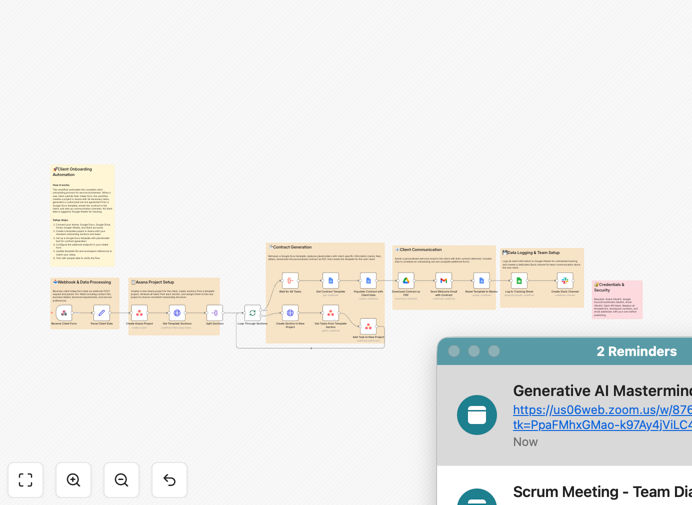
This automation transforms your client onboarding process from a manual, error-prone series of tasks into a seamless, standardized workflow. When a new client submits your intake form, the system automatically creates all necessary onboarding assets without any human intervention.
The workflow eliminates the repetitive administrative work that typically follows a new client signup. Instead of your team manually creating projects, drafting contracts, and setting up communication channels, this automation handles it all in seconds while maintaining perfect consistency across every client onboarding.
How It Works
1. Form submission triggers the workflow
When a client completes your intake form (Google Forms, Typeform, etc.), the workflow automatically captures all their information including project details, contact information, and service preferences.
2. Project creation in your PM tool
The system creates a new project in your project management platform (Asana, Trello, ClickUp, etc.) with all necessary tasks, templates, and client-specific details pre-populated.
3. Contract generation
Using the client's information, the workflow generates a customized contract with the correct services, pricing, and terms. It can save the contract to your storage system and optionally send it for e-signature.
4. Slack channel creation
A dedicated Slack channel is automatically created for the client, with the appropriate team members added and a welcome message posted. This ensures immediate communication without manual setup.
Who This Is For
This workflow is ideal for service businesses that onboard multiple clients and want to eliminate repetitive setup tasks. It's particularly valuable for:
- Digital agencies managing multiple client projects
- Consultants and freelancers with standardized onboarding
- Professional service firms (legal, accounting, marketing)
- SaaS companies with implementation processes
- Businesses using Slack for client communication
Pro tip: Add a step to notify your account manager when onboarding is complete so they can personally welcome the client.
What You'll Need
- An n8n instance (cloud or self-hosted)
- Your client intake form (Google Forms, Typeform, etc.)
- Project management tool account (Asana, Trello, ClickUp, etc.)
- Slack workspace with appropriate permissions
- Contract template (Google Docs, PDF, or other format)
Quick Setup Guide
- Download the JSON template file
- Import it into your n8n instance
- Connect your form, project management, and Slack accounts
- Map your form fields to the workflow variables
- Customize project templates and contract terms as needed
- Test with a sample form submission
- Activate the workflow for live use
Key Benefits
Reduce onboarding time by 80-90% by automating what would normally take hours of manual work into a process that completes in minutes.
Eliminate human errors that occur when copying information between systems, ensuring every client gets the exact same high-quality onboarding experience.
Improve client satisfaction with immediate setup - clients get access to their project space and communication channels instantly after signing up.
Free up your team to focus on high-value client interactions rather than administrative setup tasks.
Scale your operations without adding onboarding staff - the system handles increased volume automatically.