Jira Streamlit Webhook REST API Project Management

Automate Jira Ticket Creation from Streamlit Forms

Free n8n workflow to transform form submissions into properly formatted Jira issues

Download Template JSON · n8n compatible · Free
Diagram showing Streamlit form data flowing through webhook to Jira ticket creation

What This Workflow Does

This automation bridges the gap between lightweight Streamlit prototypes and enterprise Jira workflows. It receives form submissions via webhook, validates the data, transforms it to match your Jira project's schema, creates the ticket via REST API, and returns confirmation details to your application.

The solution solves three key business problems: eliminating manual ticket creation work (saving 5-10 minutes per submission), ensuring consistent ticket formatting across teams, and maintaining Jira as the single source of truth while allowing flexible frontend interfaces.
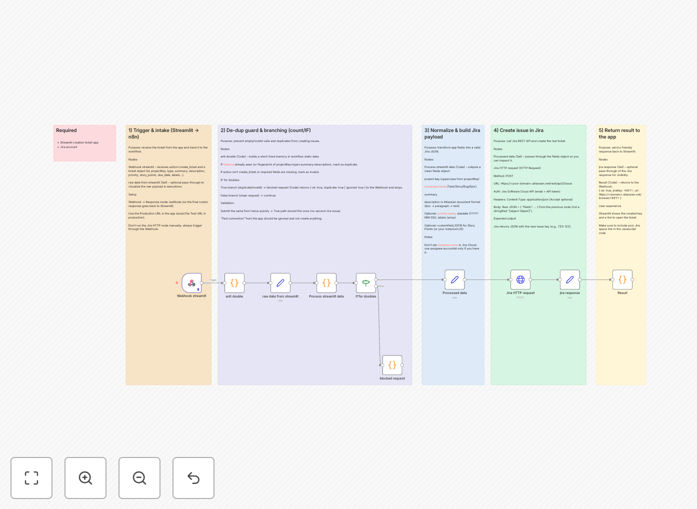
Workflow diagram showing data flow from Streamlit to Jira
The complete automation flow from form submission to ticket creation

How It Works

1. Webhook Receives Form Data

The workflow triggers when your Streamlit app POSTs form data to the n8n webhook URL. It immediately validates the payload structure to prevent malformed requests.

2. Data Transformation

The raw form data gets mapped to your Jira project's specific field requirements, including custom fields like story points or priority levels.

3. Jira API Integration

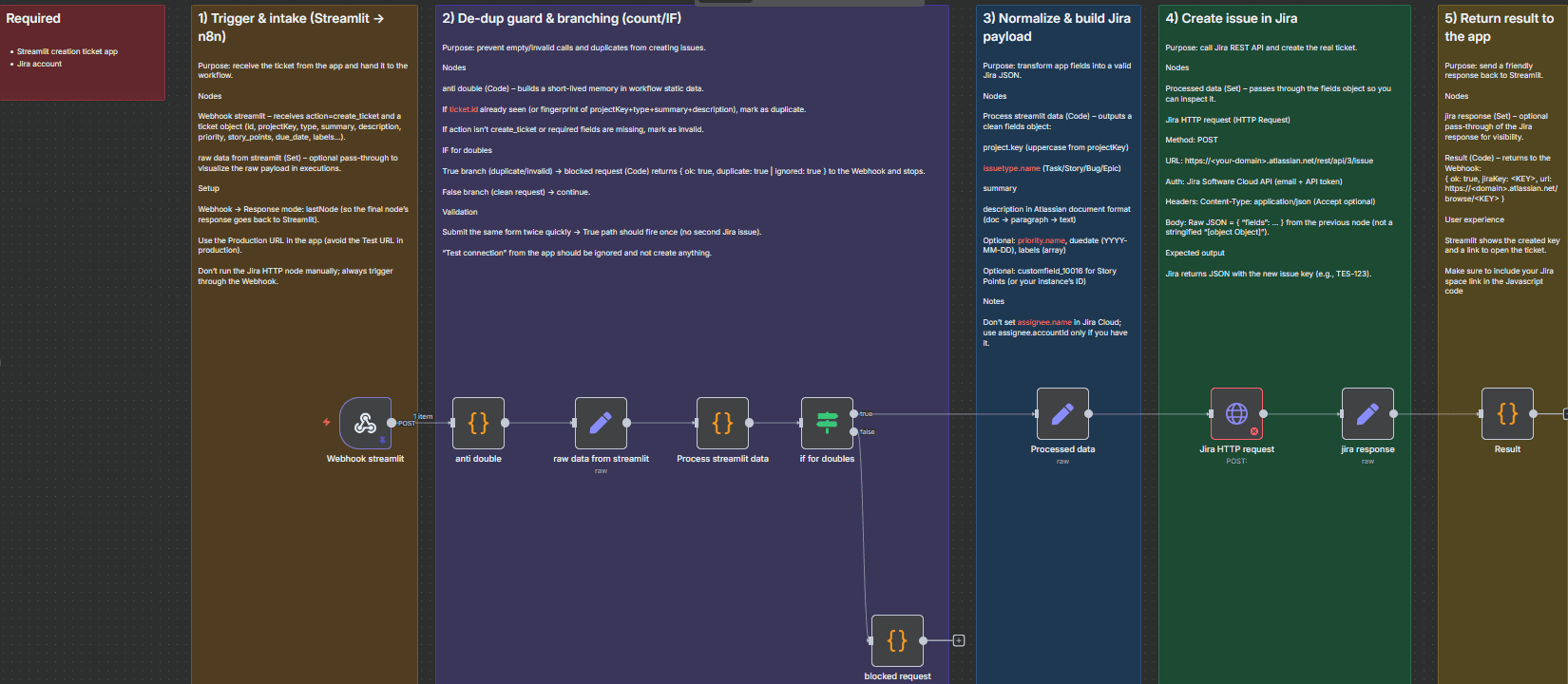
Using Jira's REST API, the workflow creates a properly formatted issue with all required fields, attachments, and metadata.
Screenshot of Jira API configuration in n8n
Jira API node configuration showing field mappings

4. Response Handling

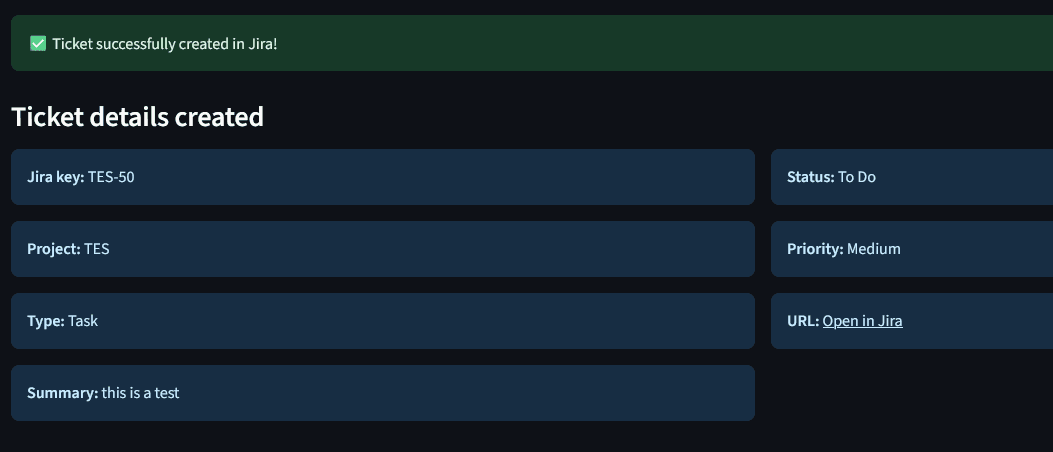
The workflow returns the new ticket's key and URL to your Streamlit app for user confirmation, while logging all actions for audit purposes.

Who This Is For

This template is ideal for:

  • Product teams building internal tools with Streamlit
  • Engineering managers creating lightweight request portals
  • IT teams maintaining Jira as the source of truth
  • Organizations that need controlled ticket creation without exposing Jira directly

Pro tip: Use this as a starting point for any form-to-Jira automation, not just Streamlit. The same pattern works with Google Forms, Typeform, or custom web apps.

What You'll Need

  1. Jira Cloud instance with API access
  2. Streamlit application configured to POST form data
  3. n8n instance (cloud or self-hosted)
  4. API credentials for Jira with issue creation permissions

Quick Setup Guide

  1. Download and import the JSON template into your n8n instance
  2. Configure the HTTP Webhook node with your endpoint URL
  3. Update the Jira node with your project key and field mappings
  4. Test with sample form submissions
  5. Deploy the workflow and update your Streamlit app's submit handler
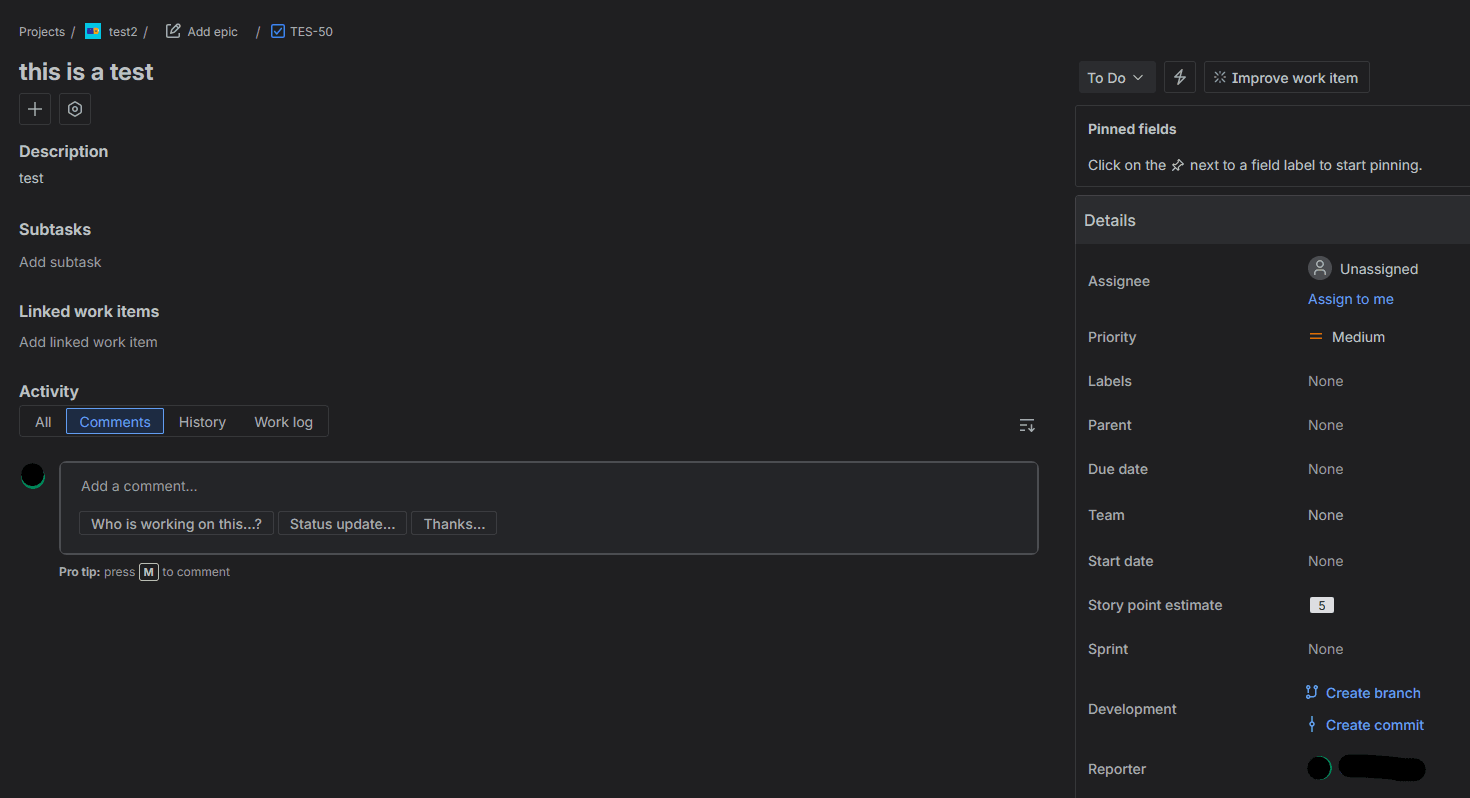
Example of successful ticket creation response
Successful ticket creation response with Jira ticket details

Key Benefits

Reduce manual work by 90%: What used to take 10 minutes per ticket now happens automatically in seconds.

Improved data quality: Automated validation ensures all required fields are populated correctly before ticket creation.

Flexible frontends: Change your form interface without disrupting the Jira workflow.

Audit trail: Every submission and ticket creation is logged with timestamps and user data.

Scalable solution: Handles hundreds of daily submissions with proper rate limiting.

Frequently Asked Questions

Common questions about Jira and Streamlit automation

Automating Jira ticket creation saves 5-10 minutes per ticket by eliminating manual data entry, reduces human error in ticket formatting, and ensures all submissions follow your standardized workflow process.

Teams using this automation typically see a 70% reduction in ticket-related support requests since the system enforces proper formatting upfront.

Streamlit forms provide a user-friendly interface that can be customized for different departments while maintaining consistent data structure for Jira tickets behind the scenes.

Unlike direct Jira access, Streamlit forms allow you to simplify complex workflows with conditional logic and guided input without modifying your actual Jira project configuration.

The workflow includes validation checks to prevent malformed requests and can be enhanced with API keys or IP whitelisting for additional security between Streamlit and your automation server.

For production use, we recommend adding request signing and implementing rate limiting to prevent abuse while maintaining audit logs of all submissions.

Yes, the template includes mapping for standard Jira fields and can be easily extended to support custom fields like story points or department-specific requirements.

The setup process involves identifying your custom field IDs in Jira and adding them to the field mapping configuration in the workflow.

The workflow includes error handling that can retry failed submissions and notify administrators if tickets aren't created within a set timeframe.

For critical systems, you can extend the template to queue submissions during outages and process them when Jira becomes available again.

Most organizations can adapt this template in under 2 hours by modifying field mappings and validation rules without needing to change the core automation logic.

The workflow is designed with clear separation between the form processing logic and Jira integration, making it easy to adjust either component independently.

Yes, the workflow includes rate limiting controls and can be optimized to handle hundreds of daily submissions by adjusting batch processing settings.

For enterprise-scale implementations, we recommend adding queue management and distributing load across multiple Jira projects if needed.

Yes, our team specializes in building tailored Jira automation solutions that connect with various frontend interfaces including Streamlit, with custom validation, reporting and error handling.

We can implement advanced features like dynamic field mapping based on user roles, multi-step approval workflows, and integration with your existing authentication systems.

  • Custom validation rules for your business requirements
  • Department-specific field configurations
  • Automated reporting and analytics

Need a Custom Jira Automation Solution?

This free template is a starting point. Our team builds fully tailored automation systems for your specific business needs.