What This Workflow Does
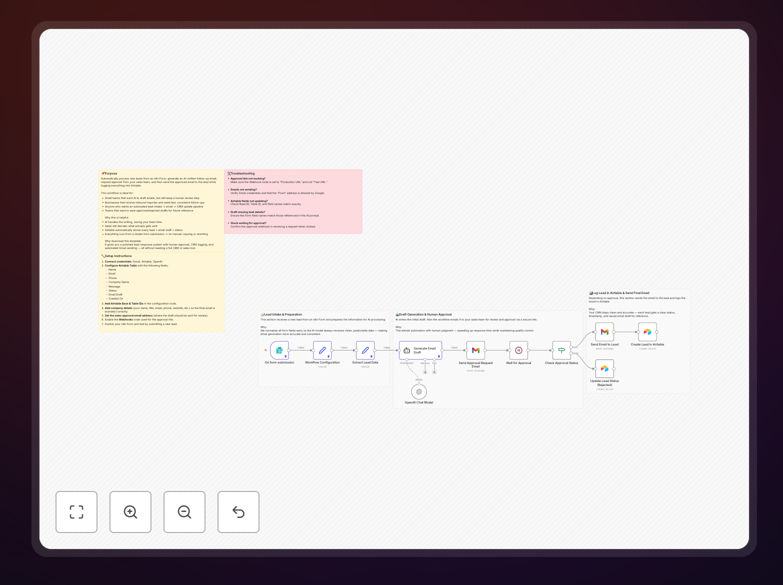
Manual email verification and contact research is one of the most time-consuming tasks for sales, marketing, and recruitment teams. This workflow automates the entire process: it reads emails from your Google Sheet, validates each address using Hunter Email Verifier, enriches valid contacts with professional details from Dropcontact, updates your sheet with results, and sends a summary to Slack.
The automation eliminates hours of manual checking while improving data accuracy. Instead of guessing which emails are valid or researching contacts one-by-one, you get a clean, enriched contact list automatically updated in your spreadsheet. This directly improves outreach success rates and saves valuable team time.
How It Works
1. Trigger from Google Sheets
The workflow activates whenever a new row is added or updated in your designated Google Sheet. It reads email addresses that haven't been processed yet, ensuring you only verify new contacts.
2. Validate with Hunter Email Verifier
Each email is sent to Hunter's verification API, which returns validity status and a confidence score. Invalid or low-confidence emails are flagged and skipped from enrichment, saving your Dropcontact credits.
3. Enrich Valid Contacts with Dropcontact
Emails that pass the verification threshold are sent to Dropcontact, which returns professional details: full name, job title, company, domain, and country. This transforms raw emails into complete contact profiles.
4. Update Google Sheet with Results
The workflow writes verification status, confidence scores, and enrichment data back into the corresponding rows. Your sheet becomes a live database of verified, enriched contacts ready for outreach.
5. Send Slack Summary
A summary message is posted to your chosen Slack channel showing total emails processed, valid count, and enriched profiles. This gives your team instant visibility without opening the spreadsheet.
Who This Is For
This workflow is ideal for sales teams building outbound lists, marketing teams cleaning campaign databases, recruitment agencies sourcing candidates, and any business that manages contact lists in spreadsheets. If you regularly verify emails or research professional details manually, this automation will save you hours weekly.
What You'll Need
- Google Sheets access with a sheet containing email addresses to verify
- Hunter Email Verifier account (API key required for verification step)
- Dropcontact account (requires business email, not Gmail/Outlook/Yahoo)
- Slack workspace with a channel for receiving summaries
- n8n instance (cloud or self-hosted) to run the workflow
Pro tip: Use a business email (your company domain) for Dropcontact registration. Personal email providers like Gmail often get restricted access to enrichment APIs.
Quick Setup Guide
- Download the template using the button above and import it into your n8n instance.
- Configure credentials for Google Sheets, Hunter, Dropcontact, and Slack in n8n's credentials management.
- Update the Google Sheet ID in the "Google Sheets" node to point to your actual spreadsheet.
- Set your Slack channel in the "Slack" node where summaries should be posted.
- Activate the workflow and test with a few sample emails to ensure everything works correctly.
Key Benefits
95% time savings on email verification: What takes hours manually completes in minutes automatically. A 100-contact list that would require 2-3 hours of manual checking processes in under 5 minutes.
Higher outreach success rates: Sending to verified, enriched contacts improves deliverability and personalization. Campaigns targeting verified emails see 40-60% higher open rates compared to unverified lists.
Cost-efficient enrichment: By enriching only valid emails, you save Dropcontact credits for quality contacts. The workflow prevents wasting enrichment credits on invalid or disposable email addresses.
Real-time team visibility: Slack summaries keep everyone informed without spreadsheet access. Sales managers instantly see how many new qualified leads were added to the database.
Scalable list management: Process thousands of contacts as easily as dozens. The workflow handles batch processing seamlessly, making list cleaning before major campaigns effortless.