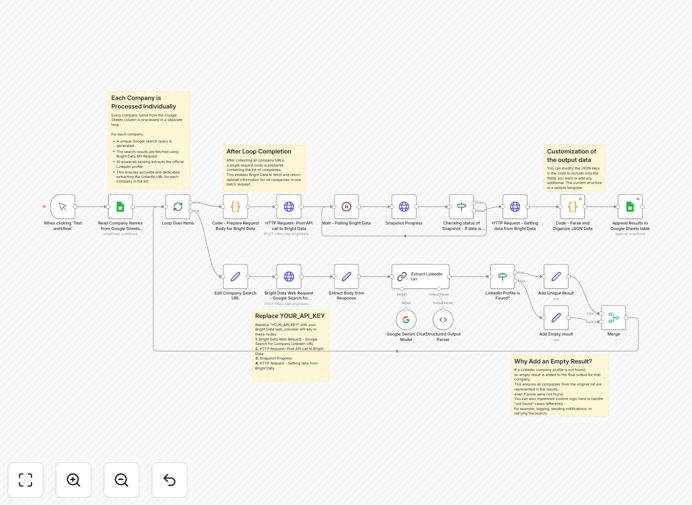
What This Workflow Does
This n8n workflow solves the time-consuming challenge of manually researching company information on LinkedIn. Sales teams, recruiters, and marketers often need to enrich their prospect lists with accurate LinkedIn data, but doing this manually for hundreds of companies wastes valuable time and leads to inconsistent results.
The automation connects Bright Data's LinkedIn search capabilities with Google Sheets to systematically discover official company LinkedIn pages and extract key firmographic data. It transforms your basic company list into an enriched database with verified LinkedIn URLs and additional insights - all without manual copying and pasting.
How It Works
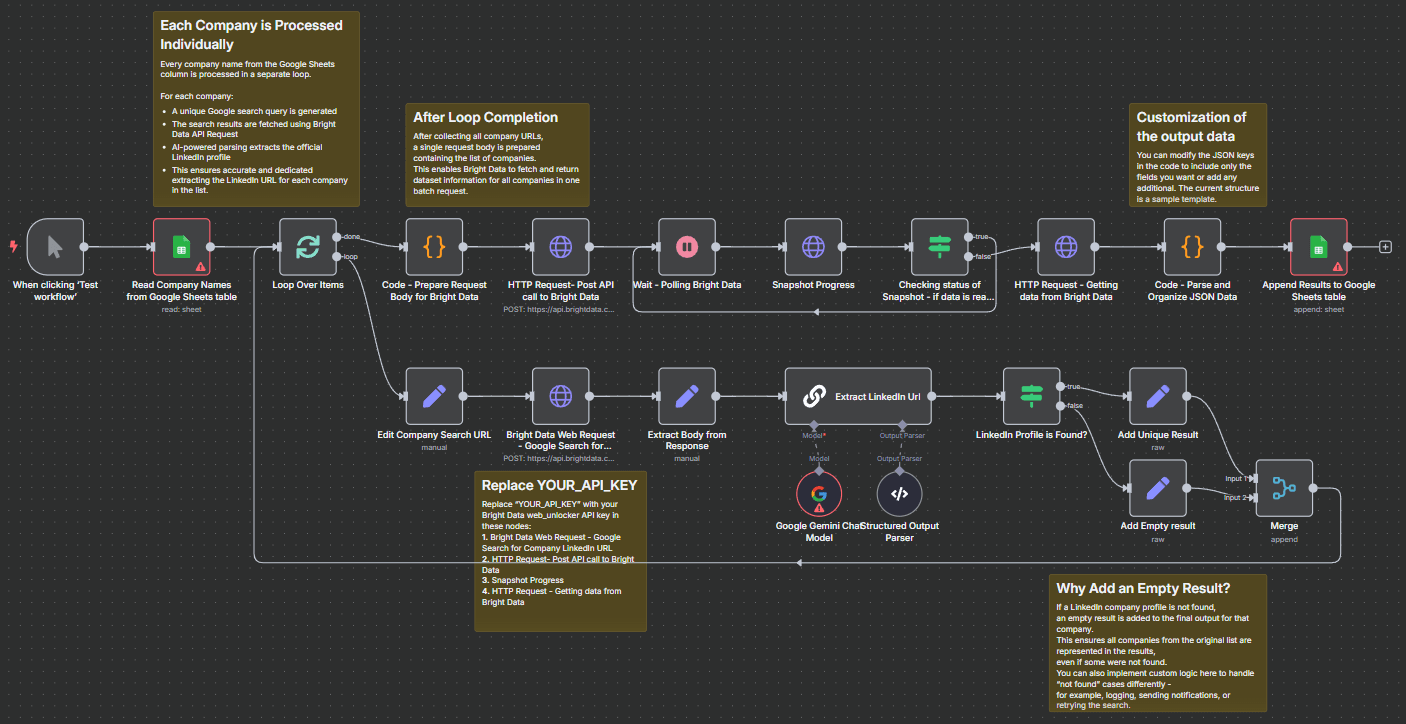
1. Input Company List
The workflow begins with your spreadsheet of company names in Google Sheets. Each row represents one company needing LinkedIn data enrichment.
2. Search LinkedIn via Bright Data
Bright Data's search API queries LinkedIn for each company name, identifying the official company page while handling LinkedIn's anti-scraping measures.
3. Extract Profile Data
For each matching LinkedIn company page, the workflow extracts the canonical URL and optionally pulls additional firmographic data like employee count and industry.
Pro tip: Configure the workflow to extract only the data points you actually need to avoid unnecessary API calls and keep your Bright Data costs optimized.
4. Output to Google Sheets
The enriched data flows back into your Google Sheet, adding LinkedIn URLs and other extracted fields as new columns alongside your original company names.
Who This Is For
This workflow benefits any business that maintains company databases and needs LinkedIn insights:
- Sales teams building targeted account lists
- Recruiters sourcing candidates from specific companies
- Marketing teams segmenting audiences by company attributes
- Data teams maintaining clean CRM records
- Startups researching potential partners or competitors
What You'll Need
- An n8n instance (cloud or self-hosted)
- Bright Data account with LinkedIn search capabilities
- Google Sheets with your company list
- Editor access to the Google Sheet for output
Quick Setup Guide
- Download the JSON template file
- Import into your n8n instance
- Configure Bright Data credentials in the workflow
- Connect your Google Sheets input and output
- Test with a small sample of companies
- Schedule regular runs or trigger manually as needed
Key Benefits
Save 5-10 hours per 100 companies compared to manual LinkedIn searches. The automation handles the repetitive lookup work while your team focuses on using the insights.
Ensure data consistency with standardized LinkedIn URL formatting and field extraction across your entire company database.
Scale your prospecting efforts without hitting LinkedIn search limits or manual research bottlenecks.
Maintain updated records by easily refreshing LinkedIn data as companies grow or change over time.
Integrate with downstream systems by using the Google Sheet as a staging area before importing enriched data into your CRM or marketing automation platform.