What This Workflow Does
This automation solves the time-consuming problem of manual product research and competitive analysis. Traditional discovery on platforms like ProductHunt requires constant monitoring, manual data extraction, and subjective analysis—processes that are slow, inconsistent, and prone to human error.
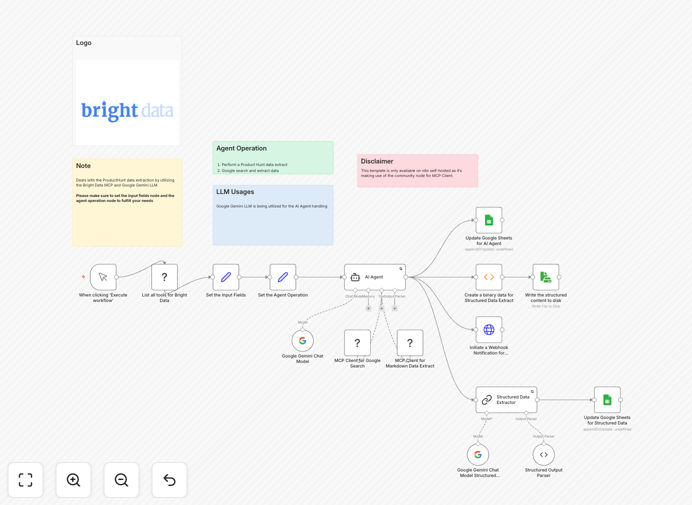
The workflow automates intelligent product discovery by extracting real-time data from ProductHunt using Bright Data's Model Context Protocol (MCP), which mimics real user behavior to avoid blocks. It then performs contextual Google searches for each product to gather additional context like reviews and use cases, processes this information through Google Gemini AI to extract structured insights, and finally saves the enriched data to Google Sheets or sends alerts via webhook.
This transforms what would take hours of daily manual research into a fully automated system that delivers actionable intelligence on demand, enabling businesses to stay ahead of market trends, identify emerging competitors, and discover innovative tools relevant to their industry.
How It Works
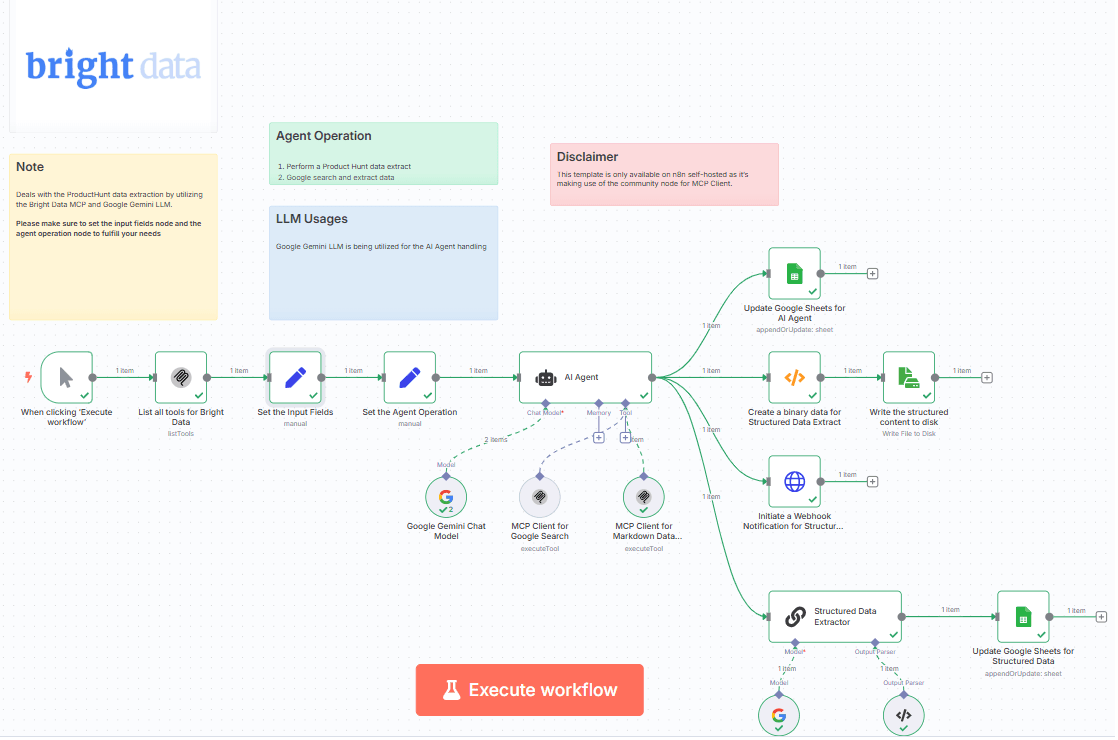
1. Input Configuration
Define your target ProductHunt categories, tags, or keywords (like "AI tools," "SaaS," or "DevOps"). This input drives the entire extraction and search operation, allowing you to focus on specific market segments that matter to your business.
2. Data Extraction via Bright Data MCP
The workflow uses Bright Data's Model Context Protocol to extract trending products from ProductHunt. Unlike traditional scraping, MCP mimics real-user interactions, handles JavaScript rendering, and avoids detection, ensuring reliable, consistent data collection without IP blocks or captchas.
3. Contextual Search Enrichment
For each extracted product, the system automatically performs Google searches to gather additional context: reviews from tech blogs, competitor mentions, real-world usage examples, pricing information, and user feedback. This creates a comprehensive profile beyond ProductHunt's limited descriptions.
4. AI Analysis with Google Gemini
Google Gemini AI processes the combined data, removing noise (ads, navigation, irrelevant content), extracting key features and value propositions, summarizing insights, and structuring the information into actionable intelligence. It can output bullet points, JSON objects, or formatted summaries.
5. Output Delivery
The enriched data is saved to multiple destinations simultaneously: structured records in Google Sheets for easy analysis, JSON files to disk for archival, and webhook notifications to Slack, Discord, or CRM systems for immediate alerts on important discoveries.
Who This Is For
This workflow is designed for professionals and teams who need to stay informed about market trends and competitive landscapes without manual effort. Startup founders and product managers can identify competitor features and innovation opportunities. Venture capitalists and investors can spot emerging startups and technologies early. Marketing teams can discover trending tools for campaigns and partnerships.
Sales professionals can find prospect pain points and potential solutions. Recruiters and tech scouts can identify companies using specific technologies. Business analysts and strategists can track market movements and industry shifts. AI and automation enthusiasts can learn advanced workflow patterns combining MCP protocols with large language models.
What You'll Need
- n8n Instance: Self-hosted n8n installation (community nodes require self-hosted setup)
- Bright Data Account: Access to Bright Data's Web Unlocker proxy service with API credentials
- Google Gemini API Key: API access from Google AI Studio for AI processing capabilities
- MCP Server Installation: Bright Data MCP Server (@brightdata/mcp) installed locally
- n8n Community Nodes: n8n-nodes-mcp package installed in your n8n instance
- Google Sheets Access: Google account with Sheets API enabled for output destination
Quick Setup Guide
- Install Requirements: Set up n8n locally and install both the Bright Data MCP Server and n8n-nodes-mcp package following their respective documentation.
- Configure Bright Data: Create a Web Unlocker proxy zone called "mcp_unlocker" in your Bright Data control panel and note your API token.
- Set Up Google Gemini: Obtain an API key from Google AI Studio and configure it in n8n's Google Gemini (PaLM) credentials.
- Import Workflow: Download and import the JSON template into your n8n instance using the workflow import feature.
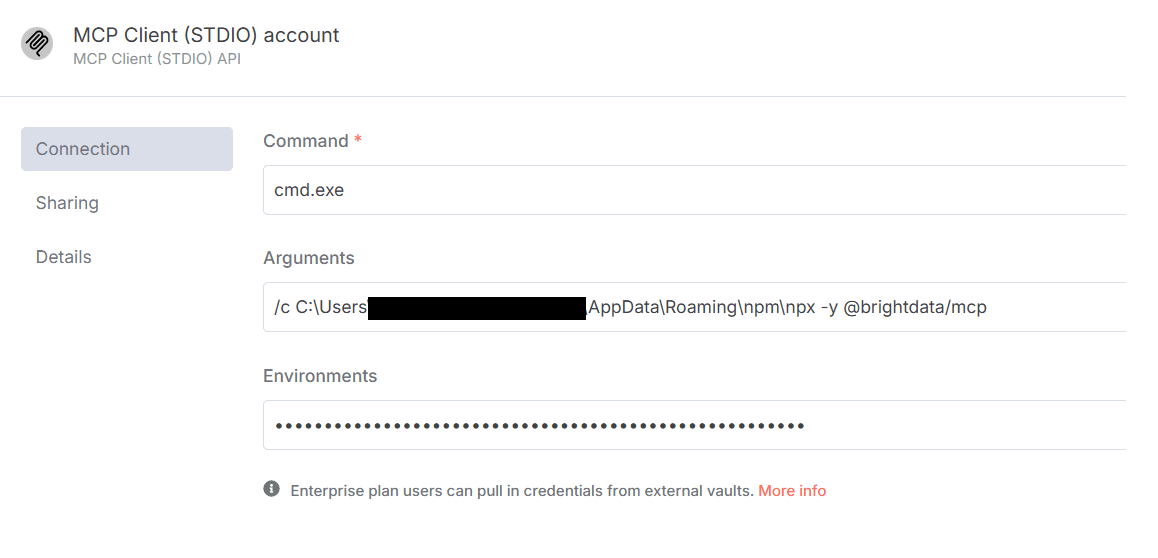
- Configure MCP Connection: In the workflow, update the MCP Client credentials with your Bright Data API token (format: API_TOKEN=your-token-here).
- Customize Search Parameters: Modify the input node with your target ProductHunt categories and adjust output destinations (Google Sheet ID, webhook URLs).
- Test and Deploy: Run a test execution with a single category, verify outputs, then schedule the workflow for regular execution (daily, weekly).
Pro tip: Start with a narrow focus—choose one specific ProductHunt category for initial testing. This helps you verify data quality and AI processing before scaling to broader market monitoring. Adjust the Google Gemini prompts in the LLM node to extract the specific insights most valuable to your business context.
Key Benefits
Save 10-15 hours weekly on manual market research by automating product discovery, data collection, and analysis processes that traditionally require constant manual monitoring and note-taking.
Gain consistent, unbiased competitive intelligence with systematic data collection that eliminates human oversight, fatigue, and subjective interpretation, ensuring comprehensive market coverage.
Discover emerging trends before competitors through real-time monitoring of ProductHunt launches combined with AI-powered analysis that identifies patterns and opportunities humans might miss.
Make data-driven decisions with structured insights delivered in ready-to-use formats (Google Sheets, JSON) that integrate directly with your existing business intelligence and reporting systems.
Scale research efforts without additional headcount by automating what would require dedicated analyst time, allowing your team to focus on strategy and implementation rather than data collection.