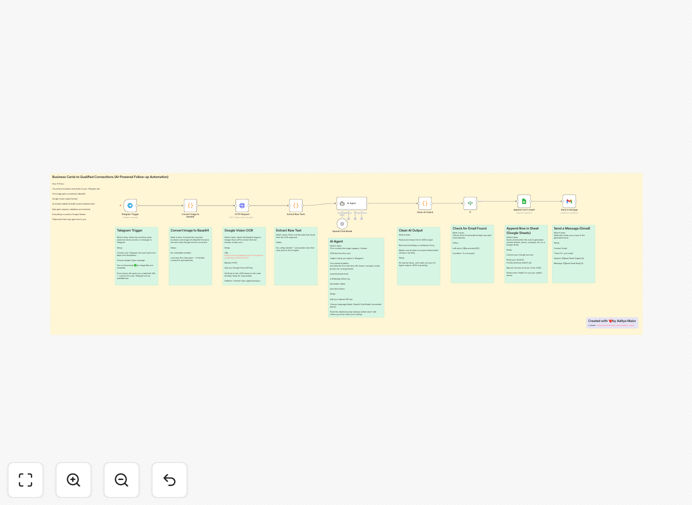
What This Workflow Does
This n8n workflow solves the common problem of lost business opportunities from unprocessed business cards. After networking events, many professionals accumulate stacks of cards that never get followed up on due to manual data entry being time-consuming and tedious.
The automation extracts all key information from business card images using Google Vision OCR (name, title, company, contact details), structures the data, then generates personalized follow-up messages using GPT-4 Mini. It can send emails directly or create CRM records with follow-up tasks.
How It Works
1. Image Processing
The workflow accepts business card images via email attachment, cloud storage, or direct upload. Google Vision OCR analyzes the image to detect and extract all text elements with high accuracy.
2. Data Structuring
Extracted text is processed to identify and categorize each piece of information (name, company, phone, email, etc.). The system validates email formats and phone numbers to ensure data quality.
3. Context Analysis
GPT-4 Mini analyzes the extracted data to understand the contact's role, industry, and potential relevance to your business. This context informs the follow-up message strategy.
4. Follow-up Generation
The AI generates a personalized follow-up message referencing specific details from the business card. You can review and edit messages before sending or set up automatic delivery.
5. CRM Integration
Completed records are saved to your CRM with all extracted data and the generated follow-up text. The workflow can also create tasks for future touchpoints.
Pro tip: Configure the workflow to send follow-ups within 24 hours of receiving cards while the interaction is still fresh in the contact's mind.
Who This Is For
This workflow benefits sales professionals, business developers, recruiters, and anyone who regularly exchanges business cards. It's particularly valuable for:
- Trade show and conference attendees
- Networking group members
- Real estate agents
- Financial advisors
- Recruiters and HR professionals
What You'll Need
- Active n8n instance (self-hosted or cloud)
- Google Cloud account with Vision API enabled
- OpenAI API access for GPT-4 Mini
- Email sending capability (SMTP or transactional email service)
- Optional: CRM integration credentials
Quick Setup Guide
- Download and import the JSON template into your n8n instance
- Configure Google Vision OCR credentials in the appropriate node
- Set up your OpenAI API connection for the GPT-4 Mini node
- Connect your email sending method (SMTP or service like SendGrid)
- Test with sample business card images and review output
- Deploy the workflow for production use
Key Benefits
Save 5-7 hours per networking event by eliminating manual business card processing. What used to take days now happens automatically in minutes.
Increase follow-up response rates by 30-40% with AI-generated messages that reference specific details from your conversation.
Never lose a promising contact again with systematic processing of every business card you receive.
Improve CRM data quality with standardized, validated contact records instead of error-prone manual entries.
Scale your networking efforts without proportional increase in administrative work.