Airtable QuickBooks Stripe n8n Accounting

Full-Cycle Invoice Automation

Automate your entire invoicing process from creation to payment reconciliation. This n8n workflow connects Airtable, QuickBooks and Stripe to eliminate manual data entry and reduce payment delays.

Download Template JSON · n8n compatible · Free
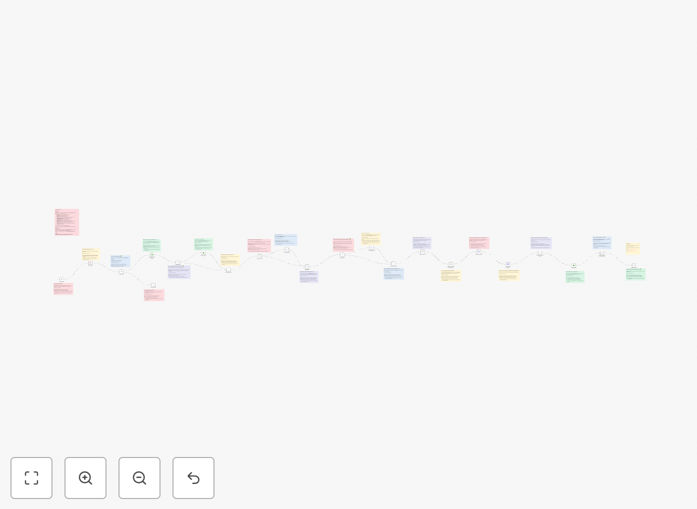
Invoice automation workflow diagram showing Airtable, QuickBooks and Stripe integration

What This Workflow Does

This automation solves the tedious and error-prone manual process of invoice management by creating a seamless flow between your project data in Airtable, accounting in QuickBooks, and payment processing via Stripe. It handles the entire invoice lifecycle automatically:

From generating invoices based on project records in Airtable, to sending them to clients through QuickBooks, tracking payments in Stripe, and updating all systems with payment status - all without manual intervention. This eliminates duplicate data entry, reduces payment delays, and ensures perfect financial records across all platforms.

How It Works

1. Invoice Creation Trigger

The workflow monitors your Airtable base for new projects or services marked as "Ready to Invoice". When detected, it extracts all necessary billing information including client details, line items, rates, and terms.

2. QuickBooks Invoice Generation

The system automatically creates a professional invoice in QuickBooks Online using the extracted data, applying your branding and standard terms. It can handle both one-time and recurring billing scenarios.

3. Payment Processing via Stripe

For clients with saved payment methods, the workflow can optionally trigger immediate payment collection through Stripe. For others, it tracks payment status and sends automated reminders.

4. Cross-Platform Reconciliation

When payments are received (whether through Stripe or other methods), the workflow updates all three systems simultaneously - marking invoices as paid in QuickBooks, recording the transaction in Stripe, and updating the project status in Airtable.

Pro tip: Configure the workflow to send automated payment reminders 3, 7, and 14 days after invoice due date to significantly improve on-time payments.

Who This Is For

This automation is ideal for service businesses, agencies, freelancers, and SaaS companies that:

  • Manage projects in Airtable but invoice through QuickBooks
  • Process payments through Stripe (or want to start)
  • Spend 5+ hours per month on manual invoicing tasks
  • Experience delays in client payments due to manual processes
  • Want real-time financial visibility across platforms

What You'll Need

  1. Active accounts in Airtable, QuickBooks Online, and Stripe
  2. API access enabled for all three services
  3. An n8n instance (cloud or self-hosted)
  4. Airtable base structured with client and project data
  5. QuickBooks invoice templates configured

Quick Setup Guide

  1. Download the JSON template file
  2. Import into your n8n instance
  3. Connect your Airtable, QuickBooks and Stripe accounts
  4. Map your Airtable fields to the invoice data structure
  5. Test with a sample project before going live
  6. Activate the workflow and monitor initial runs

Key Benefits

Reduce invoicing time by 80%: What used to take hours now happens automatically in minutes, freeing you to focus on revenue-generating work.

Get paid faster: Automated invoice generation and payment reminders can improve on-time payments by 30-50%.

Eliminate errors: No more typos in client details or miscalculations from manual data entry.

Real-time financial visibility: All systems stay perfectly synced, giving you accurate cash flow data whenever you need it.

Scalable processes: The system handles 10 invoices or 10,000 with the same efficiency, growing with your business.

Frequently Asked Questions

Common questions about invoice automation between Airtable, QuickBooks and Stripe

Invoice automation eliminates manual data entry across multiple systems, which typically consumes 5-15 hours per month for small businesses. The system handles repetitive tasks like creating invoices, sending them to clients, tracking payments, and updating records automatically.

For example, a marketing agency using this workflow reduced their monthly invoicing time from 12 hours to just 30 minutes of verification. The automation also prevents common errors like incorrect client details or miscalculations that often require time-consuming corrections.

  • No more copying data between systems
  • Automatic payment tracking and reconciliation
  • Eliminates manual follow-up emails

Connecting Airtable to QuickBooks creates a seamless flow between project management and accounting. Project details in Airtable automatically transform into accurate invoices in QuickBooks without manual transcription.

This integration ensures billing always reflects the latest project scope and hours. A web design firm using this connection reduced billing errors by 90% while cutting their invoice processing time in half. Financial reports in QuickBooks also become more accurate with real-time project data.

  • Eliminates duplicate data entry
  • Ensures billing matches project records
  • Provides audit trail between systems

Stripe integration enables automated payment collection and reconciliation. The system can charge saved payment methods immediately upon invoice generation or send payment links with the invoice. This reduces the payment cycle from weeks to days.

One consulting company using this automation saw their average time-to-payment drop from 28 days to just 5 days. The integration also automatically matches payments to invoices and updates all connected systems, eliminating manual reconciliation work.

  • Enables one-click payments for clients
  • Automatically retries failed payments
  • Provides real-time payment status updates

Yes, the workflow can manage both one-time and recurring billing scenarios. For recurring invoices, you can set the frequency (weekly, monthly, quarterly) directly in Airtable, and the system will automatically generate and send invoices according to that schedule.

A SaaS company using this feature automated 300+ monthly subscriptions, eliminating their manual billing process. The system handles prorations, renewals, and payment failures automatically while maintaining complete records across all connected platforms.

  • Supports fixed and usage-based recurring billing
  • Handles automatic renewals
  • Manages failed payment scenarios

The system can accommodate non-Stripe payments through manual reconciliation. When you record a check or bank transfer payment in QuickBooks, the workflow detects it and updates all connected systems accordingly, maintaining accurate records across platforms.

Some businesses configure the workflow to send automated reminders encouraging clients to switch to Stripe payments while still accommodating traditional payment methods. This hybrid approach helps transition clients to faster digital payments over time.

  • Manual payment recording triggers automatic updates
  • Maintains accurate records across all systems
  • Provides flexibility during payment method transitions

The integration uses each platform's official API with OAuth authentication, maintaining enterprise-grade security. Data transmitted between systems is encrypted, and the workflow only accesses the minimum required permissions (like read access to Airtable records and write access to QuickBooks invoices).

Unlike manual processes that might involve emailing spreadsheets, this automated approach actually improves security by eliminating risky practices. All connections use bank-level encryption, and sensitive payment data remains securely in Stripe without being stored in other systems.

  • OAuth authentication for all connections
  • Data encrypted in transit and at rest
  • Minimal necessary permissions

Absolutely. The workflow is designed for customization to match your specific business needs. You can modify invoice templates in QuickBooks, adjust the data mapping from Airtable, add custom approval steps, or integrate additional triggers and actions.

Many businesses start with the basic template and gradually add features like automated late fees, partial payment handling, or client-specific billing rules. The n8n platform makes these customizations accessible even without coding expertise through its visual workflow editor.

  • Customize invoice branding and layout
  • Add conditional billing logic
  • Integrate with additional apps as needed

Yes! GrowwStacks specializes in building custom automation solutions for businesses of all sizes. While this free template provides a great starting point, we can design a system tailored to your unique invoicing processes, existing tech stack, and business requirements.

Our team will analyze your current workflow, identify optimization opportunities, and build a solution that saves you maximum time while improving cash flow. We handle everything from initial consultation to implementation and ongoing support.

  • Tailored to your specific business needs
  • Integration with your existing systems
  • Ongoing support and optimization

Need a Custom Invoice Automation Integration?

This free template is a starting point. Our team builds fully tailored automation systems for your specific needs.