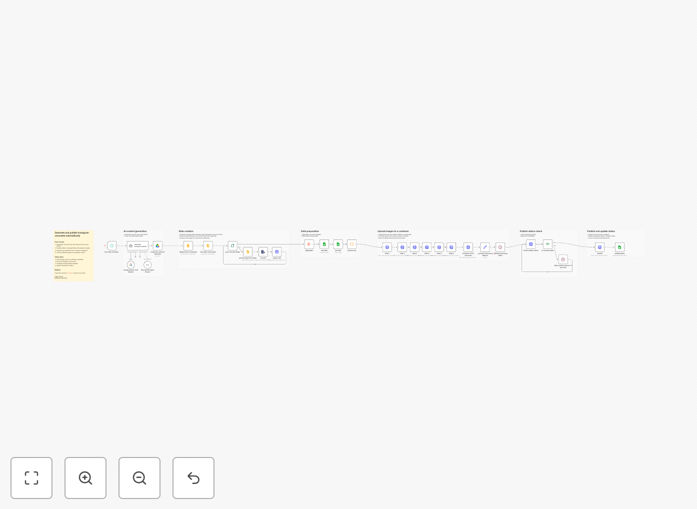
What This Workflow Does
Creating educational Instagram carousel posts typically consumes hours of valuable time: writing scripts, designing slides in Figma or Canva, exporting images, and scheduling publications. This workflow automates the entire production pipeline, transforming a simple topic into a published Instagram carousel in minutes rather than hours.
The system leverages Google Gemini AI for intelligent content generation, Google Slides for professional design automation, and the Meta Graph API for direct publishing to your Instagram Business account. It handles everything from initial concept to final publication, including intelligent polling to ensure media containers are fully processed before publishing attempts.
Beyond basic automation, this workflow implements a proven "viral educational" content framework that consistently drives engagement. It maintains brand consistency through template-based design while enabling scalable content production for marketing teams, agencies, and content creators.
How It Works
1. AI Content Generation
The workflow begins by prompting Google Gemini to create a 6-slide educational script following a specific framework: Hook, Common Mistake, Why It Matters, Core Value, Practical Tip, and Call-to-Action. This structured approach ensures each carousel delivers immediate value and addresses audience pain points.
2. Design Automation in Google Slides
Once content is generated, the system copies a master Google Slides template from your Drive. It performs intelligent find-and-replace operations to insert the AI-generated text into predefined placeholders, maintaining your brand's visual identity. The workflow then generates thumbnail images for each slide, ready for publication.
3. Image Hosting Preparation
Before publishing to Instagram, the slide images need publicly accessible URLs. The workflow automatically uploads images to ImgBB (or your preferred image hosting service) to obtain the URLs required by Meta's API specifications.
4. Instagram Publishing with Smart Polling
The system creates a carousel container using the Meta Graph API, then implements a "wait and check" loop that monitors container status until it reaches "FINISHED" state. This intelligent polling prevents common API errors that occur when attempting to publish before media processing completes.
5. Logging and Analytics
Every published carousel's details—including captions, image URLs, publication status, and engagement metrics—are automatically recorded in Google Sheets. This creates a searchable archive of all automated content for performance analysis and reporting.
Who This Is For
This automation is ideal for social media managers who need to maintain consistent posting schedules across multiple accounts. Content marketing agencies can scale their service delivery without increasing headcount. Personal brand builders and educators can establish authority through regular, valuable content without the production burden.
Small business owners who handle their own marketing will find this workflow eliminates the most time-consuming aspect of social media management. Marketing teams at SaaS companies can use it to produce educational content that drives product awareness and user education.
What You'll Need
- Google Cloud Account with enabled APIs for Drive, Slides, Sheets, and Gemini AI
- Meta Developer App connected to an Instagram Business account and Facebook Page, with appropriate system user tokens
- ImgBB Account or alternative image hosting service with API access
- Template Files including a Google Slides carousel template and Google Sheet for logging
- n8n Instance (cloud or self-hosted) with authentication configured for all services
Pro tip: Before implementing this workflow at scale, test with a private Instagram account or use the "draft" publishing option to review carousel quality and formatting.
Quick Setup Guide
- Duplicate the provided Google Sheet and Slides template to your Drive
- Configure credentials in n8n for Google, Meta, and ImgBB services
- Update the Google Drive node with your Slide Template ID
- Configure Google Sheets nodes with your logging Sheet ID
- Set up HTTP Request nodes with your ImgBB API Key and Instagram Account ID
- Test the workflow with a sample topic before enabling scheduled execution
- Activate the schedule trigger for daily or weekly automated content generation
Key Benefits
Save 5-15 hours weekly on content creation and design work. What previously required hours of manual effort now happens automatically in the background.
Maintain brand consistency across all published content through template-based design automation. Every carousel follows your established visual guidelines.
Scale content production without increasing team size or outsourcing costs. Produce multiple carousels daily for different audience segments or topics.
Improve engagement metrics with structured educational content that follows proven frameworks. Carousels typically receive 3x more engagement than single-image posts.
Create searchable archives of all published content with performance data for continuous optimization and reporting to stakeholders.