Unleashed Software Sales Automation n8n Financial Reporting Zapier Alternative

Automate Completed Sales Order Reporting

Extract, organize, and report on completed sale orders from Unleashed Software automatically. Eliminate manual spreadsheets and get real-time sales insights.

Download Template JSON · n8n compatible · Free
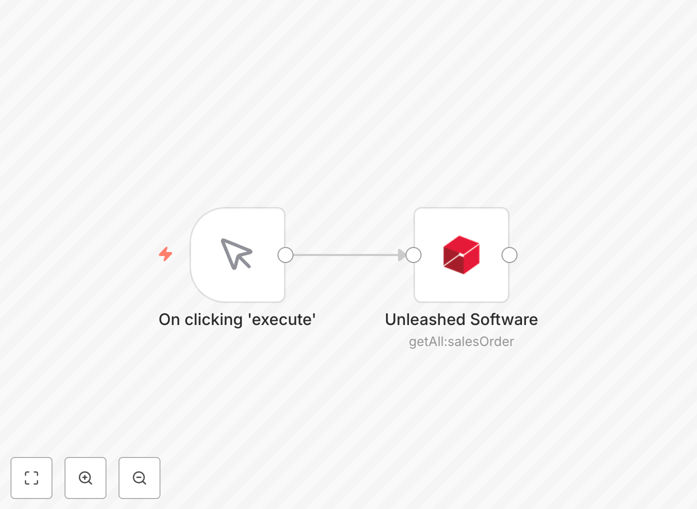
Visual diagram of the automated sales order reporting workflow connecting Unleashed Software to reporting outputs

What This Workflow Does

Manually compiling sales reports from Unleashed Software is a time-consuming, error-prone task that distracts your team from revenue-generating activities. This automation template solves that problem by automatically fetching completed sale orders and transforming them into actionable reports.

The workflow connects directly to your Unleashed Software account, filters for completed orders based on your criteria (like invoice status or shipment date), and then formats this data for various business needs. You can send daily sales summaries to management, update accounting records, trigger inventory replenishment, or calculate sales team commissions—all without manual intervention.

By automating this process, you gain consistent, accurate sales visibility. Finance teams close books faster, sales managers have real-time performance data, and operations can plan inventory more effectively. It turns raw sales data into strategic business intelligence.

How It Works

This n8n workflow follows a logical sequence to extract, process, and distribute your sales order information.

Step 1: Connect to Unleashed Software

The workflow starts by authenticating with your Unleashed Software account using API credentials. It establishes a secure connection to pull sales data from your specific company file.

Step 2: Filter for Completed Orders

Using Unleashed's query parameters, the automation filters sale orders based on completion criteria you define—such as order status, invoice date range, or payment status. This ensures you only process finalized transactions.

Step 3: Extract and Transform Data

Key order details are extracted: customer information, line items, quantities, prices, taxes, and totals. The workflow can calculate additional metrics like gross margin, average order value, or regional sales breakdowns.

Step 4: Format for Output

The structured data is then formatted for your preferred destination. This could be a Google Sheets spreadsheet, a PDF report emailed to stakeholders, a Slack notification to the sales team, or an update to your accounting software.

Step 5: Schedule and Execute

Set the workflow to run automatically on your preferred schedule—daily, weekly, or monthly. Each execution provides fresh, accurate sales data without manual effort.

Who This Is For

This automation template is ideal for businesses using Unleashed Software for inventory and order management who need better sales reporting. Specifically:

  • Finance Teams: Who need accurate, timely sales data for monthly closings and revenue recognition.
  • Sales Managers: Who want real-time visibility into team performance and completed deals.
  • E-commerce Operations: That require automated reconciliation between sales channels and inventory systems.
  • Business Owners: Seeking to eliminate manual data entry and reduce administrative overhead.
  • Consultants & Accountants: Who manage multiple client accounts and need efficient reporting across different businesses.

What You'll Need

  1. Unleashed Software Account: With API access enabled and valid credentials.
  2. n8n Instance: Either self-hosted or using n8n.cloud.
  3. Destination System: Where you want the processed data to go (Google Sheets, email, Slack, etc.).
  4. Clear Completion Criteria: Defined rules for what constitutes a "completed" sale order in your business.
  5. Basic Understanding: Of your sales data structure and reporting requirements.

Quick Setup Guide

Follow these steps to implement this automation in your environment:

  1. Download the Template: Use the button above to get the JSON workflow file.
  2. Import to n8n: In your n8n dashboard, go to Workflows → Import from file and select the downloaded JSON.
  3. Configure Unleashed Connection: Add your Unleashed API credentials to the "Unleashed Software" node.
  4. Set Your Filters: Adjust the query parameters to match your definition of "completed" orders.
  5. Connect Output Destinations: Configure where you want the processed data to go (spreadsheets, notifications, etc.).
  6. Test and Activate: Run the workflow once manually to verify results, then set up your preferred schedule.

Pro tip: Start with a small date range for testing (like yesterday's orders) before processing your entire sales history. This helps verify data accuracy without overwhelming your systems.

Key Benefits

Save 5-10 hours monthly previously spent on manual report compilation. Finance teams can close books faster with automated revenue data.

Eliminate data entry errors that occur when manually transferring numbers between systems. Your sales reports will always reflect actual Unleashed data.

Improve decision-making with timely, accurate sales insights. Managers can spot trends and address issues before they impact revenue.

Scale effortlessly as your sales volume grows. The automation handles 10 or 10,000 orders with the same reliability.

Enhance cross-team collaboration by automatically sharing relevant sales data with finance, operations, and leadership teams.

Frequently Asked Questions

Common questions about sales order automation and integration

Automating sales order reporting is crucial because it eliminates manual data entry errors, provides real-time visibility into sales performance, and frees up your team to focus on strategic tasks like customer relationships and sales growth instead of administrative work.

Manual reporting often leads to discrepancies between different departments' numbers, delayed insights, and wasted resources. Automation ensures everyone works from the same accurate data, enabling faster and better business decisions.

Connecting Unleashed Software with automation tools like n8n allows you to create custom workflows that sync sales data with accounting software, generate automatic reports for stakeholders, trigger inventory updates based on completed orders, and ensure your financial records are always accurate and up-to-date without manual intervention.

Beyond basic reporting, you can build sophisticated automations that notify sales reps when their deals close, alert operations about stock levels based on sales trends, or even predict future revenue based on historical patterns.

Automated sales reporting pulls data directly from your Unleashed system, eliminating human errors from manual spreadsheet entries. This ensures revenue recognition is accurate, helps with cash flow forecasting, and provides auditors with clean, traceable data—reducing financial discrepancies and improving overall business intelligence.

When numbers flow automatically from sales to accounting systems, you eliminate reconciliation headaches. The automation can also enforce business rules—like ensuring all completed orders have proper tax calculations—before data reaches your financial statements.

Yes, absolutely. This workflow template can be extended to consolidate completed sales orders from multiple channels—like e-commerce platforms, marketplaces, and direct sales—into a single unified report. You can enrich the data with customer information, calculate commissions, and distribute reports to different departments automatically.

For businesses selling across Shopify, Amazon, and direct B2B channels, automation creates a single source of truth. You can compare channel performance, identify your most profitable sales avenues, and allocate marketing budgets more effectively based on actual data.

Before automation, ensure your sales data in Unleashed is clean and consistently categorized. Define what 'completed' means for your business—is it shipped, invoiced, or paid? Map out who needs the reports and how frequently. Start with a simple workflow, then add complexity as you see the benefits and identify additional needs.

Consider your compliance requirements too. Some industries need sales data handled in specific ways for regulatory purposes. Automation should enhance compliance through audit trails and consistent processes, not create new risks.

Frequency depends on your business needs: daily for active sales teams, weekly for management reviews, and monthly for financial closing. Automation lets you generate all these reports simultaneously without extra work. Real-time alerts can also be set up for large orders or specific customers, giving you immediate insights.

The beauty of automation is that you're not limited to one schedule. You can have daily dashboards for the sales team, weekly summaries for executives, and monthly detailed reports for accounting—all generated from the same workflow with different formatting and distribution rules.

You can connect Unleashed to accounting software like Xero or QuickBooks for seamless bookkeeping, CRM platforms like Salesforce for customer insights, business intelligence tools like Power BI for advanced analytics, communication platforms like Slack for team notifications, and data warehouses for historical trend analysis.

With n8n's extensive integration library, you're not limited to pre-built connectors. You can create custom API calls to virtually any business system, allowing you to build a complete data ecosystem around your sales operations.

  • Sync completed orders to accounting for automatic revenue recognition
  • Update CRM records with actual sales data for accurate pipeline forecasting
  • Push sales metrics to data visualization tools for real-time dashboards

Yes, GrowwStacks specializes in building tailored automation solutions that match your exact business processes. We can create custom workflows that integrate Unleashed Software with your specific accounting systems, commission structures, approval workflows, and reporting dashboards.

Our team works with you to understand your unique requirements, then designs and implements automations that save time, reduce errors, and provide valuable business insights. We handle the technical complexity so you can focus on growing your business.

  • Custom integrations with your existing software stack
  • Workflows tailored to your specific business rules
  • Ongoing support and optimization as your needs evolve

Need a Custom Sales Order Automation?

This free template is a starting point. Our team builds fully tailored automation systems for your specific business needs.