What This Workflow Does
This automation solves the time-consuming challenge of publishing content in multiple languages. Traditional manual translation and localization processes can take hours per article, requiring coordination between translators, editors, and web teams. The workflow automatically ingests content from RSS feeds, translates it using OpenAI's advanced language models, generates culturally appropriate images with AI, and publishes perfectly formatted posts to your WordPress site with proper Advanced Custom Fields (ACF) structure.
Beyond basic translation, the system maintains content relationships between language versions, ensures consistent metadata across translations, and optimizes images for web performance. What used to take a team of specialists days to accomplish now happens automatically in minutes, with consistent quality and no manual formatting required.
How It Works
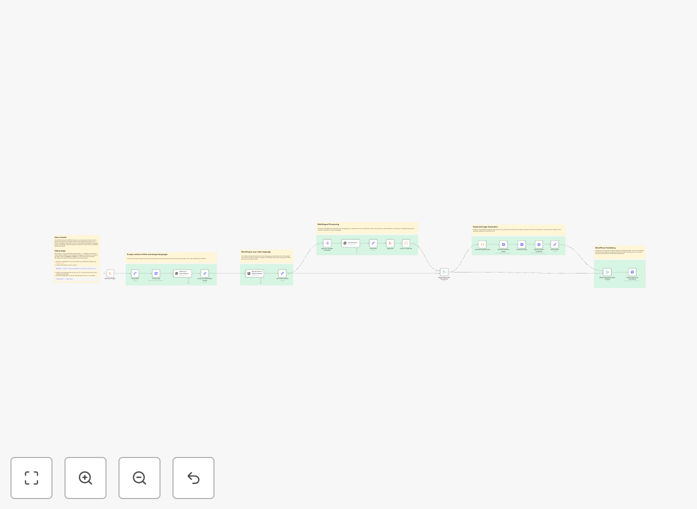
1. RSS Feed Processing
The workflow begins by monitoring your specified RSS feeds for new content. When a new article appears, it extracts the full text, main image, and metadata. The system can handle multiple feed sources simultaneously and includes error handling for feed irregularities.
2. AI Translation
The original content passes through OpenAI's translation engine, which creates versions in all your target languages. You can customize the translation prompts to maintain brand voice, handle industry terminology consistently, and ensure cultural appropriateness for each market.
3. Image Generation & Localization
For each translated version, the workflow generates new AI-created images that match the content and cultural context. The system automatically resizes images for optimal web display and attaches them to posts with proper alt text in each language.
4. WordPress Publishing
The translated content and images publish to WordPress as new posts, with all Advanced Custom Fields properly populated. The workflow establishes relationships between language versions, applies the correct categories and tags in each language, and schedules posts according to your content calendar rules.
Who This Is For
This automation delivers exceptional value for:
- Global brands managing localized versions of their content
- News aggregators publishing in multiple regional markets
- Content marketing agencies serving international clients
- Educational institutions with multilingual student bodies
- E-commerce sites needing product content in various languages
Pro tip: For best results, create style guides for each target language to customize the AI translation prompts. This ensures consistent terminology and brand voice across all translations.
What You'll Need
- WordPress website with Advanced Custom Fields installed
- n8n instance (cloud or self-hosted)
- OpenAI API access
- RSS feed URLs you want to monitor
- List of target languages for translation
Quick Setup Guide
- Download the JSON template file
- Import into your n8n instance
- Configure your RSS feed sources
- Enter your OpenAI API key
- Set up WordPress API connection details
- Map your ACF fields to the workflow
- Test with sample content before going live
Key Benefits
Reduce translation costs by 90% compared to human translation services while maintaining quality suitable for most business content.
Publish 10x faster by eliminating manual processes - content that took days to localize now publishes in hours.
Maintain perfect consistency across language versions with automated field mapping and structured content relationships.
Scale effortlessly to new languages without adding staff - simply add the language code to your configuration.
Enhance SEO globally with properly structured multilingual content that search engines can index correctly for each regional market.