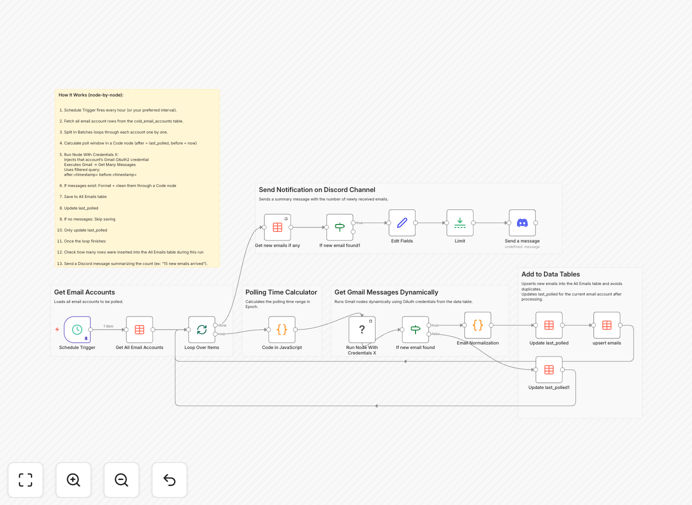
What This Workflow Does
This automation solves the challenge of monitoring multiple Gmail accounts efficiently. Instead of logging into each account separately or creating individual workflows, this template provides a centralized solution that:
- Polls multiple Gmail accounts on a scheduled basis
- Stores all email data in a unified format
- Tracks polling history to avoid duplicates
- Sends consolidated Discord notifications
- Maintains proper credential separation
Perfect for agencies managing client inboxes, support teams handling shared mailboxes, or businesses running cold email campaigns that need centralized oversight.
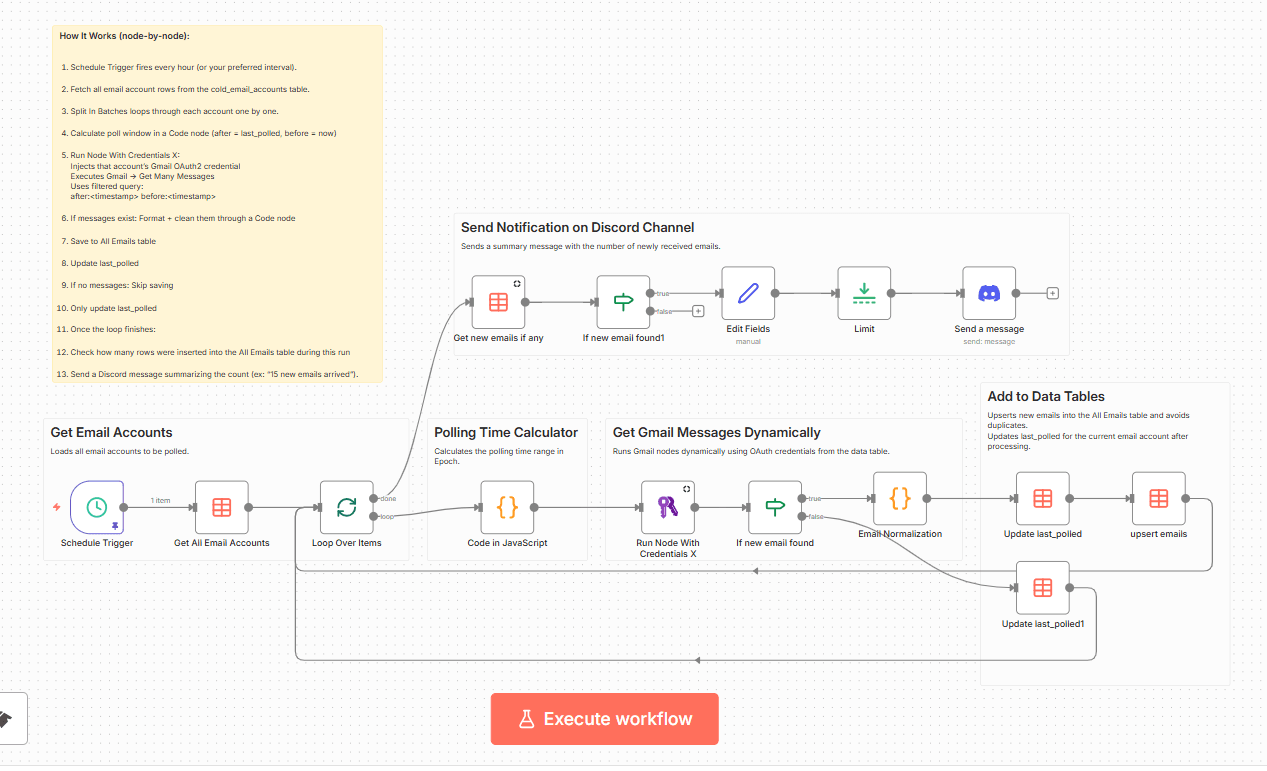
How It Works
1. Account Credential Management
The workflow reads from a data table containing all Gmail account credentials and metadata. Each account maintains its own OAuth2 authentication while being processed through the same workflow.
2. Dynamic Email Polling
Using n8n's credential-aware execution, the workflow dynamically selects the correct authentication for each account being processed. This happens through the "Run Node With Credentials X" community node.
3. Data Normalization
All emails are reformatted into a consistent JSON structure containing: sender info, subject, body content, labels, attachments metadata, and timestamps. This standardized format enables unified reporting.
4. Centralized Storage
Processed emails are saved to a master data table with upsert functionality to prevent duplicates. The table maintains a complete history while efficiently storing only new messages.
5. Notification System
Consolidated Discord alerts provide real-time updates about new emails across all monitored accounts. Notifications include summary statistics and important message highlights.
Who This Is For
This workflow is ideal for:
- Marketing agencies managing client email accounts
- Customer support teams handling shared inboxes
- Businesses running cold email outreach campaigns
- IT departments monitoring service accounts
- Any team needing centralized email oversight
What You'll Need
- n8n instance (self-hosted or cloud)
- Gmail accounts with OAuth2 credentials set up in n8n
- Data Table node configured
- Discord webhook URL for notifications
- "Run Node With Credentials X" community node installed
Quick Setup Guide
- Import the JSON template into your n8n instance
- Create a data table named "cold_email_accounts" with columns: cred_id, credentials_name, email, last_polled
- Add your Gmail account credentials to the table
- Configure your Discord webhook URL in the workflow
- Adjust the Gmail search query filters as needed
- Activate the workflow on your desired schedule
Pro tip: For high-volume email accounts, adjust the polling frequency and batch size to avoid hitting API rate limits.
Key Benefits
80% time reduction compared to manual inbox checking across multiple accounts. The automation handles all monitoring work automatically.
Centralized visibility through the unified data table gives you one place to monitor all email activity across accounts.
Customizable alerts ensure you're immediately notified about important messages without inbox overload.
Scalable architecture allows adding more accounts by simply adding rows to the data table - no workflow modifications needed.
Historical tracking maintains complete records of all processed emails for compliance and reporting needs.