Sales Automation CRM AI Analytics Google Sheets n8n

Real-time Sales Pipeline Analytics with Bright Data, OpenAI & Google Sheets

Automate pipeline tracking, detect stalled deals with AI, and get actionable insights delivered to your team—no manual reporting required.

Download Template JSON · n8n compatible · Free
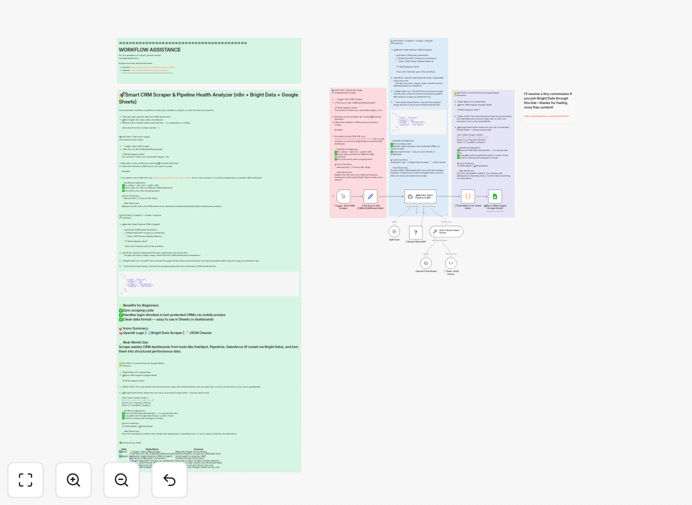
Visualization of sales pipeline analytics automation workflow connecting CRM, AI, and reporting tools

What This Workflow Does

Manual sales pipeline tracking is time-consuming, error-prone, and reactive. Sales managers spend hours each week exporting CRM data, building spreadsheets, and trying to spot patterns while deals stall unnoticed. This creates revenue leaks, missed forecasts, and frustrated teams.

This automation solves that by creating a real-time pipeline monitoring system. It automatically pulls data from your CRM, analyzes deal health using AI, detects anomalies like stalled opportunities, and delivers actionable insights directly to Slack while archiving clean data in Google Sheets for historical analysis. You get proactive alerts instead of retrospective reports.

How It Works

1. Data Extraction from CRM

The workflow starts by querying your CRM's API (HubSpot, Salesforce, Pipedrive, etc.) on a scheduled basis. It extracts key pipeline metrics: new leads, deal stages, values, owners, last activity dates, and custom fields you define.

2. AI-Powered Analysis

OpenAI analyzes the extracted data to identify patterns and risks. It flags deals stuck in a stage too long, detects unusual changes in pipeline composition, and highlights conversion rate deviations. The AI provides plain-English explanations of what needs attention.

3. Alert Generation & Delivery

Critical insights are formatted into clear, actionable alerts and sent to designated Slack channels. Sales reps get personalized notifications about their deals, while managers receive summary reports with pipeline health scores and recommended actions.

4. Historical Archiving

All pipeline snapshots are automatically appended to a Google Sheets database with timestamps. This creates a searchable historical record for trend analysis, forecasting improvement, and quarterly business reviews without manual data entry.

Who This Is For

This automation is ideal for sales teams of 5–50 people who use a CRM but struggle with visibility. Sales managers who want to coach based on data rather than gut feeling. Revenue operations teams responsible for accurate forecasting. Startups and scale-ups needing to systematize their sales process as they grow. Any business where deal slippage directly impacts revenue targets.

What You'll Need

  1. n8n instance (self-hosted or cloud)
  2. CRM API access with appropriate credentials
  3. OpenAI API key for AI analysis capabilities
  4. Slack workspace with webhook or app permissions
  5. Google Sheets with edit permissions for the destination spreadsheet
  6. Basic understanding of your sales pipeline stages and key metrics

Quick Setup Guide

1. Import the template into your n8n instance using the downloaded JSON file.

2. Configure the CRM node with your API credentials and adjust the query to match your pipeline fields.

3. Add your OpenAI API key and customize the prompt to focus on your specific risk indicators.

4. Connect Slack by creating an incoming webhook and pasting the URL into the workflow.

5. Authorize Google Sheets and specify the target spreadsheet ID and sheet name.

6. Test with a manual trigger to verify data flows correctly, then activate the schedule.

Pro tip: Start with a daily schedule during business hours. Once confident, adjust frequency based on your sales cycle—high-velocity teams might benefit from hourly checks, while enterprise sales may only need daily updates.

Key Benefits

Eliminate 5–10 hours weekly of manual CRM exports and spreadsheet maintenance. That's 250–500 hours annually returned to revenue-generating activities instead of administrative work.

Reduce deal slippage by 15–30% through early detection of stalled opportunities. AI identifies at-risk deals before they become lost revenue, allowing timely intervention.

Improve forecast accuracy by 20–40% with consistent, data-driven pipeline analysis. Historical tracking reveals patterns that inform better prediction models.

Accelerate sales onboarding by providing new reps with clear visibility into pipeline expectations and performance benchmarks from day one.

Create scalable processes that grow with your team. The automation handles increasing data volume without additional manual effort.

Frequently Asked Questions

Common questions about sales pipeline automation and integration

Automating sales pipeline analytics provides real-time visibility into deal health, identifies stalled opportunities early, and eliminates manual data entry from CRM exports. This allows sales managers to focus on coaching reps instead of building reports, leading to faster decision-making and improved forecast accuracy.

Beyond time savings, automation creates consistency in how pipeline data is analyzed across the organization. Everyone works from the same metrics and definitions, reducing disputes about pipeline health and enabling data-driven conversations about sales performance.

AI can analyze historical deal patterns to detect anomalies like deals stuck in a stage too long, predict win probabilities based on engagement data, and highlight risks before they impact revenue. It transforms raw CRM data into actionable insights, helping teams prioritize efforts on the most promising opportunities.

Unlike human analysis which might miss subtle patterns, AI consistently applies the same criteria across all deals and can identify correlations that aren't immediately obvious—like specific product combinations that have higher close rates or seasonal trends in your sales cycle.

Yes, this workflow uses a flexible API approach that can connect to virtually any CRM with an API, including HubSpot, Salesforce, Pipedrive, Zoho CRM, or custom solutions. The workflow structure separates data extraction from analysis, making it adaptable to different data formats and authentication methods.

The key is mapping your CRM's specific field names to the expected data structure in the workflow. Most modern CRMs provide comprehensive APIs, and the n8n platform includes pre-built nodes for popular systems while offering HTTP request nodes for others.

Key metrics include pipeline velocity (time per stage), conversion rates between stages, deal size distribution, win/loss reasons, and sales rep performance trends. Automated tracking ensures these metrics are consistently calculated and available for review without manual spreadsheet work.

Start with basic metrics like total pipeline value and number of opportunities, then add sophistication as needed. The most valuable metrics often reveal process bottlenecks—like where deals typically stall—rather than just reporting on outcomes.

For active sales teams, daily analysis of new leads and deal stage changes is ideal, with weekly deep dives into pipeline health and forecast accuracy. Automation enables this frequency without burdening the team, providing timely alerts for deals needing attention while maintaining historical trends for strategic planning.

The optimal frequency depends on your sales cycle length and deal velocity. High-volume transactional sales might need hourly checks, while enterprise deals with months-long cycles may only require weekly analysis. Automation lets you adjust easily as your business evolves.

Pipeline analytics focuses on the health and movement of opportunities through stages, identifying bottlenecks and coaching opportunities. Revenue forecasting uses that pipeline data plus historical close rates to predict future revenue. Both are essential but serve different purposes—analytics improves process, forecasting predicts outcomes.

Good pipeline analytics informs better forecasting by providing cleaner data and insights into conversion patterns. Many teams make the mistake of focusing only on forecasting without improving their underlying pipeline management, leading to consistently inaccurate predictions.

Implement validation rules at data entry, use consistent field mappings between systems, regularly audit sample records for accuracy, and include data quality checks in your automation workflow. Clean data is crucial for reliable insights, so building verification steps into the process prevents garbage-in-garbage-out scenarios.

Start by identifying your most critical data fields—deal value, stage, close date—and ensure those are consistently populated. Automation can help by flagging incomplete records and prompting sales reps to fill missing information before analysis runs.

Yes, GrowwStacks specializes in building tailored sales automation systems that connect your specific CRM, communication tools, and data sources. We analyze your sales process, identify automation opportunities, and build workflows that match your team's workflow, providing training and ongoing support for maximum adoption.

Custom solutions address unique challenges like complex approval processes, integration with legacy systems, or specialized reporting requirements. We start with your business goals and design automation that drives measurable results rather than forcing your process into generic templates.

  • End-to-end implementation from discovery to deployment
  • Integration with your existing tech stack
  • Ongoing optimization as your sales process evolves

Need a Custom Sales Pipeline Automation?

This free template is a starting point. Our team builds fully tailored automation systems for your specific business needs.