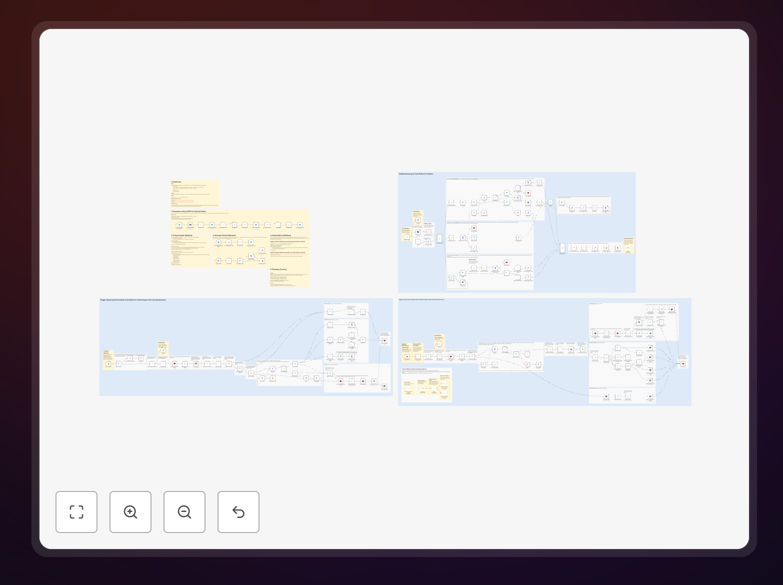
What This Workflow Does
This automation creates a seamless two-way synchronization between Notion databases and Todoist projects, with Redis acting as a high-performance caching layer. It solves the common problem of task management fragmentation by ensuring updates in either platform immediately reflect in the other.
The workflow is particularly valuable for teams that use Notion for project planning but prefer Todoist for daily task execution. It eliminates manual copying of tasks between systems while maintaining data integrity through conflict resolution protocols.
How It Works
1. Change Detection
The workflow monitors both Notion databases and Todoist projects for changes using their respective APIs. Redis stores the last known state of each task to identify modifications.
2. Bidirectional Sync
When a change is detected in either platform, the system maps the updated fields to their counterparts in the other application. Custom field mappings ensure data appears correctly in both interfaces.
3. Conflict Resolution
If simultaneous edits occur, timestamp comparisons determine which version to keep. The workflow logs all conflicts for administrative review while preventing data loss.
Who This Is For
This solution benefits knowledge workers, project managers, and distributed teams who need to:
- Maintain task consistency across planning and execution tools
- Reduce manual data entry between platforms
- Work with multiple Notion workspaces and Todoist projects
- Require realtime updates without polling delays
Pro tip: Use Notion's relation properties to connect tasks to other databases, and these connections will remain intact when synced to Todoist through custom field mappings.
What You'll Need
- Notion account with admin access to the databases you want to sync
- Todoist Premium account (required for API access)
- Redis instance (cloud or self-hosted)
- Zapier account to deploy the workflow
Quick Setup Guide
- Download the template file and import it into your Zapier account
- Connect your Notion, Todoist, and Redis accounts in Zapier
- Configure the source and destination databases/projects
- Map the fields you want to sync between platforms
- Set your preferred conflict resolution rules
- Test with sample tasks before enabling full sync
Key Benefits
Eliminate duplicate entry by automatically creating Todoist tasks from Notion database items and vice versa.
Realtime updates ensure changes propagate within seconds rather than the minutes typical of polling-based integrations.
Custom field mapping lets you control exactly which properties sync between platforms and how they're formatted.
Scalable architecture handles multiple workspaces and projects without performance degradation.
Conflict logging provides visibility into synchronization issues without risking data loss.