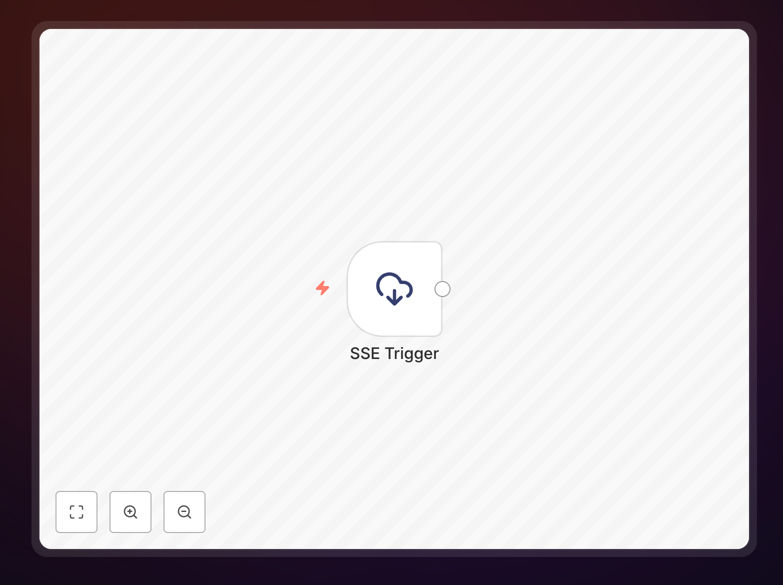
What This Workflow Does
This template solves the problem of inefficient data synchronization in modern applications. Instead of having your systems constantly poll APIs for updates (which wastes resources and creates delays), this workflow establishes a persistent connection to receive Server-Sent Events (SSE) – a standard for real-time, one-way communication from server to client.
The automation listens for incoming events from any SSE-compatible source and processes them immediately as they arrive. Whether you're monitoring live data feeds, tracking system events, or receiving real-time notifications, this workflow transforms passive waiting into active, event-driven automation that responds the moment data changes.
By eliminating polling intervals, you reduce server load, decrease latency from minutes to milliseconds, and create more responsive systems that keep pace with your business operations. The template handles connection management, error recovery, and data parsing so you can focus on what to do with the real-time information rather than how to get it.
How It Works
The workflow establishes a reliable pipeline for receiving and processing Server-Sent Events through a structured, fault-tolerant approach.
Step 1: Connection Establishment
The workflow initiates an HTTP connection to your SSE endpoint with proper headers and authentication. It maintains this persistent connection, waiting for incoming events without repeatedly opening and closing connections.
Step 2: Event Reception & Parsing
As events stream in, the workflow parses the SSE format (data fields, event types, IDs, and retry intervals). Each event is extracted, validated, and prepared for downstream processing with metadata intact.
Step 3: Conditional Routing
Based on event types or content, the workflow routes different events to appropriate processing paths. This allows you to handle various message types differently within the same connection.
Step 4: Data Transformation & Enrichment
Raw event data is transformed into structured formats, enriched with contextual information, timestamps, and source identifiers before being passed to other systems or triggers.
Step 5: Error Handling & Reconnection
The workflow includes robust error handling with automatic reconnection logic, exponential backoff for failed connections, and logging of connection issues for monitoring and troubleshooting.
Pro tip: Configure your SSE endpoint to include event IDs in the stream. This allows the workflow to track the last received event and resume from where it left off after a disconnection, preventing data loss during network interruptions.
Who This Is For
This template is ideal for developers building real-time applications, operations teams monitoring live systems, product managers creating interactive user experiences, and businesses that depend on timely information. Specifically, it benefits:
Software teams implementing live dashboards, notification systems, or collaborative features that require instant updates without page refreshes.
Data-driven organizations that need to process streaming data from APIs, IoT devices, or internal systems as events occur rather than in batch intervals.
Customer-facing applications requiring live updates like chat messages, order status changes, inventory updates, or real-time analytics displays.
Internal tools that monitor system health, track business metrics, or provide real-time alerts to teams across the organization.
What You'll Need
- An SSE-compatible endpoint – A URL that streams events in text/event-stream format with proper CORS headers if accessing cross-domain.
- n8n instance – Either self-hosted n8n or n8n.cloud account with network access to your SSE source.
- Authentication credentials – If your SSE endpoint requires API keys, tokens, or basic authentication for connection.
- Downstream systems – Databases, notification services, or other applications where you want to send the processed event data.
- Monitoring setup – Basic logging or alerting to track connection health and event throughput.
Quick Setup Guide
Follow these steps to implement real-time SSE automation in your environment:
- Download and import the template JSON file into your n8n instance using the workflow import function.
- Configure the SSE Trigger node by entering your endpoint URL and any required authentication parameters in the settings.
- Test the connection by executing the workflow once to verify it can connect to your SSE source and receive events.
- Customize event processing by modifying the subsequent nodes to handle your specific event format and business logic.
- Add destination integrations by connecting output nodes to your databases, messaging platforms, or other systems.
- Activate the workflow and monitor the initial events to ensure everything processes correctly before scaling.
Pro tip: Start with a test endpoint that generates simple events before connecting to production systems. This allows you to verify your processing logic without affecting live operations.
Key Benefits
Eliminate polling overhead – Reduce server load and network traffic by replacing constant API calls with efficient event-driven connections that only transmit data when changes occur.
Near-instant response times – React to events within milliseconds instead of waiting for polling intervals that can introduce delays of seconds or minutes in your automation.
Simplified real-time architecture – Implement sophisticated event-driven systems without complex WebSocket implementations, using standard HTTP-based technology that's easier to debug and maintain.
Built-in reliability features – Leverage SSE's automatic reconnection, event ID tracking, and error recovery mechanisms that handle network issues gracefully without manual intervention.
Scalable integration foundation – Connect real-time events to hundreds of applications through n8n's extensive integration library, creating comprehensive automation from simple event streams.