What This Workflow Does
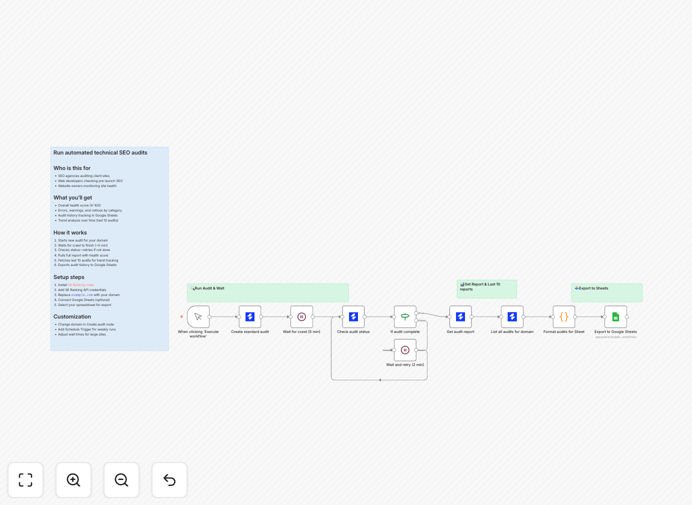
This automation solves the time-consuming process of manually running technical SEO audits and compiling reports. It automatically:
- Triggers new SEO audits in SE Ranking
- Waits for the audit to complete
- Extracts key metrics like health score and issue counts
- Appends historical audit data to Google Sheets
How It Works
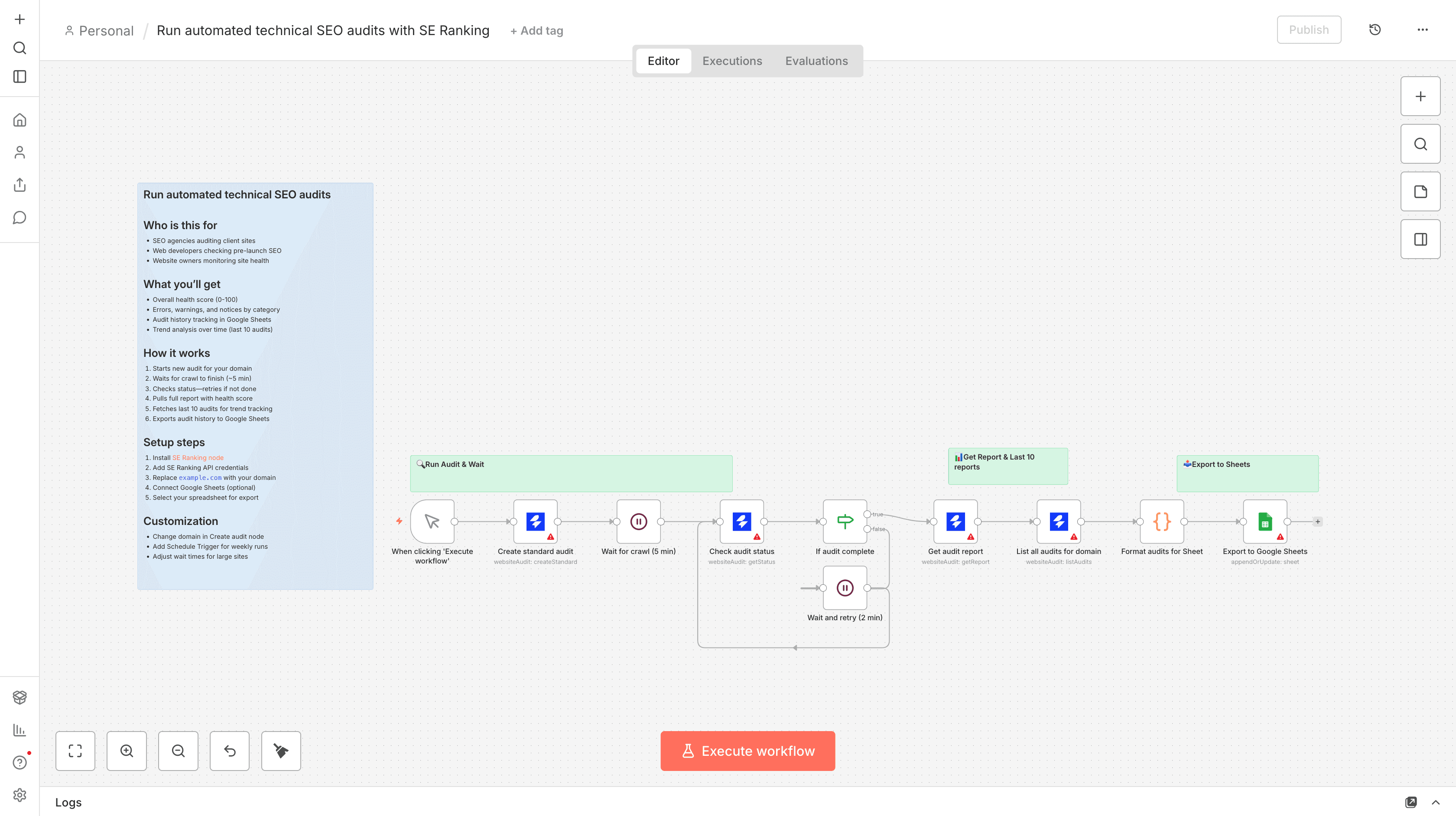
1. Audit Initiation
The workflow starts a new technical SEO audit in SE Ranking for your specified domain.
2. Completion Check
It periodically checks if the audit is complete (typically takes 5-30 minutes depending on site size).
3. Data Extraction
Once complete, it extracts the overall health score and counts of errors, warnings, and notices.
4. Historical Data Pull
Retrieves the last 10 audits for trend analysis.
5. Google Sheets Export
All data gets appended to your specified Google Sheet for long-term tracking.
Pro tip: Schedule this to run weekly to build a valuable historical dataset of your site's technical SEO health.
Who This Is For
This workflow is ideal for:
- SEO agencies managing multiple client websites
- In-house marketing teams tracking site health
- Web developers implementing technical SEO improvements
- Website owners who want visibility into their SEO performance
What You'll Need
- SE Ranking account with API access
- SE Ranking community node installed in n8n
- Google Sheets account (for the optional export)
- Basic understanding of technical SEO concepts
Quick Setup Guide
- Import the workflow template into your n8n instance
- Connect your SE Ranking API credentials
- Specify your target domain in the "Create audit" node
- (Optional) Connect Google Sheets credentials and select your spreadsheet
- Test with a manual trigger before scheduling
Key Benefits
Save 5+ hours per month by eliminating manual audit processes and report generation.
Track progress over time with automated historical data collection in Google Sheets.
Identify trends early with consistent monitoring of technical SEO metrics.
Share professional reports with clients or stakeholders using the Google Sheets data.
Focus on fixes, not data collection by automating the monitoring process.