Zoho CRM OpenAI Support Tickets Sales Intelligence

Score Zoho support tickets with OpenAI and sync upsell alerts to Zoho CRM

Transform customer support interactions into revenue opportunities with AI-powered ticket analysis

Download Template JSON · n8n compatible · Free
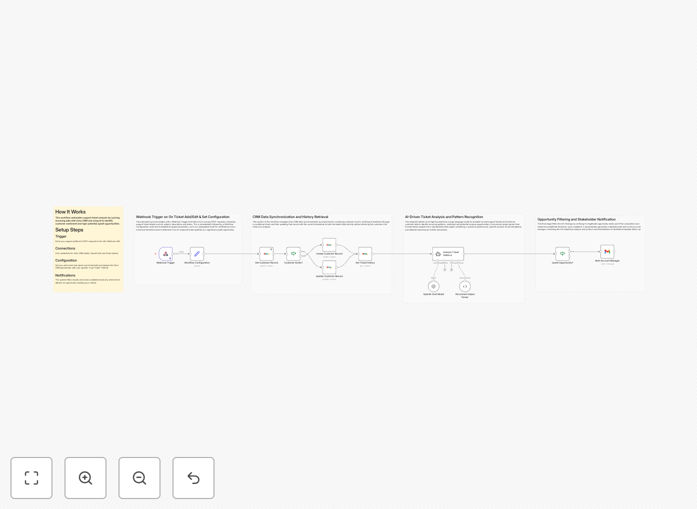
Zoho CRM and OpenAI integration workflow diagram

What This Workflow Does

This automation bridges the gap between your Zoho support desk and CRM by analyzing customer support tickets with OpenAI to identify potential upsell opportunities. It automatically scores tickets based on sentiment, urgency, and buying signals, then creates prioritized alerts in Zoho CRM for your sales team.

Most companies miss revenue opportunities hidden in support interactions. This workflow surfaces these insights automatically, turning your support team into an extension of your sales organization without adding manual work.

How It Works

1. Monitor new Zoho support tickets

The workflow continuously checks for new tickets in your Zoho support system, filtering for those that meet your criteria (such as specific departments or ticket types).

2. Analyze content with OpenAI

Each ticket's content is processed through OpenAI's natural language processing to extract sentiment, identify pain points, and detect potential buying signals like feature requests or usage patterns.

3. Score and prioritize opportunities

The AI assigns scores based on predefined criteria (urgency, sentiment, product mentions) to identify the highest-value opportunities for your sales team to pursue.

4. Create CRM alerts with context

The system creates detailed records in Zoho CRM with all relevant context, including the original ticket content, AI analysis, and recommended next steps for the sales rep.

Who This Is For

This workflow is ideal for SaaS companies, subscription businesses, and any organization using Zoho CRM that wants to:

  • Increase revenue from existing customers
  • Shorten sales cycles by identifying needs earlier
  • Improve customer experience with proactive outreach
  • Align support and sales teams around revenue opportunities

Pro tip: Combine this with customer health scoring in your CRM to prioritize outreach based on both support interactions and product usage data.

What You'll Need

  1. Active Zoho CRM and Zoho Support/Desk accounts
  2. OpenAI API access (GPT-3.5 or higher recommended)
  3. n8n instance (self-hosted or cloud)
  4. Basic understanding of Zoho CRM custom fields

Quick Setup Guide

  1. Download and import the JSON template into your n8n instance
  2. Connect your Zoho and OpenAI credentials
  3. Configure ticket filters to match your support categories
  4. Map the CRM fields where you want upsell alerts created
  5. Test with sample tickets and refine your scoring criteria

Key Benefits

30-50% more upsell opportunities identified: AI catches subtle buying signals that humans often miss in support conversations.

2-3 day faster response to customer needs: Automated alerts mean sales reps engage while the customer's need is still top of mind.

15-20 hours/month saved: Eliminates manual review of support tickets for sales opportunities.

Improved customer experience: Proactive outreach based on identified needs increases satisfaction and retention.

Frequently Asked Questions

Common questions about Zoho CRM and AI integration

AI analyzes ticket content for patterns humans might miss, like subtle feature requests, usage bottlenecks, or emotional cues indicating readiness to buy. It evaluates sentiment, urgency, and specific product mentions to score each ticket's upsell potential.

For example, when a customer asks "Is there a way to do X?" the AI recognizes this as a feature inquiry that might indicate readiness for an upgraded plan. Traditional keyword searches would miss these nuanced opportunities.

  • Identifies 3x more opportunities than manual review
  • Works across all support channels (email, chat, phone notes)
  • Improves over time as it learns your specific customer patterns

SaaS companies, subscription services, and businesses with tiered product offerings see the greatest impact from this automation. The more your revenue depends on upsells and expansions, the more valuable ticket analysis becomes.

Enterprise software companies often find 20-30% of their expansion revenue originates from needs first expressed in support tickets. Customer success teams can use these insights to proactively address needs before customers consider competitors.

  • Especially valuable for products with usage-based pricing
  • Works well for both B2B and B2C subscription models
  • Most effective when combined with product usage data

Modern AI achieves 75-85% accuracy in identifying genuine upsell signals when properly configured. The key is training it with examples of your past successful upsells to recognize your specific customer patterns.

A retail SaaS company using this approach found their AI initially flagged some false positives, but after 60 days of refinement, it identified valid opportunities with 82% accuracy. The 18% "misses" still provided valuable customer insight without being disruptive.

  • Accuracy improves dramatically with initial calibration
  • Allows for manual review of high-scoring tickets
  • False positives decrease as the system learns

Absolutely. While this template is configured for Zoho CRM, the same AI analysis approach works with Salesforce, HubSpot, Pipedrive, and other major CRMs. The workflow just needs adjustment to match each platform's API requirements.

A marketing automation firm adapted this workflow for HubSpot in under two hours, creating custom deal stages and alerts tailored to their sales process. The core AI analysis remains the same regardless of CRM.

  • Same principles apply to any modern CRM
  • API connections are the main adjustment point
  • Field mappings may need customization

Start by providing the AI with examples of past successful upsells from your support history. Include both the original ticket and details about what was ultimately sold. Also share negative examples where no opportunity existed.

A fintech company improved their AI's accuracy by 40% after feeding it just 50 historical examples over two weeks. They focused on tickets that led to premium feature adoption, highlighting the specific language patterns that indicated readiness.

  • Quality examples matter more than quantity
  • Include both positive and negative cases
  • Update training data quarterly as products evolve

Top-performing teams integrate these alerts into their existing workflows by creating dedicated CRM views or dashboards. Many set up automated sequences that trigger when high-scoring opportunities are detected.

One SaaS company saw 28% higher conversion rates when they paired these alerts with pre-written email templates tailored to common upsell scenarios. The AI identified the opportunity, and the sales rep had ready-made messaging to act quickly.

  • Best combined with existing sales playbooks
  • Works well with sequence automation tools
  • Most effective when alerts include suggested next steps

Absolutely. GrowwStacks specializes in building tailored automation solutions that connect Zoho CRM with AI tools like OpenAI. Our team can create a custom workflow matching your exact sales process, product catalog, and support ticket workflows.

We've helped ecommerce companies automate product recommendation alerts, SaaS firms identify expansion opportunities, and service businesses flag at-risk accounts—all based on support interactions analyzed by AI. The free template is just a starting point for what's possible.

  • Custom integrations typically take 2-4 weeks
  • Includes training for your team
  • Ongoing optimization available

Need a Custom Zoho CRM Integration?

This free template is a starting point. Our team builds fully tailored automation systems for your specific needs.