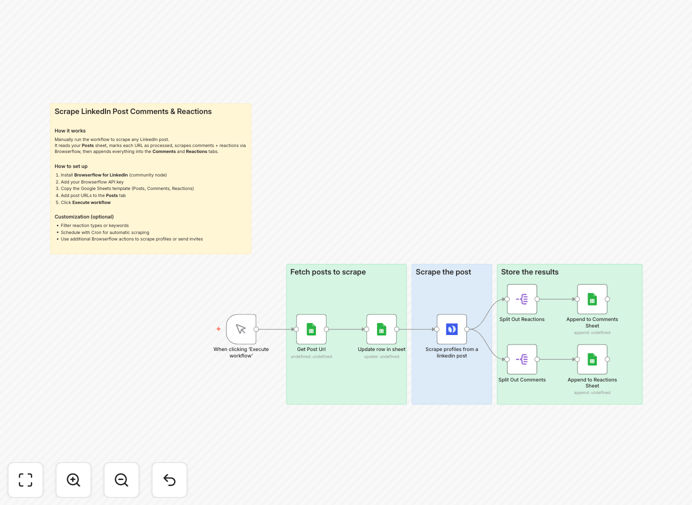
What This Workflow Does
This automation solves the tedious manual process of tracking LinkedIn post engagement by automatically scraping all comments and reactions from specified posts and exporting them to Google Sheets. Marketing teams, recruiters, and sales professionals spend hours weekly copying this valuable engagement data - this workflow eliminates that busywork while capturing more complete data than manual methods.
The system uses Browserflow to navigate LinkedIn and extract engagement data exactly like a human user would, then processes the data through n8n to clean, structure, and export it to your Google Sheets dashboard. Unlike LinkedIn's native analytics, this captures the actual comment text and commenter details for relationship-building and sentiment analysis.
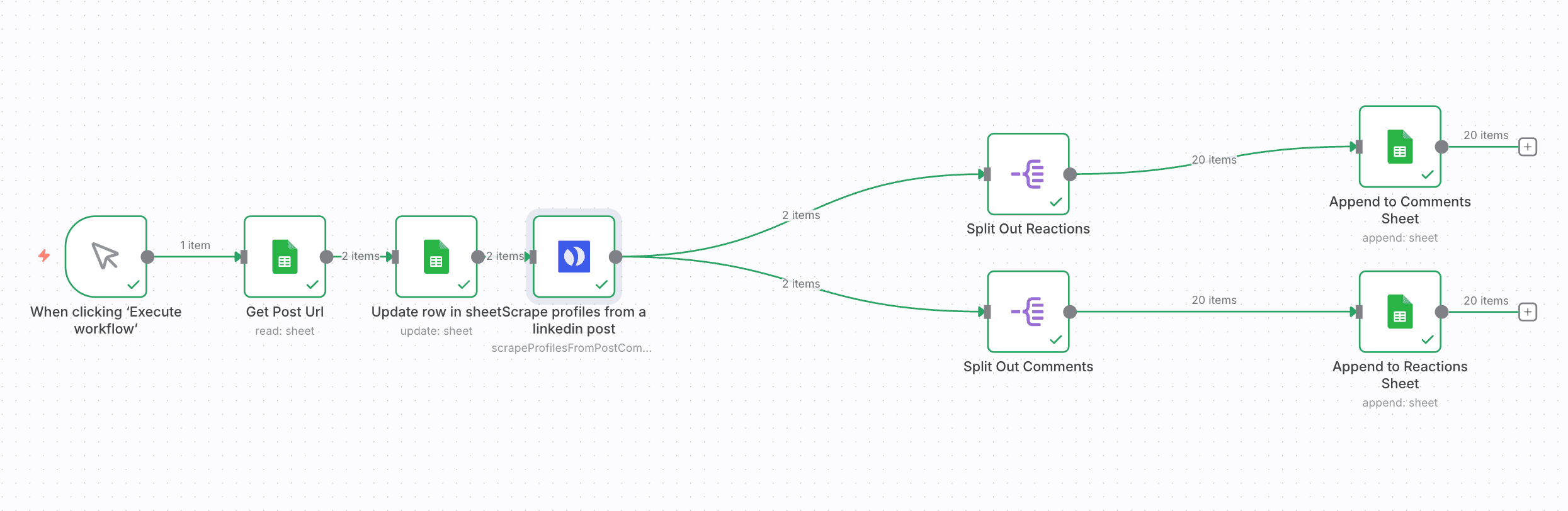
How It Works
1. Browserflow visits your LinkedIn post
The workflow starts by launching Browserflow to load the specified LinkedIn post URL. The automation handles login (if needed) and waits for the page to fully load, including any lazy-loaded comments.
2. Scrolling and comment extraction
Browserflow automatically scrolls through the entire comment section, triggering LinkedIn's infinite scroll. As comments load, it extracts the text, commenter name/profile URL, timestamp, and reaction counts for each entry.
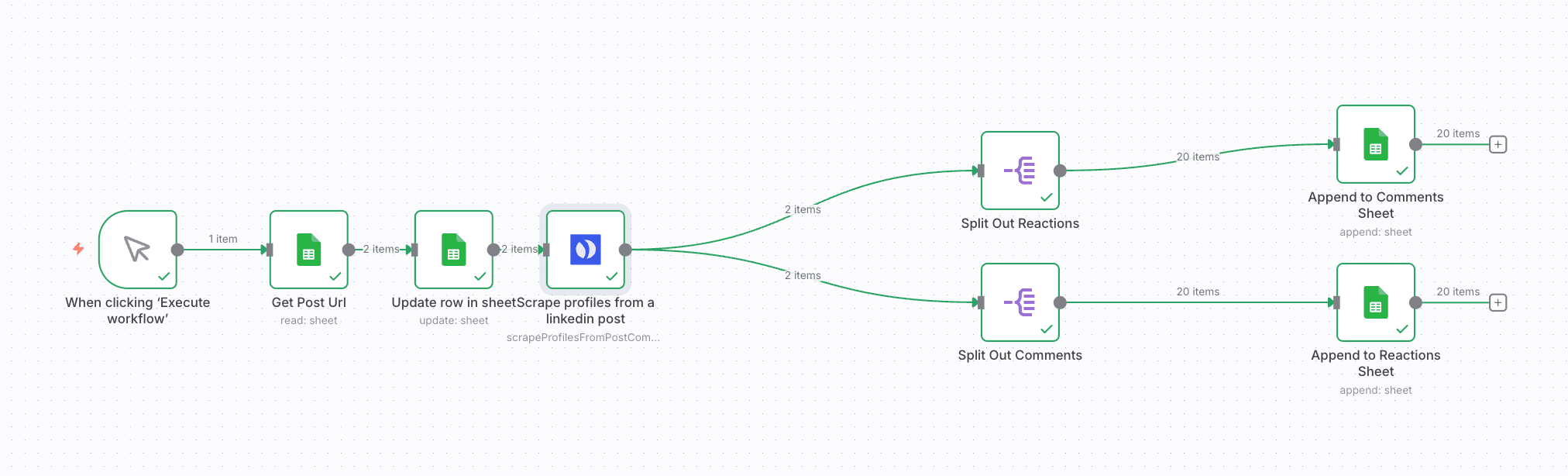
3. Data processing in n8n
The raw scraped data flows into n8n where it's cleaned and structured. n8n removes duplicates, formats timestamps consistently, and handles any data normalization needed before export.
4. Export to Google Sheets
The processed data automatically populates your specified Google Sheet, with each run creating a new tab or appending to your historical dataset. The sheet includes columns for all captured data points ready for analysis.
Who This Is For
This workflow delivers the most value for:
- Content marketers tracking post performance beyond basic analytics
- Recruiters monitoring employer brand engagement
- Sales teams identifying hot leads based on comment activity
- Social media managers measuring campaign effectiveness
- Competitive intelligence teams analyzing rival content strategies
Pro tip: Combine this with our LinkedIn post scheduler workflow to automatically scrape your new posts 24 hours after publishing when engagement peaks.
What You'll Need
- An n8n instance (cloud or self-hosted)
- Browserflow account with LinkedIn access
- Google Sheets prepared with your desired column structure
- LinkedIn post URLs you want to scrape
- Basic understanding of n8n workflows (or follow our setup guide)
Quick Setup Guide
- Download the JSON template file
- Import into your n8n instance
- Connect your Browserflow and Google Sheets accounts
- Configure the LinkedIn post URLs to scrape
- Set your preferred scraping schedule (daily recommended)
- Test with one post to verify data capture
- Activate the workflow for automated operation
Key Benefits
Save 5+ hours weekly by eliminating manual comment tracking and spreadsheet updates. What took hours now happens automatically.
Capture 100% of engagement data including buried comments that manual methods miss. Never lose valuable prospect interactions.
Build actionable prospect lists from commenters showing genuine interest in your content or offerings.
Measure true content resonance beyond vanity metrics by analyzing comment sentiment and quality.
Historical benchmarking by maintaining a complete archive of post engagement over time.