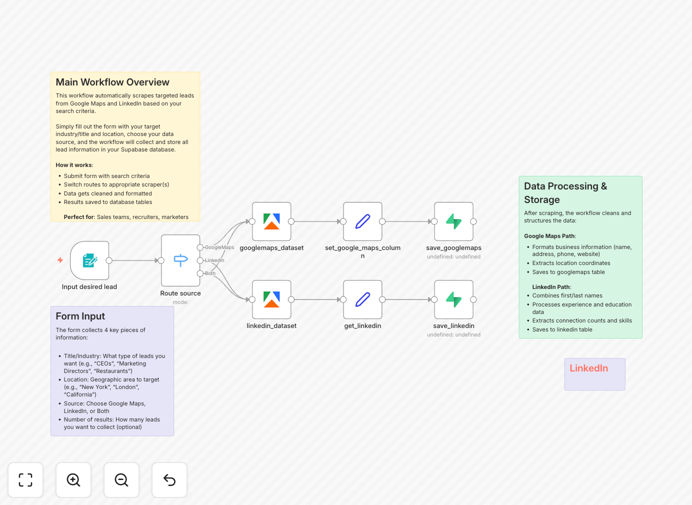
What This Workflow Does
This automation solves the time-consuming challenge of manual lead research by automatically extracting targeted business contacts from Google Maps and LinkedIn profiles. It combines data from both platforms to create comprehensive lead records with contact details, company information, and social profiles.
The workflow uses Apify's scraping capabilities to handle the technical complexities of data extraction, then structures and stores the collected leads in Supabase for easy access integration with your CRM or marketing tools. This eliminates hours of manual research while ensuring data consistency and accuracy.
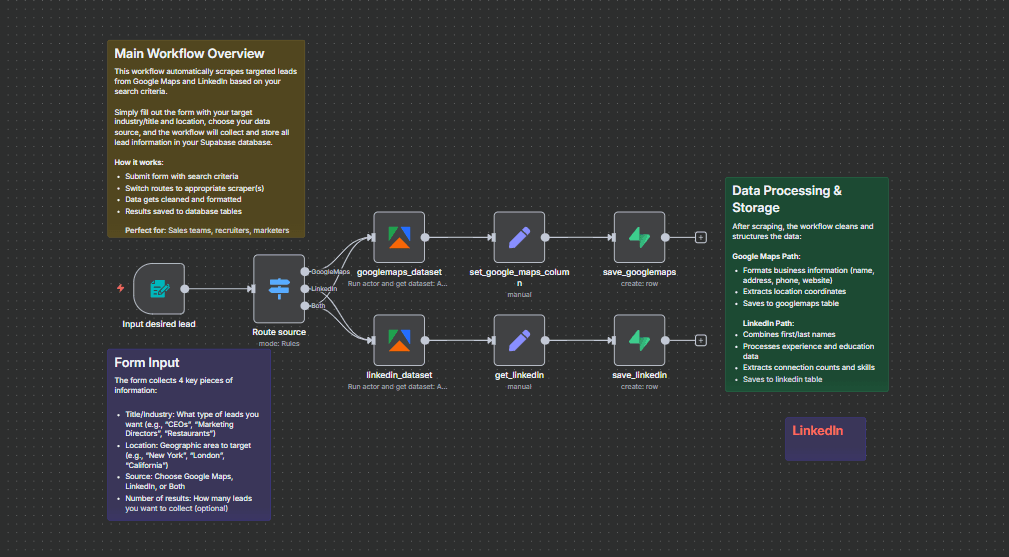
How It Works
1. Configure search parameters
The workflow starts by defining your target criteria - location, industry keywords, company size, or other filters that match your ideal customer profile.
2. Scrape Google Maps business listings
Apify extracts business names, addresses, phone numbers, and websites from Google Maps based on your location and category filters.
3. Enrich with LinkedIn data
The workflow cross-references the Google Maps results with LinkedIn to add key decision-maker names, email formats, and professional details.
4. Clean and structure data
n8n nodes standardize phone formats, validate email patterns, and remove duplicates create consistent lead records.
5. Store in Supabase
The finalized lead records are saved to your Supabase database with proper categorization for easy segmentation and integration.
Pro tip: Schedule this workflow to run weekly for fresh leads while respecting platform rate limits.
Who This Is For
This template delivers the most value for B2B sales teams, recruitment agencies, and business development professionals who need targeted lead lists. It's particularly effective for:
- Local service providers targeting specific geographic areas
- Tech companies selling to particular industries
- Recruiters sourcing candidates with specific skills
- Marketing agencies building prospect lists for clients
What You'll Need
- An n8n instance (cloud or self-hosted)
- Apify account with credits for scraping
- Supabase database with write permissions
- Clear targeting criteria for your ideal leads
Quick Setup Guide
- Download and import the JSON template into your n8n instance
- Connect your Apify account in the first node
- Configure your Supabase connection details
- Set your search parameters (location, industry keywords)
- Test with small scrape before running full extraction
Key Benefits
Save 10+ hours weekly by automating lead research that would otherwise require manual searches across multiple platforms.
Improve lead quality with combined data points from both professional (LinkedIn) and local business (Google Maps) sources.
Ensure data freshness with scheduled scrapes that keep your CRM with up-to-date contacts.
Scale your outreach while maintaining targeting precision through customizable search filters.