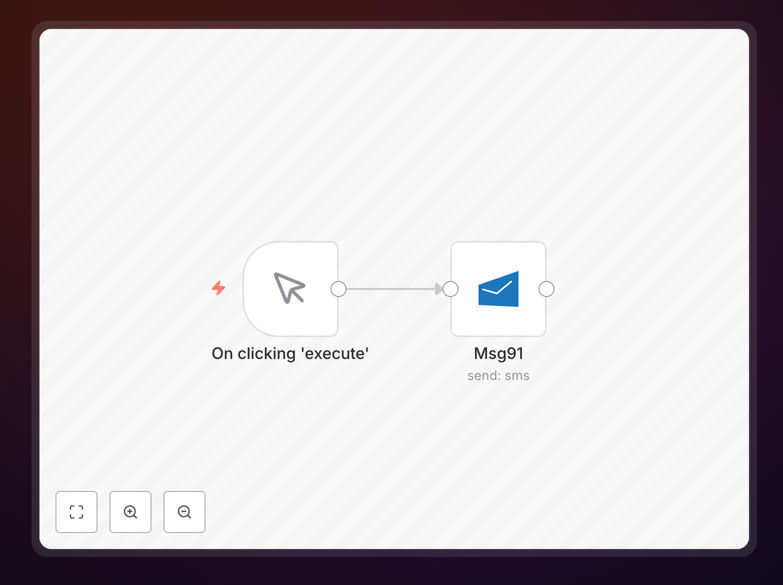
What This Workflow Does
This n8n workflow automates sending SMS messages through MSG91's API, eliminating the need for manual message sending. It's designed for businesses that need to send timely notifications, alerts, or reminders to customers, employees, or partners.
The template handles the entire SMS delivery process - from constructing the message payload to making the API call to MSG91 and processing the response. You can trigger it manually or connect it to other apps to send messages based on specific events in your business workflow.
How It Works
1. Message Configuration
The workflow starts by collecting the necessary SMS parameters including recipient phone number, message content, and sender ID. These can be hardcoded or dynamically pulled from another app or database.
2. API Request Preparation
The workflow formats the data according to MSG91's API requirements, including proper encoding of special characters and phone number validation. It adds your MSG91 authentication key to the request headers.
3. Message Delivery
The workflow makes an HTTP request to MSG91's API endpoint. It handles rate limiting and retries if the first attempt fails, ensuring reliable delivery even during peak times.
4. Response Handling
After MSG91 processes the request, the workflow checks the response for success/failure status. It can log the result to a spreadsheet or database, and trigger follow-up actions if the message fails to send.
Who This Is For
This workflow benefits any business that sends routine SMS communications:
- Ecommerce stores sending order confirmations
- Healthcare providers sending appointment reminders
- Schools sending alerts to parents
- HR teams sending interview reminders
- IT departments sending 2FA codes
What You'll Need
- An active MSG91 account with API access
- n8n instance (cloud or self-hosted)
- Valid MSG91 sender ID (approved by telecom providers)
- Phone numbers in E.164 format (+[country code][number])
Quick Setup Guide
- Download the JSON template file
- Import it into your n8n instance
- Add your MSG91 API key in the credentials section
- Configure default sender ID and message template
- Test with your phone number
- Connect to triggers from other apps if needed
Pro tip: Use n8n's "Function" node to dynamically personalize messages with customer names, order details, or other variables from your database.
Key Benefits
Save 90% of the time spent manually sending individual SMS messages while ensuring more reliable delivery.
Reduce human errors in message content and recipient details through automated data handling.
Scale communications without adding staff - send thousands of messages with the same effort as one.
Improve customer experience with timely, consistent notifications that build trust and reduce support queries.
Gain visibility through delivery reports and analytics to optimize your messaging strategy.