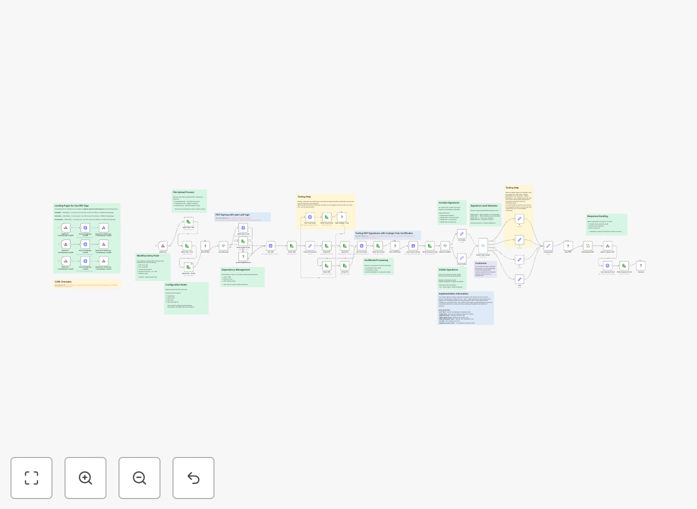
What This Workflow Does
This automation solution enables businesses to digitally sign PDF documents with X.509 certificates while maintaining compliance with PAdES (PDF Advanced Electronic Signatures) standards. The workflow automates the entire signing process, eliminating manual steps while ensuring legal validity.
Digital signatures created through this workflow provide cryptographic proof of document integrity, signer identity verification, and non-repudiation - meaning signers cannot later deny having signed the document. This is particularly valuable for contracts, legal agreements, financial documents, and other paperwork requiring formal authentication.
How It Works
1. Document Preparation
The workflow receives PDF files ready for signing, either from a folder watch, email attachment, or API call. The system verifies document integrity before proceeding.
2. Certificate Validation
The X.509 certificate (either provided or from a keystore) is validated against trusted certificate authorities to ensure its authenticity and that it hasn't been revoked.
3. PAdES Signature Application
The workflow applies a PAdES-compliant digital signature to the PDF, embedding cryptographic proof of the signer's identity and the document's contents at the time of signing.
4. Audit Trail Creation
Each signed document generates a detailed audit log containing timestamp, certificate details, and cryptographic hash for future verification purposes.
Pro tip: Store signed documents with their audit trails in a secure document management system for compliance purposes.
Who This Is For
This workflow is ideal for:
- Legal firms processing contracts and agreements
- Financial institutions handling loan documents and disclosures
- HR departments managing employment contracts
- Government agencies processing official forms
- Any business needing legally-binding digital signatures
What You'll Need
- An n8n instance (self-hosted or cloud)
- Valid X.509 certificates (from a certificate authority)
- PDF documents needing signatures
- (Optional) A document storage system for archiving
Quick Setup Guide
- Import the JSON template into your n8n instance
- Configure your certificate source (file upload, keystore, or API)
- Set up your document input method (folder watch, email, or API)
- Test with sample documents verify signature compliance
- Deploy to production and monitor audit logs
Key Benefits
Legal compliance: PAdES signatures meet EU eIDAS and other international standards for electronic signatures.
Time savings: Automating signatures eliminates manual processing, reducing document turnaround time by 80-90%.
Security assurance: Cryptographic proof of document integrity prevents tampering and provides non-repudiation.
Scalability: Process hundreds of documents simultaneously without additional staffing.