What This Workflow Does
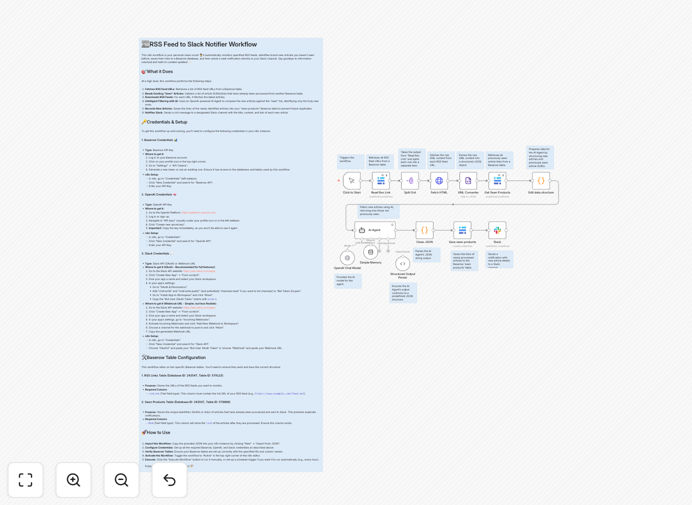
This workflow solves the problem of information overload and manual monitoring. Instead of spending hours checking multiple RSS feeds for updates, this automation continuously scans your feeds, uses AI to identify genuinely new and relevant articles, stores them in a Baserow database for future reference, and sends smart alerts to your Slack channel.
It eliminates duplicate notifications, ensures your team only sees content that matters, and creates a searchable knowledge base of industry news, competitor updates, or topic-specific content. Whether you're tracking market trends, regulatory changes, or competitor announcements, this workflow delivers filtered intelligence without the noise.
The system is designed for scalability—you can monitor dozens of RSS feeds simultaneously. The AI filtering adapts to your needs, and the Baserow storage allows for long-term analysis and reporting. It's a complete solution for staying informed without manual effort.
How It Works
1. RSS Feed Data Acquisition
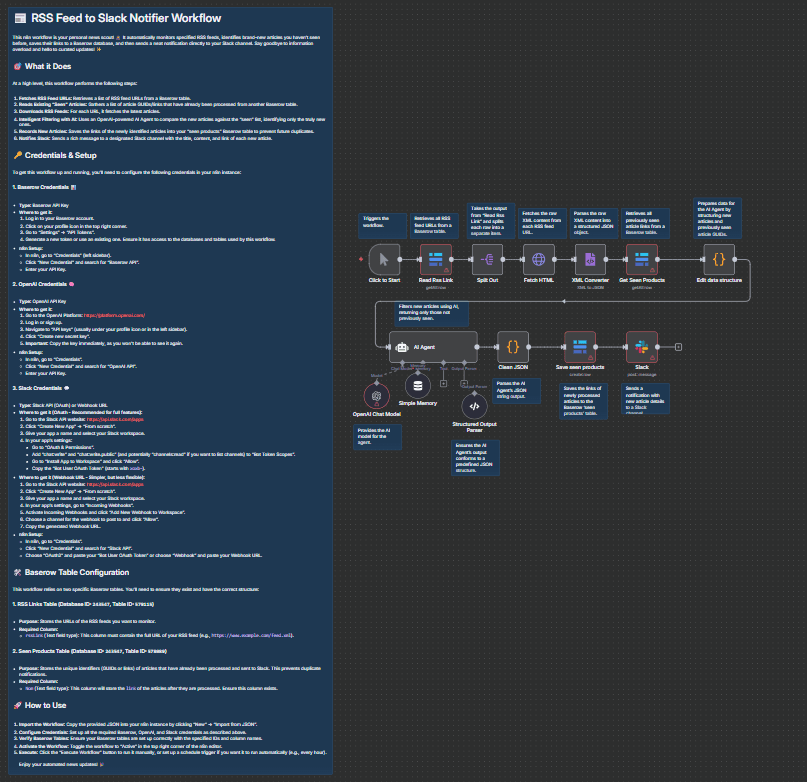
The workflow starts by fetching a list of RSS feed URLs from your Baserow database. Each feed is processed independently. An HTTP Request node downloads the raw XML content, which is then parsed into structured JSON data for easy manipulation.
2. Historical Data Management
Concurrently, the workflow queries another Baserow table containing all previously processed articles. This "seen articles" registry is the foundation for duplicate detection—ensuring you never get alerted about content you've already reviewed.
3. Intelligent Article Filtering with AI
A Code node prepares the new articles and the historical list into a structured format for the AI Agent. The AI Agent, powered by OpenAI, compares the incoming articles against the "seen" list and returns only genuinely new items. A Structured Output Parser validates the AI's response, and another Code node cleans the JSON output into individual items ready for notification.
4. Notification & Record Keeping
For each new article identified, its link is saved to the Baserow "seen products" table, marking it as processed. Then, a formatted rich message containing the article title, content snippet, and link is sent to your designated Slack channel, providing real-time updates to your team.
Who This Is For
This workflow is ideal for businesses and teams that need to stay updated on industry developments without manual effort. Marketing teams tracking competitor announcements, legal firms monitoring regulatory updates, product teams following tech blogs, and research departments aggregating academic publications will find immense value.
It's especially useful for distributed teams where timely information sharing is critical. The Slack alerts ensure everyone gets notified simultaneously, while the Baserow storage provides a centralized knowledge base for retrospective analysis.
What You'll Need
- Baserow API Key: To access and update your Baserow databases.
- OpenAI API Key: For the AI Agent to perform intelligent filtering.
- Slack Credentials: Either a Slack OAuth token (recommended) or a Webhook URL for sending messages.
- Baserow Table Configuration: Two tables—one with an
rssLinkcolumn for feed URLs, another with aNomcolumn for processed article links. - n8n Instance: Self-hosted or cloud version to run the workflow.
Pro tip: Start with a small set of RSS feeds (3–5) to test the workflow before scaling up. This helps you refine the AI filtering prompts and ensure the Slack notifications are formatted correctly for your team.
Quick Setup Guide
- Download the template: Click the download button above to get the JSON file.
- Import into n8n: In your n8n instance, go to Workflows → Import from file and select the downloaded JSON.
- Configure Baserow connections: Add your Baserow API key and set up the two table connections (RSS feeds and seen articles).
- Set up OpenAI: Add your OpenAI API key to the AI Agent node.
- Connect Slack: Configure the Slack node with your OAuth token or webhook URL and specify the channel.
- Add your RSS feeds: Populate the Baserow RSS feed table with the URLs you want to monitor.
- Test the workflow: Trigger the workflow manually to verify it fetches, filters, stores, and alerts correctly.
- Schedule automation: Set up a schedule trigger (e.g., every hour) to run the workflow automatically.
Key Benefits
Save 5–10 hours per week on manual RSS monitoring. Instead of team members individually checking feeds, this automation consolidates and filters updates automatically.
Reduce information noise by 80% with AI filtering. The AI Agent eliminates duplicates and irrelevant content, ensuring alerts are only for meaningful articles.
Build a searchable knowledge base in Baserow. All processed articles are stored with metadata, enabling trend analysis and historical reference.
Get real-time Slack alerts for immediate action. Critical updates reach your team instantly, enabling faster responses to market changes or competitor moves.
Scale monitoring effortlessly across dozens of feeds. The workflow handles multiple RSS sources simultaneously without performance degradation.