Android GitHub Slack Automation CI/CD

Sync Android env config to Gradle files with GitHub and Slack alerts

Automatically propagate environment configuration changes from GitHub to Gradle build files with team notifications

Download Template JSON · n8n compatible · Free
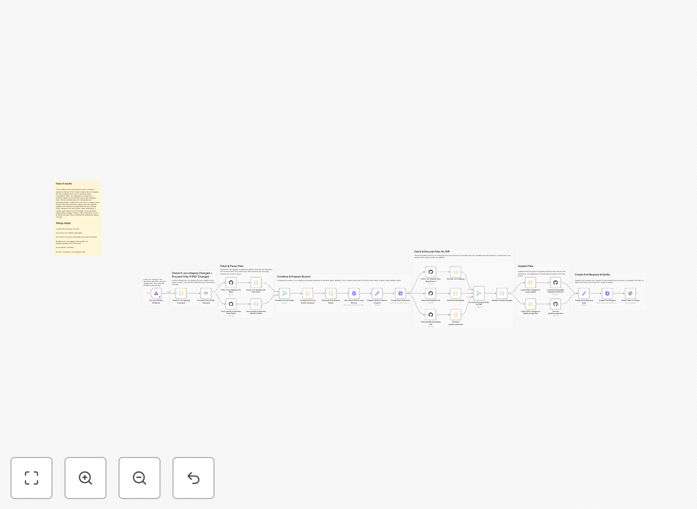
Android environment configuration sync workflow diagram

What This Workflow Does

This automation solves the common problem of keeping Android environment configurations synchronized between your source-controlled .env files and the actual Gradle build files. When developers update environment variables in the GitHub repository, the changes often need to be manually propagated to multiple Gradle configuration files - a tedious and error-prone process.

The workflow automatically detects changes to .env.staging (or other environment) files in your GitHub repository, extracts the updated configuration values, and propagates them to the corresponding Gradle build configuration files. It then sends Slack notifications to your team about the changes, creating visibility and an audit trail.

How It Works

1. GitHub Change Detection

The workflow monitors your specified GitHub repository for changes to environment configuration files. When a commit modifies these files, it triggers the automation.

2. Configuration Extraction

The system parses the updated .env file to extract key-value pairs of environment variables. It compares these with the previous version to identify exactly what changed.

3. Gradle File Updates

The workflow locates the relevant Gradle build configuration files in your project and updates them with the new environment values. This ensures your build system uses the latest configuration.

4. Slack Notifications

A detailed Slack message is sent to your designated channel, showing which configuration values changed, who made the changes, and when they occurred. This keeps the whole team informed.

Who This Is For

This workflow is ideal for:

  • Android development teams managing multiple environments
  • Teams practicing CI/CD who need reliable configuration management
  • Projects with frequent environment variable changes
  • Organizations that need audit trails for configuration changes
  • Teams wanting to reduce manual configuration errors

What You'll Need

  1. A GitHub repository with your Android project
  2. n8n instance or account to run the workflow
  3. Slack workspace for receiving notifications
  4. Gradle-based Android project structure
  5. Environment configuration files in your repository

Quick Setup Guide

  1. Download the JSON template file
  2. Import it into your n8n instance
  3. Configure the GitHub node with your repository details
  4. Set up the Slack node with your webhook URL
  5. Map the file paths to your project structure
  6. Test with a sample .env file change

Key Benefits

Eliminates manual errors in configuration propagation that can cause build failures or runtime issues.

Saves 5-15 minutes per configuration change that would otherwise be spent manually updating files.

Provides instant team visibility through Slack notifications about who changed what and when.

Maintains consistency across all environments by ensuring Gradle files always match the source-controlled configuration.

Creates an audit trail of configuration changes for compliance and debugging purposes.

Frequently Asked Questions

Common questions about Android configuration management and automation

Syncing environment variables ensures consistent configuration across development, staging, and production environments. Manual syncing is error-prone and can lead to build failures or incorrect app behavior. Automated syncing reduces configuration drift and ensures all team members work with the same settings.

For example, when API endpoints change between environments, automated syncing prevents developers from accidentally using production endpoints in staging builds. This becomes especially critical in large teams where multiple people might be updating configurations simultaneously.

GitHub serves as the single source of truth for configuration files. It provides version control, change tracking, and collaboration features. When combined with automation, GitHub can trigger updates whenever configuration files change, ensuring all systems stay in sync.

Teams can use GitHub's branch protection rules to require reviews for configuration changes, and the commit history provides a complete audit trail. This is particularly valuable for compliance requirements or when debugging environment-specific issues.

Slack notifications provide real-time visibility into configuration changes across the team. They create an audit trail, help with debugging when issues arise, and ensure all stakeholders are aware of important modifications to the build environment.

When a backend API URL changes, for instance, both mobile and web teams need to know immediately. Slack notifications bridge this communication gap automatically, reducing coordination overhead and preventing mismatched configurations between teams.

This workflow eliminates manual file updates and reduces context switching. Developers can focus on coding while the system handles configuration synchronization. It also prevents build errors caused by mismatched configurations, saving debugging time.

A typical mobile team might make 20-30 configuration changes per week. Automating this process could save 5+ developer hours monthly while simultaneously reducing production incidents caused by configuration errors.

Environment variables often contain sensitive data like API keys. The automation should use secure storage for credentials, limit access to configuration files, and mask sensitive values in notifications. GitHub's secret management helps protect these values.

Best practices include never committing actual secrets to repositories (using placeholders instead), rotating keys regularly, and implementing proper access controls. The automation workflow should be designed to handle secrets securely throughout the entire pipeline.

Yes, the workflow can be extended to support multiple build flavors by creating separate .env files for each flavor. The automation can detect which flavor's configuration changed and update the corresponding Gradle configuration accordingly.

For complex projects with free/paid flavors or white-label versions, this means maintaining consistent configurations across all variants while still allowing flavor-specific overrides when needed.

Absolutely! GrowwStacks specializes in building tailored automation solutions for mobile development teams. We can create custom workflows that integrate with your specific tech stack, CI/CD pipeline, and notification preferences to streamline your configuration management.

Our team will work with you to understand your exact requirements, security policies, and team workflows to design an automation system that saves time while maintaining reliability. We handle everything from initial consultation to implementation and ongoing support.

Need a Custom Android Configuration Automation?

This free template is a starting point. Our team builds fully tailored automation systems for your specific needs.