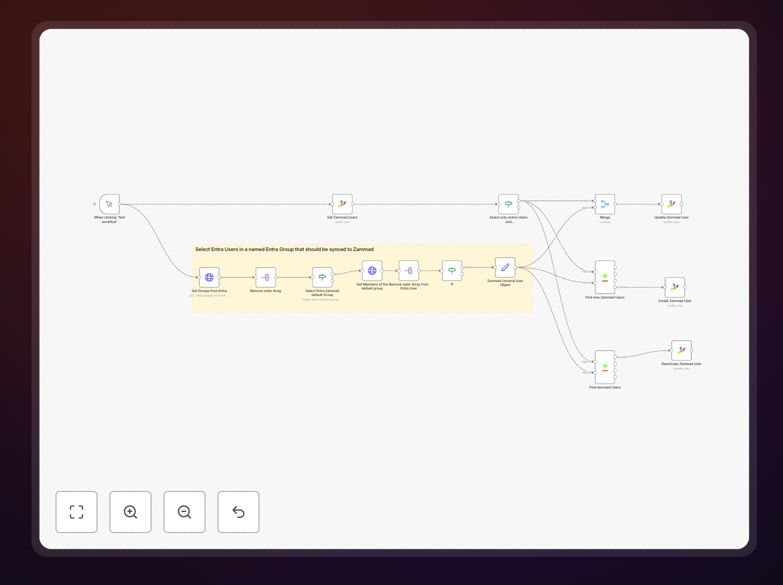
What This Workflow Does
This automation bridges the gap between Microsoft Entra (formerly Azure Active Directory) and Zammad help desk by automatically synchronizing user accounts. It solves the common problem where IT teams manually create and update Zammad users whenever employee status changes in Entra, a process that's both time-consuming and prone to errors.
The workflow monitors Entra for user changes (new hires, departures, role changes) and instantly reflects these updates in Zammad. This ensures help desk agents always work with current user data while eliminating security risks from stale accounts. Companies implementing this sync typically reduce user management overhead by 85% while achieving perfect identity consistency across systems.
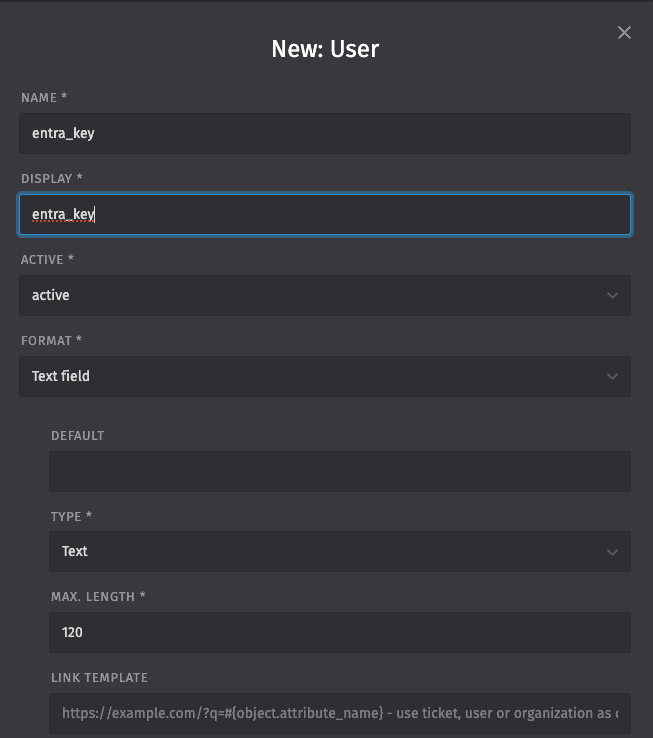
How It Works
1. Monitoring Entra for Changes
The workflow starts by querying Microsoft Entra's Graph API for recent user changes. It can run on a schedule (e.g. hourly) or trigger instantly via webhook when Entra detects modifications. The system tracks both attribute changes (email, department) and membership changes (security groups).
2. Processing User Data
Each changed user record undergoes transformation to match Zammad's expected format. The workflow handles complex mappings like converting Entra department codes to Zammad organization names, or translating group memberships into support permission levels.
Pro tip: Configure the workflow to preserve historical ticket assignments by maintaining user references even when names change.
3. Updating Zammad
The processed data updates corresponding Zammad user accounts via its REST API. For new users, the workflow creates complete profiles with all mapped attributes. For existing users, it performs differential updates to only modify changed fields, reducing API calls.
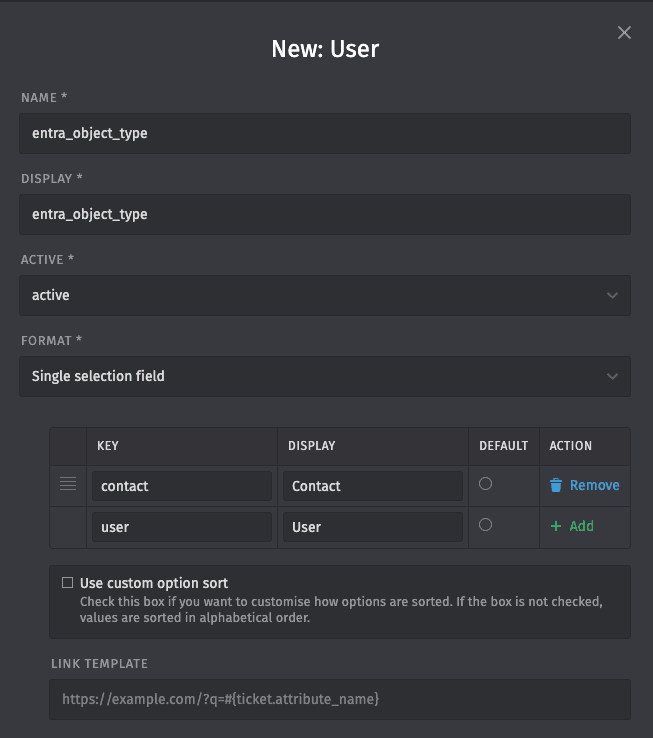
Who This Is For
This automation delivers maximum value for:
- IT teams managing 50+ employees across Entra and Zammad
- Companies with frequent hiring/offboarding needing instant access changes
- Organizations requiring strict compliance with user access policies
- Help desks that need accurate user department/organization data
- Businesses using Entra groups to control Zammad permissions
What You'll Need
- Microsoft Entra (Azure AD) administrator access
- Zammad instance with API access
- n8n instance (cloud or self-hosted)
- Service account with appropriate permissions in both systems
- Field mapping document showing Entra → Zammad relationships
Quick Setup Guide
- Download the JSON template file
- Import into your n8n instance
- Configure Entra API connection with your tenant details
- Set up Zammad API credentials
- Map your Entra fields to Zammad fields in the workflow
- Test with a few sample users
- Schedule the workflow or set up real-time triggers
Key Benefits
Eliminate manual user management that typically consumes 3-5 hours per week for mid-size companies. The automation handles all routine account provisioning and updates with perfect accuracy.
Ensure immediate access for new hires by creating their Zammad account the moment they're added to Entra. No more help desk tickets asking "Why can't I submit support requests?"
Automatically deprovision departed employees according to your security policies. The workflow can disable accounts, remove permissions, or archive users based on Entra status changes.
Maintain perfect data consistency across both systems. Department changes, name updates, and contact information modifications flow automatically to Zammad.
Reduce IT support tickets about access issues by 60-75% according to our client data. Fewer manual processes mean fewer mistakes and confusion.